
 Client area
OuiPanel 3.1.2 - Update dedicated to Hytale
Release Date: January 15, 2026
We are excited to present to you version 3.1.2 of OuiPanel, a major update entirely dedicated to Hytale ! This version brings many features to enhance your Hytale server management experience.
New Features
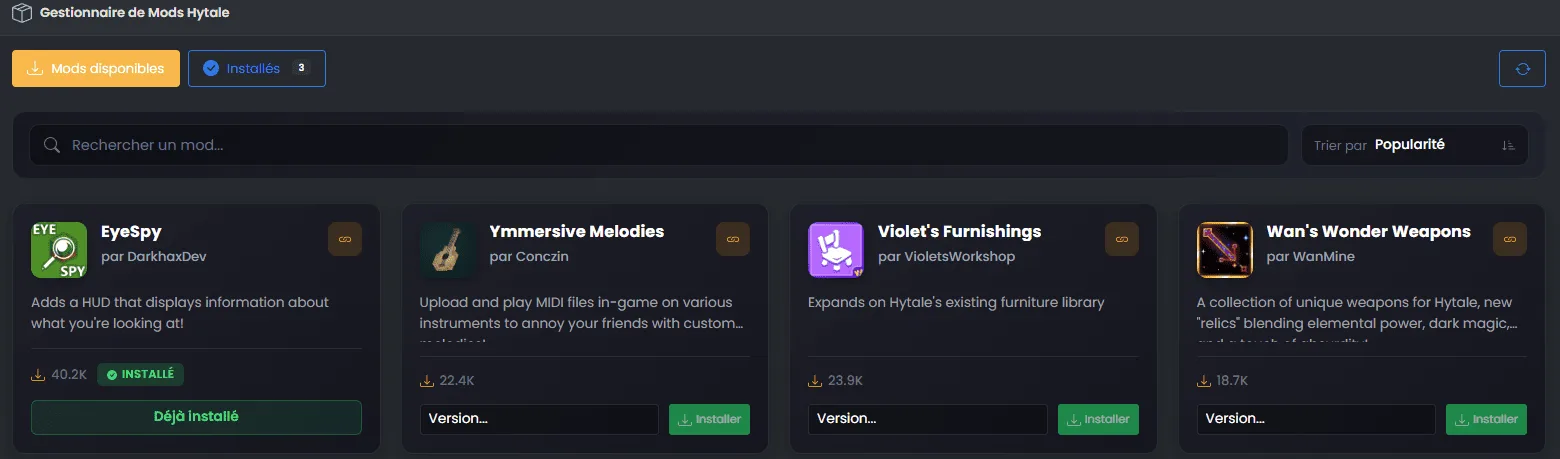
ModsManager with CurseForge integration
Easily install modpacks directly from CurseForge with our new mods manager. Browse the catalog, search for your favorite mods, and install them in a few clicks without leaving the panel.
Features:
- Browse and navigate the CurseForge catalog
- One-click installation
- Manage installed mods
Real-time Monitoring Page
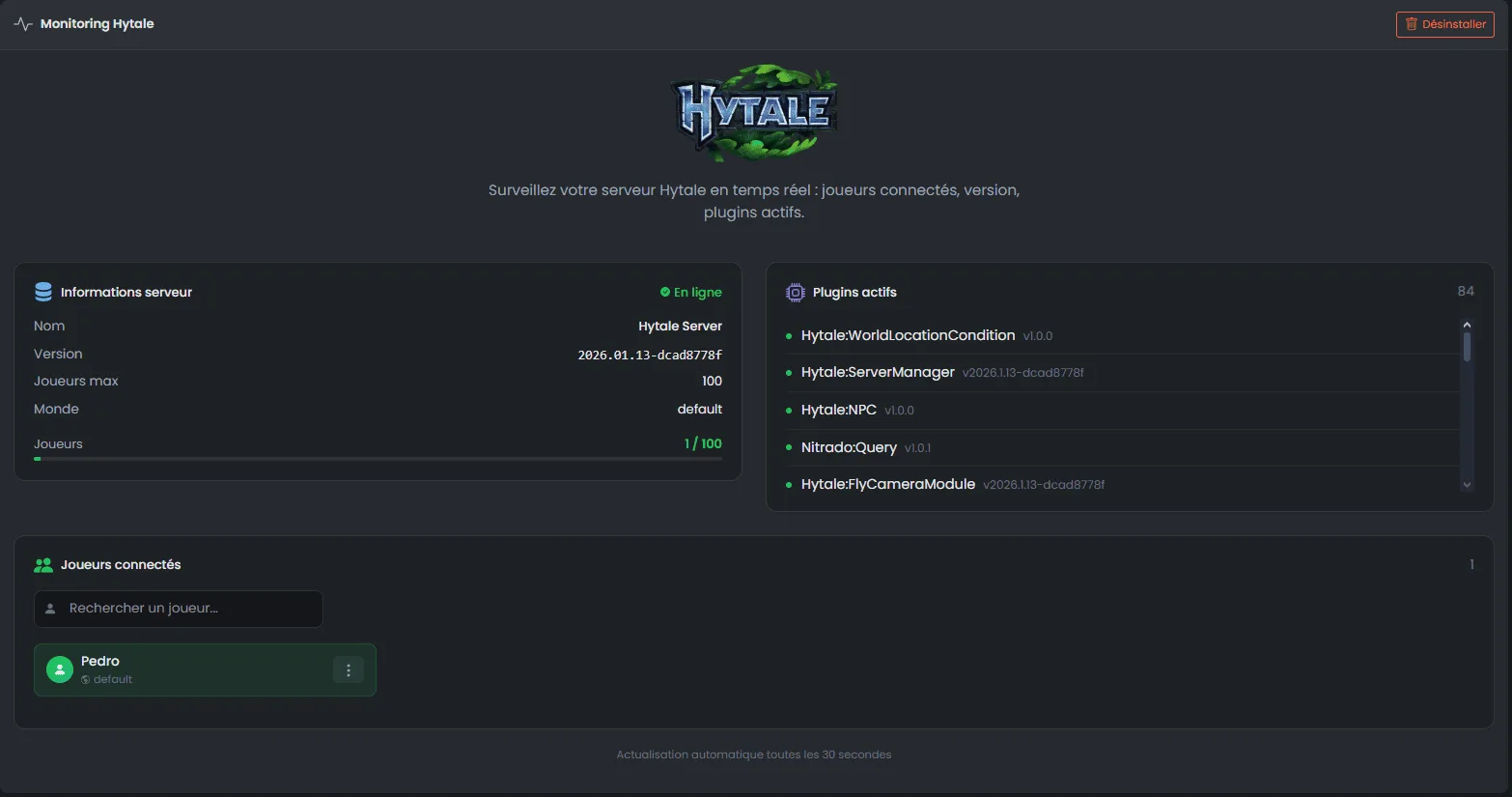
Monitor your Hytale server like never before with our new comprehensive monitoring page.
What you can do:
- Connected players : View all online players with a search bar to easily find them
- Player actions : Kick, ban, kill, gamemode change (adventure/creative), give, teleport, spawn, OP management
- Plugin list : Check all active plugins on your server
- Server information : Access general server information at a glance
Performance Analysis System
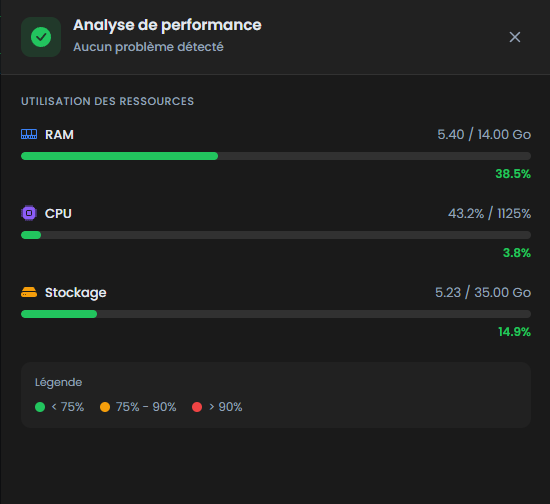
Keep an eye on your server's performance with our new analysis system.
Available metrics:
- Real-time RAM usage
- CPU usage
- Detailed graphs and statistics
Hytale Authentication Page
A dedicated new page guides you step by step to authenticate your Hytale server. No need to search for how to do it, everything is clearly explained with the necessary commands.
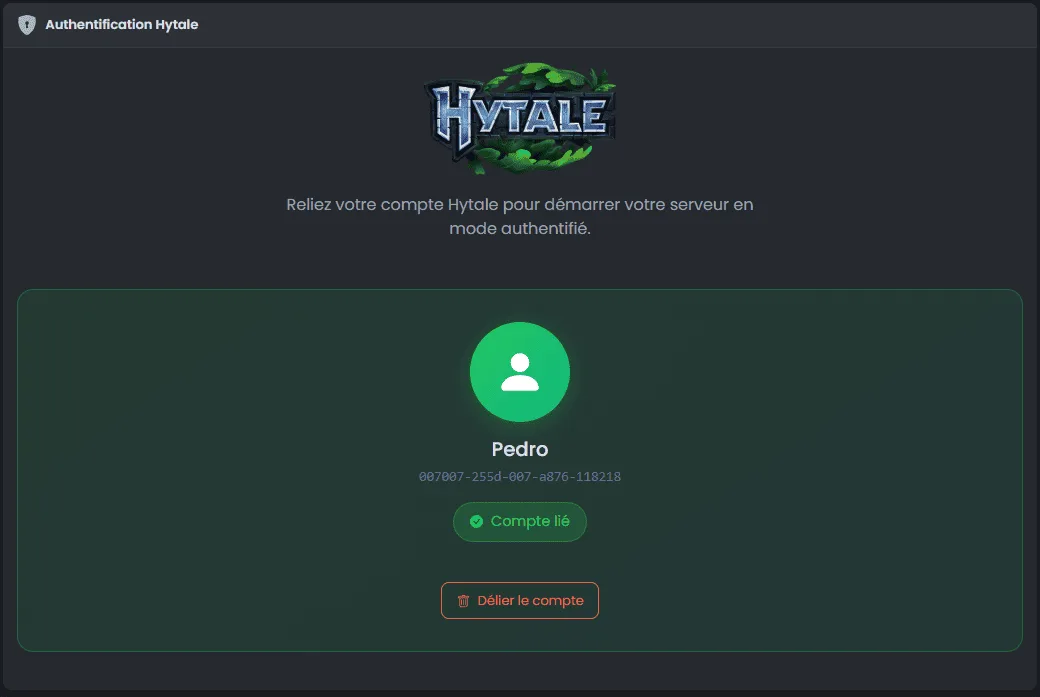
Supported methods:
- Device code authentication (recommended)
- Browser authentication
Dedicated Hytale Subdomain
Enjoy a personalized subdomain dedicated to your Hytale server for better accessibility and a unique identity.
Enhanced Getting Started Guide
The Hytale getting started guide adds a new step to help you configure monitoring.
Step 3 - Configure monitoring:
- Clear instructions to enable monitoring
- Redirect to the OuiBox page to add the required additional port
- Direct access button to monitoring
Improvements
Optimized Console
We have reduced unnecessary spaces in the console for better readability and a more pleasant user experience.
How to Activate Monitoring?
To use monitoring on your Hytale server, you need to add an additional port. You have two options:
- Through the top menu : Click on "Edit my server (cloud)" to add a port
- Through OuiBox : Access the OuiBox server manager to configure your ports
Once the port is added, go to the monitoring page to enjoy all the features!
Reminder: Hytale is in Early Access
Remember that Hytale is currently in Early Access. It is normal to encounter some client or server-side bugs. If you find any, feel free to report them directly to Hytale via the button at the bottom right of your game.
All our teams remain committed to providing you with the best possible experience on Hytale!
Conclusion
This 3.1.2 update marks an important milestone in our support for Hytale. We continue to work on new features to offer you the best management panel possible.
Have fun on Hytale!
The OuiPanel Team