
 Client area
Anti-Xray Paper Configuration: Complete Guide for Minecraft Server
Configuring Paper's anti-xray protects a Minecraft server from players who see through blocks to find ores. This guide explains how it works, its three modes, every setting, ready-to-copy configurations by server type and by dimension, its impact on performance and troubleshooting. It follows Paper 26.3.
Introduction to anti-xray
What is X-Ray?
X-Ray is a cheat that lets players see through blocks to spot ores, caves and hidden bases. It comes from a modified client, a resource pack or a mod.
Paper's solution
Paper includes a server-side anti-xray. It needs no plugin and stands up to most X-Ray techniques. It also works on Purpur, which is built on Paper. On Spigot or Vanilla, switch to Paper first: the guide Minecraft server optimization shows how to install it in OuiPanel.
Benefits of the built-in solution
| Aspect | Description |
|---|---|
| Performance | Optimized in the server code |
| Compatibility | Works with every vanilla client |
| Maintenance | Updated with Paper |
| Reliability | No external dependency |
| Configuration | Adjustable per world and per dimension |
Technical operation
Basic principle
Anti-xray changes the chunks sent to players. Instead of the real blocks, the server sends decoys until the player gets close enough to reveal them normally.
Revealing blocks
A hidden block is revealed as soon as:
the player breaks or places a nearby block;
a piston moves a nearby block;
an explosion destroys a nearby block;
water or lava flows onto a nearby block.
Adjacent blocks
The system looks at the 6 faces of a block. A block is "exposed" if at least one face touches a transparent block: air, glass, water. Exposed blocks are not hidden in mode 1.
Operation modes
Paper offers three modes, each with its strengths and limits.
Engine mode 1, simple replacement
This mode replaces hidden blocks, when they are not exposed, with the dimension's base block: stone (deepslate below Y 0), netherrack or end stone.
Hidden, unexposed block → stone (or deepslate, netherrack, end_stone)
Block exposed to air    → unchanged
Low cost for the server and especially for clients, with little memory and bandwidth.
However, an X-Ray that filters out stone still sees ores exposed to caves or water.
Suggested for servers with limited resources, very busy servers, creative or semi-RP servers.
Engine mode 2, random obfuscation
This mode replaces both hidden blocks and replacement blocks with blocks drawn at random from hidden-blocks. X-Ray then shows fake ores everywhere, impossible to tell from the real ones.
Hidden or replacement block → random block (diamond_ore, gold_ore, iron_ore…)
Block exposed to air        → unchanged
Strong protection: fake and real ores look the same, and X-Ray becomes useless.
In return, more processing, memory and bandwidth.
Suggested for competitive survival, PvP, factions and servers where the resource economy matters.
Engine mode 3, per-layer obfuscation
Like mode 2, but the random block is drawn once per chunk layer instead of once per block. According to Paper's documentation, network load when joining is roughly halved, since chunks compress better.
Comparison
| Criterion | Mode 1 | Mode 2 | Mode 3 |
|---|---|---|---|
| Protection | Basic | Strong | Strong |
| CPU | Low | Moderate | Moderate |
| Network | Low | Moderate | Lower than mode 2 |
| Suggested for | Casual servers | Competitive servers | Busy competitive servers |
Complete configuration
File location
config/paper-world-defaults.yml      # Default configuration for every world
<world>/paper-world.yml              # Configuration for one world
Edit the file in OuiPanel
In Console, click Stop.
Open the File Manager, then the
configfolder, and clickpaper-world-defaults.yml. The "Editing paper-world-defaults.yml" window opens.Replace the
anticheatsection with the configuration you want, then click Save.Start the server from Console. Changes only apply after a restart: do not use
/reload.
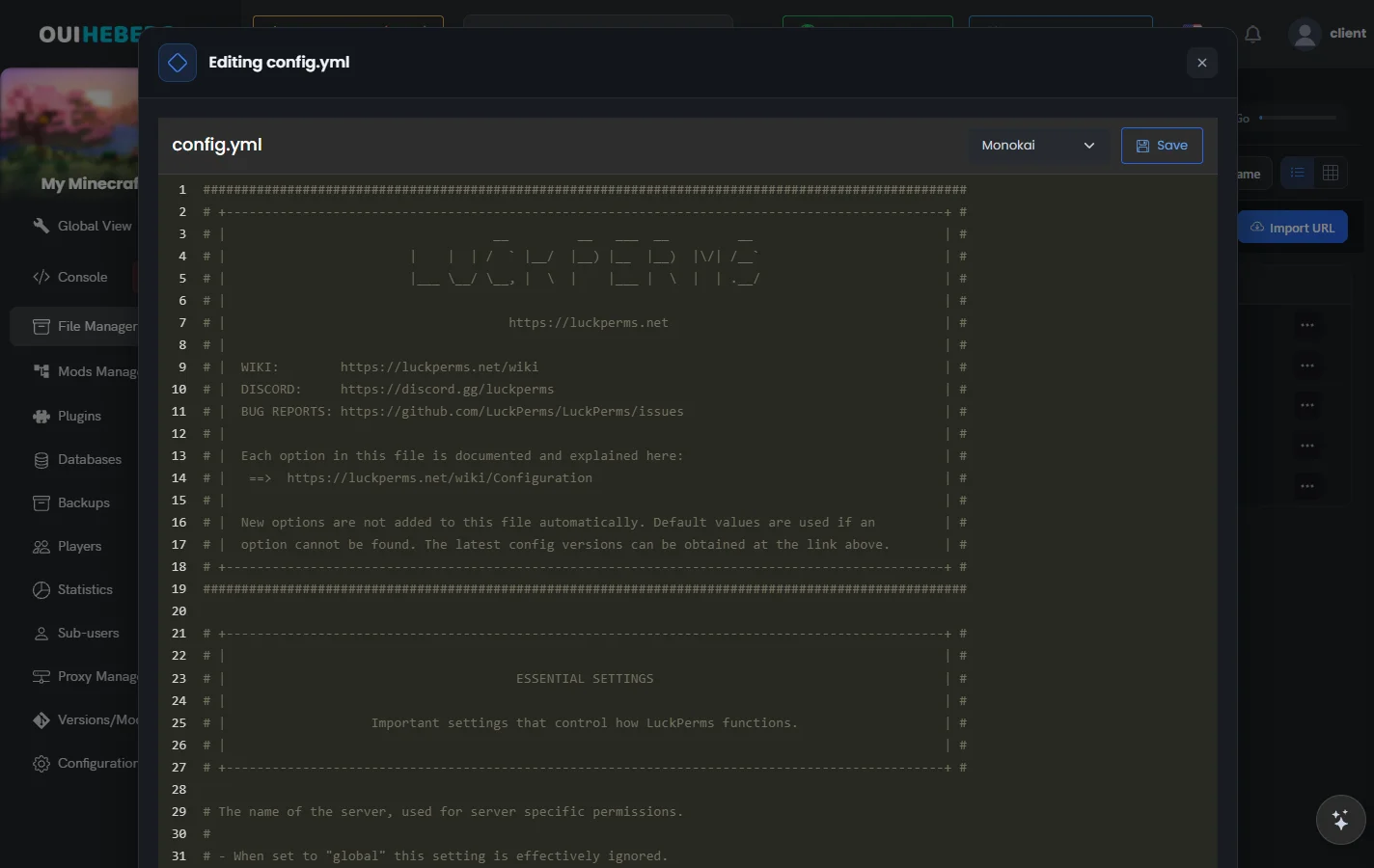
YAML rejects tabs and counts spaces. Copy the blocks from this guide exactly, with their indentation.
Configuration structure
anticheat:
  anti-xray:
    enabled: true
    engine-mode: 2
    max-block-height: 64
    update-radius: 2
    lava-obscures: false
    use-permission: false
    hidden-blocks:
      - copper_ore
      - deepslate_copper_ore
      - raw_copper_block
      - gold_ore
      - deepslate_gold_ore
      - raw_gold_block
      - iron_ore
      - deepslate_iron_ore
      - raw_iron_block
      - coal_ore
      - deepslate_coal_ore
      - lapis_ore
      - deepslate_lapis_ore
      - mossy_cobblestone
      - obsidian
      - diamond_ore
      - deepslate_diamond_ore
      - redstone_ore
      - deepslate_redstone_ore
      - clay
      - emerald_ore
      - deepslate_emerald_ore
    replacement-blocks:
      - chest
      - amethyst_block
      - andesite
      - budding_amethyst
      - calcite
      - coal_ore
      - deepslate_coal_ore
      - deepslate
      - deepslate_copper_ore
      - deepslate_diamond_ore
      - deepslate_emerald_ore
      - deepslate_gold_ore
      - deepslate_iron_ore
      - deepslate_lapis_ore
      - deepslate_redstone_ore
      - diorite
      - dirt
      - emerald_ore
      - granite
      - gravel
      - iron_ore
      - oak_planks
      - smooth_basalt
      - stone
      - tuff
Block entities (chests, ender chests, barrels, shulker boxes, spawners, hoppers, dispensers) cannot be hidden: Paper ignores them in
hidden-blocks. They are allowed inreplacement-blocks:chestthere hides buried treasure ifmax-block-heightis raised.
Settings in detail
| Setting | Default | Purpose |
|---|---|---|
enabled | false | Turns anti-xray on or off |
engine-mode | 1 | Mode 1, 2 or 3 |
max-block-height | 64 | Highest level where anti-xray applies, in multiples of 16 (other values are rounded down) |
update-radius | 2 | Radius of blocks revealed when a player acts: 1 or 2 (0 is for testing) |
lava-obscures | false | Also hides blocks touching lava |
use-permission | false | Lets players with paper.antixray.bypass see the real blocks |
hidden-blocks | list of ores | Blocks to hide |
replacement-blocks | stone, oak_planks, deepslate | Blocks scrambled in modes 2 and 3, ignored in mode 1 |
max-block-height
max-block-height: 64Above this value, nothing is hidden. Lowering it lightens the load. Suggested values: 64 for the Overworld, 128 for the Nether, and the End turned off. Since 1.18, some ores generate higher up: adjust to your world.
update-radius
update-radius: 2When a block is revealed, blocks within this radius get their real data. 1 is the lightest but can leave blocks unrevealed, 2 is the suggested balance. Paper only accepts 0, 1 and 2: a higher value is brought down to 2.
lava-obscures
lava-obscures: falseWhen true, blocks touching lava are hidden too. Useful in the Nether, but it looks bad with ores whose texture does not resemble stone.
use-permission
use-permission: falseWhen true, players with the paper.antixray.bypass permission see the real blocks, useful for admins when debugging. This check is off by default, as older permission plugins struggle with the number of checks.
hidden-blocks
hidden-blocks:
  - diamond_ore
  - emerald_ore
  # ...
The list of blocks to hide. In mode 1, they are replaced with the dimension's stone; in modes 2 and 3, with a block drawn at random from this same list. A block listed several times comes up more often. Adding air creates fake holes that fool cave finders, at the cost of lower FPS for some players.
replacement-blocks
replacement-blocks:
  - stone
  - deepslate
  - granite
  # ...
Blocks that are also scrambled in modes 2 and 3. This list is not used in mode 1.
Optimization by server type
Vanilla survival server
A balanced configuration for classic survival.
anticheat:
  anti-xray:
    enabled: true
    engine-mode: 2
    max-block-height: 64
    update-radius: 2
    lava-obscures: false
    use-permission: false
    hidden-blocks:
      - coal_ore
      - deepslate_coal_ore
      - copper_ore
      - deepslate_copper_ore
      - diamond_ore
      - deepslate_diamond_ore
      - emerald_ore
      - deepslate_emerald_ore
      - gold_ore
      - deepslate_gold_ore
      - iron_ore
      - deepslate_iron_ore
      - lapis_ore
      - deepslate_lapis_ore
      - redstone_ore
      - deepslate_redstone_ore
    replacement-blocks:
      - chest
      - coal_ore
      - deepslate_coal_ore
      - copper_ore
      - deepslate_copper_ore
      - diamond_ore
      - deepslate_diamond_ore
      - emerald_ore
      - deepslate_emerald_ore
      - gold_ore
      - deepslate_gold_ore
      - iron_ore
      - deepslate_iron_ore
      - lapis_ore
      - deepslate_lapis_ore
      - redstone_ore
      - deepslate_redstone_ore
      - amethyst_block
      - andesite
      - budding_amethyst
      - calcite
      - deepslate
      - diorite
      - dirt
      - granite
      - gravel
      - smooth_basalt
      - stone
      - tuff
Faction and PvP server
The strongest protection, for competitive servers. Ores are hidden over the whole height of the world, along with TNT. Containers cannot be hidden.
anticheat:
  anti-xray:
    enabled: true
    engine-mode: 2
    max-block-height: 320
    update-radius: 2
    lava-obscures: false
    use-permission: false
    hidden-blocks:
      - ancient_debris
      - coal_ore
      - deepslate_coal_ore
      - copper_ore
      - deepslate_copper_ore
      - diamond_ore
      - deepslate_diamond_ore
      - emerald_ore
      - deepslate_emerald_ore
      - gold_ore
      - deepslate_gold_ore
      - iron_ore
      - deepslate_iron_ore
      - lapis_ore
      - deepslate_lapis_ore
      - redstone_ore
      - deepslate_redstone_ore
      - nether_gold_ore
      - nether_quartz_ore
      - tnt
    replacement-blocks:
      - chest
      - coal_ore
      - deepslate_coal_ore
      - copper_ore
      - deepslate_copper_ore
      - diamond_ore
      - deepslate_diamond_ore
      - emerald_ore
      - deepslate_emerald_ore
      - gold_ore
      - deepslate_gold_ore
      - iron_ore
      - deepslate_iron_ore
      - lapis_ore
      - deepslate_lapis_ore
      - redstone_ore
      - deepslate_redstone_ore
      - amethyst_block
      - andesite
      - budding_amethyst
      - calcite
      - deepslate
      - diorite
      - dirt
      - granite
      - gravel
      - oak_planks
      - smooth_basalt
      - stone
      - tuff
Economy server
A configuration that targets valuable resources, to protect the server economy.
anticheat:
  anti-xray:
    enabled: true
    engine-mode: 2
    max-block-height: 64
    update-radius: 2
    lava-obscures: false
    use-permission: false
    hidden-blocks:
      - diamond_ore
      - deepslate_diamond_ore
      - emerald_ore
      - deepslate_emerald_ore
      - gold_ore
      - deepslate_gold_ore
      - ancient_debris
    replacement-blocks:
      - diamond_ore
      - deepslate_diamond_ore
      - emerald_ore
      - deepslate_emerald_ore
      - gold_ore
      - deepslate_gold_ore
      - coal_ore
      - deepslate_coal_ore
      - iron_ore
      - deepslate_iron_ore
      - copper_ore
      - deepslate_copper_ore
      - deepslate
      - stone
      - granite
      - diorite
      - andesite
Performance server (large population)
The lightest configuration, for a server with many players. In mode 1, replacement-blocks is not used.
anticheat:
  anti-xray:
    enabled: true
    engine-mode: 1
    max-block-height: 48
    update-radius: 1
    lava-obscures: false
    use-permission: false
    hidden-blocks:
      - diamond_ore
      - deepslate_diamond_ore
      - emerald_ore
      - deepslate_emerald_ore
      - ancient_debris
    replacement-blocks:
      - stone
Configuration by dimension
Each dimension can have its own paper-world.yml. Minecraft 26.1 moved dimensions into world/dimensions/minecraft/, so the Nether and the End changed folders.
| Dimension | Before 26.1 | Since 26.1 |
|---|---|---|
| Overworld | world/paper-world.yml | config/paper-world-defaults.yml (suggested) |
| Nether | world_nether/paper-world.yml | world/dimensions/minecraft/the_nether/paper-world.yml |
| End | world_the_end/paper-world.yml | world/dimensions/minecraft/the_end/paper-world.yml |
Overworld (world)
anticheat:
  anti-xray:
    enabled: true
    engine-mode: 2
    max-block-height: 64
    update-radius: 2
    lava-obscures: false
    use-permission: false
    hidden-blocks:
      - coal_ore
      - deepslate_coal_ore
      - copper_ore
      - deepslate_copper_ore
      - diamond_ore
      - deepslate_diamond_ore
      - emerald_ore
      - deepslate_emerald_ore
      - gold_ore
      - deepslate_gold_ore
      - iron_ore
      - deepslate_iron_ore
      - lapis_ore
      - deepslate_lapis_ore
      - redstone_ore
      - deepslate_redstone_ore
      - raw_copper_block
      - raw_gold_block
      - raw_iron_block
    replacement-blocks:
      - amethyst_block
      - andesite
      - budding_amethyst
      - calcite
      - chest
      - coal_ore
      - deepslate_coal_ore
      - copper_ore
      - deepslate_copper_ore
      - deepslate
      - diamond_ore
      - deepslate_diamond_ore
      - diorite
      - dirt
      - emerald_ore
      - deepslate_emerald_ore
      - gold_ore
      - deepslate_gold_ore
      - granite
      - gravel
      - iron_ore
      - deepslate_iron_ore
      - lapis_ore
      - deepslate_lapis_ore
      - oak_planks
      - redstone_ore
      - deepslate_redstone_ore
      - smooth_basalt
      - stone
      - tuff
Nether (world_nether)
anticheat:
  anti-xray:
    enabled: true
    engine-mode: 2
    max-block-height: 128
    update-radius: 2
    lava-obscures: false
    use-permission: false
    hidden-blocks:
      - ancient_debris
      - nether_gold_ore
      - nether_quartz_ore
      - gilded_blackstone
    replacement-blocks:
      - ancient_debris
      - basalt
      - blackstone
      - chest
      - gilded_blackstone
      - gravel
      - magma_block
      - nether_bricks
      - nether_gold_ore
      - nether_quartz_ore
      - netherrack
      - soul_sand
      - soul_soil
End (world_the_end)
The End holds few resources worth protecting, and its chests and shulker boxes cannot be hidden. Paper's documentation suggests turning anti-xray off in this dimension.
anticheat:
  anti-xray:
    enabled: false
Performance impact
Rough figures by mode
These figures are rough estimates, not official Paper measurements. Measure on your own server with Spark.
| Metric | Mode 1 | Mode 2 | Without anti-xray |
|---|---|---|---|
| CPU (chunk generation) | +5-10 % | +15-25 % | Baseline |
| RAM per chunk | +0.1 KB | +0.5 to 1 KB | Baseline |
| Bandwidth | +2-5 % | +10-20 % | Baseline |
| Network latency | Negligible | +1-5 ms | Baseline |
What affects performance
The longer the hidden-blocks list, the heavier the processing.
# Light (5 to 10 blocks)
hidden-blocks:
  - diamond_ore
  - emerald_ore
  - gold_ore
  - ancient_debris
  - obsidian
# Heavy (20 blocks or more)
hidden-blocks:
  - coal_ore
  - deepslate_coal_ore
  - copper_ore
  - deepslate_copper_ore
  # ... 20 entries or more
Lowering max-block-height clearly reduces the load.
# Best performance
max-block-height: 48
# Balanced
max-block-height: 64
# Maximum protection (costly)
max-block-height: 320
update-radius at 2 checks more neighboring blocks than 1. It is the suggested value; 1 is for a very busy server.
update-radius: 1
update-radius: 2
For a heavily loaded server
anticheat:
  anti-xray:
    enabled: true
    engine-mode: 1          # Lightest mode
    max-block-height: 48    # Low ceiling
    update-radius: 1        # Smallest radius
    hidden-blocks:          # Short list
      - diamond_ore
      - deepslate_diamond_ore
      - ancient_debris
    replacement-blocks:
      - stone
Measure with Spark
Spark has been bundled with Paper since 1.21. In the OuiPanel console, type these commands without the slash.
/spark profiler start
# Wait a few minutes while players play
/spark profiler stop
In the report, look for AntiXray, ChunkSerializer for generation and PlayerConnection for the network. The guide Ticks, TPS and main thread on Minecraft helps you read the report.
Troubleshooting and common issues
Real blocks show up for a moment
Players see the real blocks briefly while chunks load.
The cause is often network latency or an overloaded server.
Keep update-radius at 2 and check network compression in server.properties.
update-radius: 2
# In server.properties
network-compression-threshold=256
Blocks stay hidden after mining
After breaking a block, neighboring blocks stay scrambled.
update-radius is too low, or a bug affects your Paper version.
Raise the radius and update Paper from the OuiPanel Version Manager (Update).
# Raise the update radius
update-radius: 2
# Check that Paper is up to date
# Latest build on papermc.io
Performance drops
Low TPS and lag when chunks load.
Lighten the configuration and shorten the block list.
# Reduce the load
engine-mode: 1
max-block-height: 48
update-radius: 1
# Shorten the block list
hidden-blocks:
  - diamond_ore
  - deepslate_diamond_ore
  - emerald_ore
  - deepslate_emerald_ore
Some blocks are not hidden
Players with X-Ray still see some ores.
The block is missing from hidden-blocks, it is exposed to air, it sits above max-block-height, or it is a block entity (chest, spawner), which cannot be hidden.
Check that every variant is listed.
hidden-blocks:
  - diamond_ore
  - deepslate_diamond_ore  # Do not forget the deepslate variant
Conflicts with some plugins
A protection or economy plugin misbehaves because it interacts with blocks in an unusual way. Update the plugin or contact its developer. To let admins see the real blocks while testing, turn on the bypass permission, then give paper.antixray.bypass to admins.
use-permission: trueThe guide Configure LuckPerms explains how to grant a permission.
Useful commands
# Show the Paper version
/version
# Dump plugins and their dependencies to a debug file
/paper dumpplugins
# Profile the server
/spark profiler start
/spark profiler stop
There is no hot reload for anti-xray: after each change, restart the server from Console › Restart.
Best practices
Initial setup
Start in mode 2 or 3 for strong protection.
Then adjust based on measured performance.
Test with trusted players using X-Ray.
Suggested block list
| Category | Blocks |
|---|---|
| Essential (every server) | diamond_ore, deepslate_diamond_ore, emerald_ore, deepslate_emerald_ore, ancient_debris |
| Recommended (survival) | gold_ore, deepslate_gold_ore, iron_ore, deepslate_iron_ore, copper_ore, deepslate_copper_ore, lapis_ore, deepslate_lapis_ore, redstone_ore, deepslate_redstone_ore, coal_ore, deepslate_coal_ore |
| Special | tnt (PvP servers), obsidian (hidden bases), mossy_cobblestone (dungeons) |
| Cannot be hidden | Chests, trapped chests, ender chests, barrels, shulker boxes, hoppers, dispensers, droppers, spawners: they are block entities |
Maintenance
Update Paper regularly to get fixes.
Monitor performance with Spark.
Test after every major Minecraft update, such as the folder change in 26.1.
Record your changes in a changelog.
Extra security
Anti-xray does not replace other measures:
an anti-cheat plugin (Matrix, Vulcan, Grim);
a block logger (CoreProtect, Prism);
active moderation and player reports;
regular checks on suspicious players.
Resources and references
Need help?
Open a ticket from Tickets › Open a Ticket, or from the Contact support tile at the bottom of your server's page in the client area. You can also ask your question on the OuiHeberg Discord.
Discover our Minecraft hosting plans starting from $2.28/month with automatic mod installation.
Minecraft server hosting →