
 Client area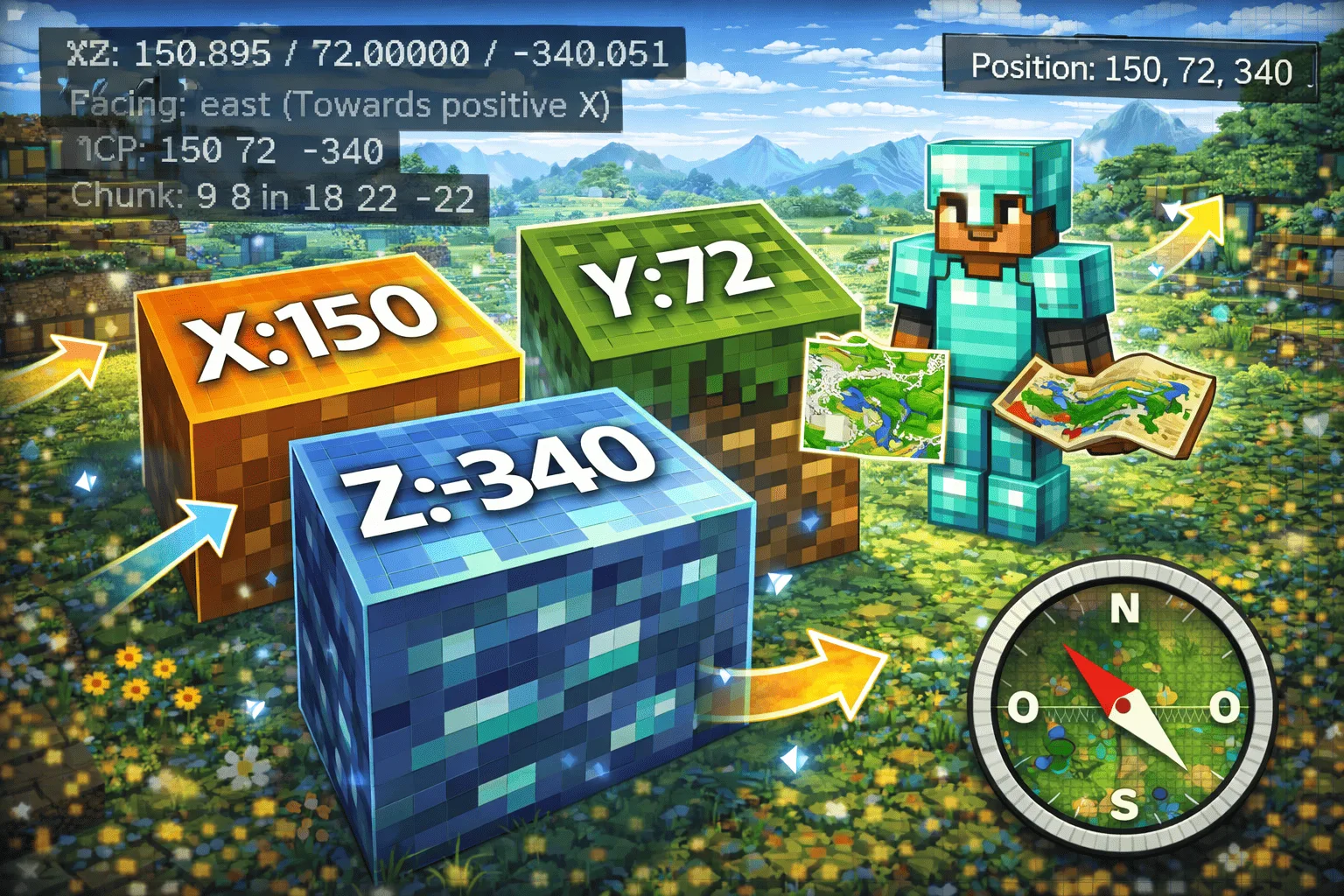
Minecraft Coordinates: Display (Java and Bedrock)
Minecraft coordinates are the most fundamental navigation tool in the game. Finding your base, sharing a mineral spot with a friend, locating a rare biome, or simply not getting lost: everything relies on three numbers (X, Y, Z). This guide explains how to display coordinates in Minecraft on each edition and how to use them effectively in 2026.
Understanding X, Y, Z
Minecraft uses a three-axis coordinate system. X corresponds to the east-west direction: positive values go east, negative values go west. Z corresponds to the north-south direction: positive values go south, negative values go north. Y corresponds to altitude: sea level is at Y = 63, the lowest bedrock at Y = -64 (since 1.18), and the build limit at Y = 320.
Some useful landmarks for quick orientation: the sun rises in the east (+X) and sets in the west (-X). Clouds always move east (+X). Looking at the top texture of a cobblestone block, the "L" pattern points southeast.
Each coordinate is expressed in blocks. A player at coordinates X = 150, Y = 72, Z = -340 is 150 blocks east and 340 blocks north of the world's origin point (X = 0, Z = 0). The altitude Y = 72 means they are 9 blocks above sea level.
Display on Java (F3)
In Java Edition, press the F3 key to open the debug screen. The coordinates appear on the left side of the screen, on the "XYZ" line. Three values are displayed with decimal precision (e.g., 152.347 / 72.000 / -340.891). The "Block" line just below rounds these values to the exact block you are on.
On laptops, the F keys are often shared with system functions (volume, brightness). If F3 alone doesn't work, try Fn + F3. On some Mac keyboards, use Option + Fn + F3.
The debug screen also displays additional information: the direction you are facing (Facing: north/south/east/west), the current biome, ambient light, and the chunk you are in. To close the screen, press F3 again.
If the debug screen is too cluttered with information, version 1.20.2 introduced a reduced display accessible via game options (Options > Chat Settings > Reduced Debug Info). This mode only shows essential information, including coordinates.
Display on Bedrock
The Bedrock edition (mobile, console, Windows 10/11) does not have an F3 debug screen. Coordinate display is enabled through world settings.
In solo or as a host. Open the pause menu, go to Settings > Game, then enable the "Show Coordinates" option. The coordinates are permanently displayed at the top left of the screen, without cluttering the view.
On a server or a Realm. Enabling coordinates depends on the administrator. If you manage the server, there are two options: enable "Show Coordinates" in the world properties via the management panel, or use the command /gamerule showcoordinates true in the console. Players don't need to do anything once the option is enabled.
Alternative by command. The command /tp ~ ~ ~ (teleport to your own position) displays your current coordinates in the chat, even if the global option is disabled. This only works if commands (cheats) are enabled in the world.
For players on mobile or console managing their own Minecraft Bedrock server, the option is configured directly from the panel without having to manually modify files.
Useful Coordinates
Some coordinates and altitudes are constantly referenced in the game. Knowing these landmarks by heart saves considerable time.
Diamond: the maximum concentration of diamond ore is at Y = -59 (since 1.18). Dig at this level to maximize your chances. The old level Y = 11 remains valid for worlds generated before 1.18.
Bedrock: the lowest layer of the world is Y = -64. It is impossible to go below in survival.
Netherite (ancient debris): maximum concentration at Y = 15 in the Nether. Mining with beds or TNT at this altitude is the most effective method.
Slime: slimes spawn in slime chunks below Y = 40. Combine this information with a tool like Chunkbase to find the right chunks.
Nether Portal and coordinate conversion: coordinates in the Nether correspond to a 1:8 ratio compared to the Overworld. Divide your X and Z coordinates by 8 to find the equivalent location in the Nether. For example, a base at X = 800, Z = 400 in the Overworld corresponds to X = 100, Z = 50 in the Nether. This conversion is essential for creating highways in the Nether and traveling quickly.
Spawn point: coordinates X = 0, Z = 0 are not necessarily the spawn. The spawn is defined by the game within a radius around the origin. Note your spawn coordinates at the start of the game.
On a multiplayer server, sharing your coordinates is the simplest way to guide a friend to your base or a point of interest. A stable Minecraft hosting ensures that coordinates remain reliable and that the world does not suffer from corruptions that could shift structures.
FAQ
Are coordinates the same between Java and Bedrock?
Yes. The X, Y, Z system is identical between the two editions. A point at coordinates X = 100, Y = 65, Z = -200 designates the same place in a world with the same seed, regardless of the edition.
How to find your house if you are lost?
If you have noted your coordinates, head towards them while keeping the F3 screen (Java) or coordinate display (Bedrock) visible. Adjust your direction so that X and Z approach the target values. Without noted coordinates, use a compass that points to the world's spawn.
Do coordinates work in the Nether and the End?
Yes. Each dimension has its own coordinate system. In the Nether, remember: 1 block = 8 blocks in the Overworld (X and Z axes only, Y remains the same).
Can coordinates be hidden on a PvP server?
On Bedrock, the administrator can disable "Show Coordinates" in the world settings. On Java, the gamerule reducedDebugInfo hides coordinates from the F3 screen for players, which is useful for PvP servers or adventure maps.
How to share your coordinates with a friend?
The simplest way is to write them in the game chat. On Java, press F3, read the coordinates, and type them manually. There is no native command to automatically share your position, but server plugins like EssentialsX add this functionality.
Tip: coordinates are much easier to share on a private server. To pick yours, check our Minecraft hosting comparison.