
 Client area
VPS reseller hosting under your own brand
Sell OuiHeberg Linux VPS, Windows VPS and dedicated servers under your name. You run everything from the reseller area, your WHMCS or the API, and your customers never see OuiHeberg.
4.7/5 793 Google reviews
 Enlarge the screenshot
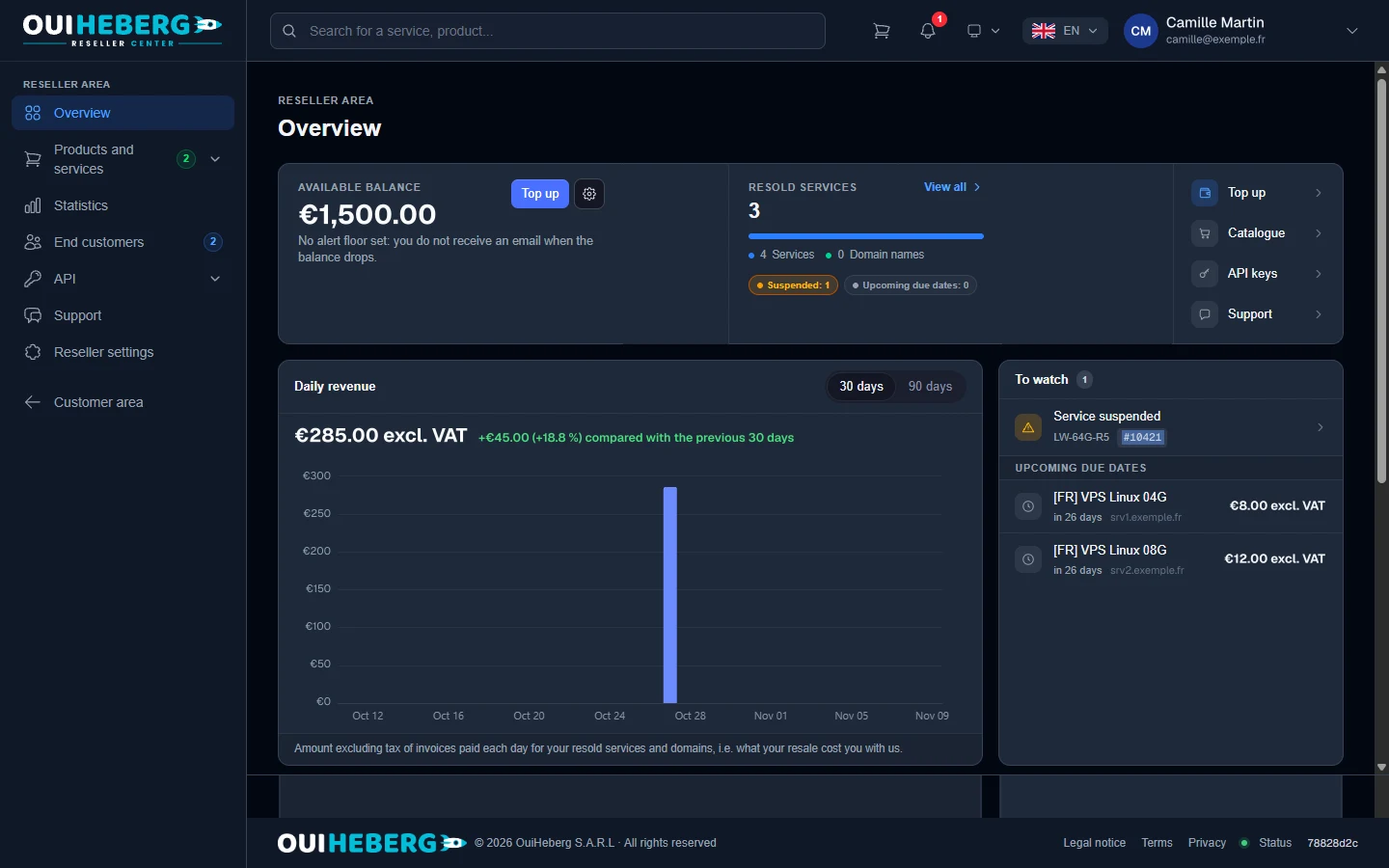
Your reseller area at a glance
It is added to your client area as soon as your access is open. Your whole resold fleet fits on this screen.
Available balance
Top it up whenever you like. An email alert can warn you when it drops below the amount you choose.
Resold services
How many services are running, with suspended services and upcoming renewals.
Daily revenue
What your resold services cost you each day, over 30 or 90 days.
To watch
Suspended services and the next renewals, with their amount excluding tax.
Become a VPS reseller in five steps
Access is granted on request, once our team has approved it.
Request access
In the reseller section of your client area, accept the reseller terms and send your request. No account yet? Create one and you come back to this section.
Our team approves
The OuiHeberg team reviews your request, then opens your access. No reseller account is activated automatically.
Top up your balance
The reseller account is prepaid. Each order is charged to your balance, with no minimum and no deposit.
Place orders
From the reseller area, through the API or straight from your WHMCS with the module.
Your customer takes over
They manage their server on your website, under your brand. They start it, stop it, reinstall it and open the console.
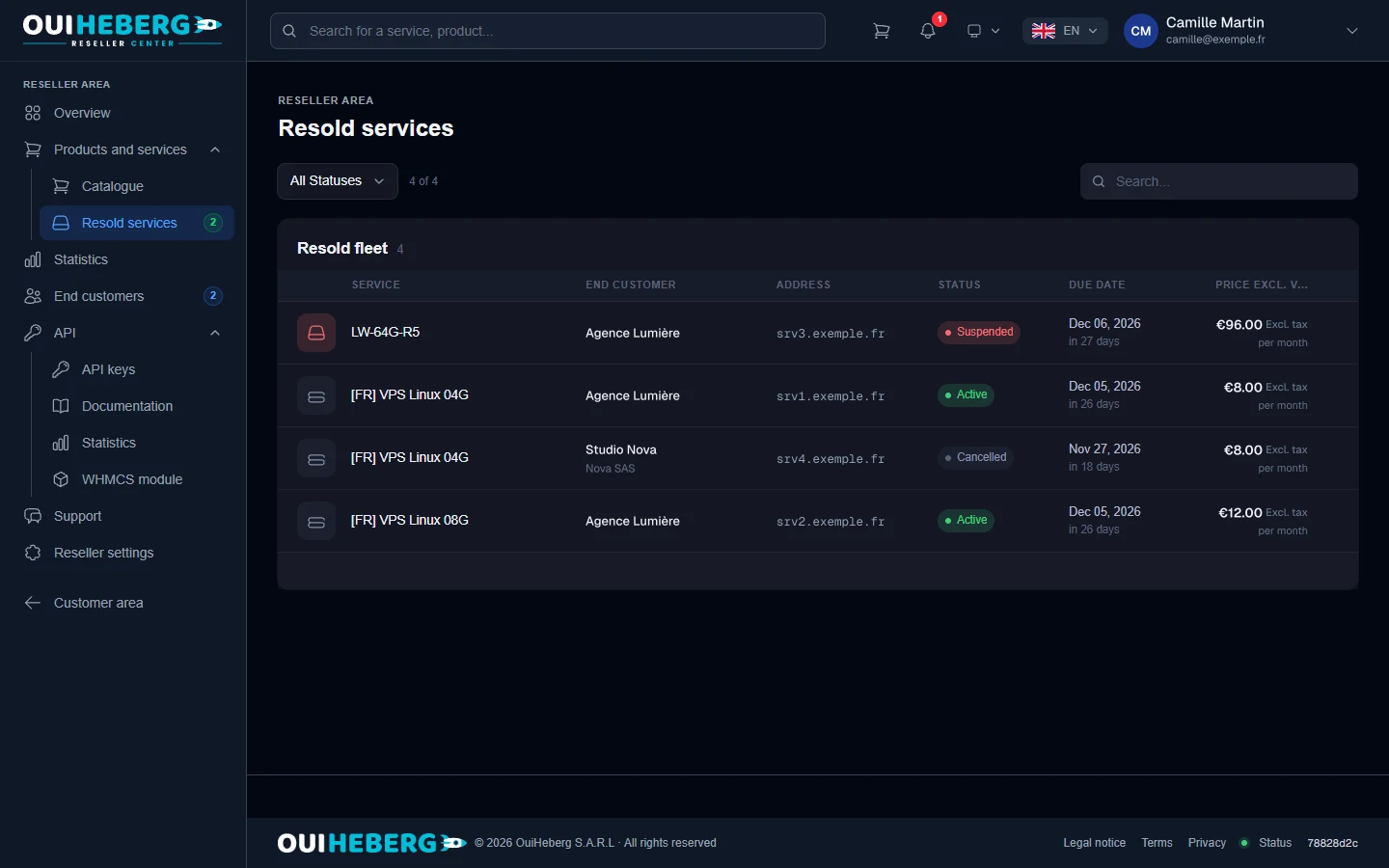
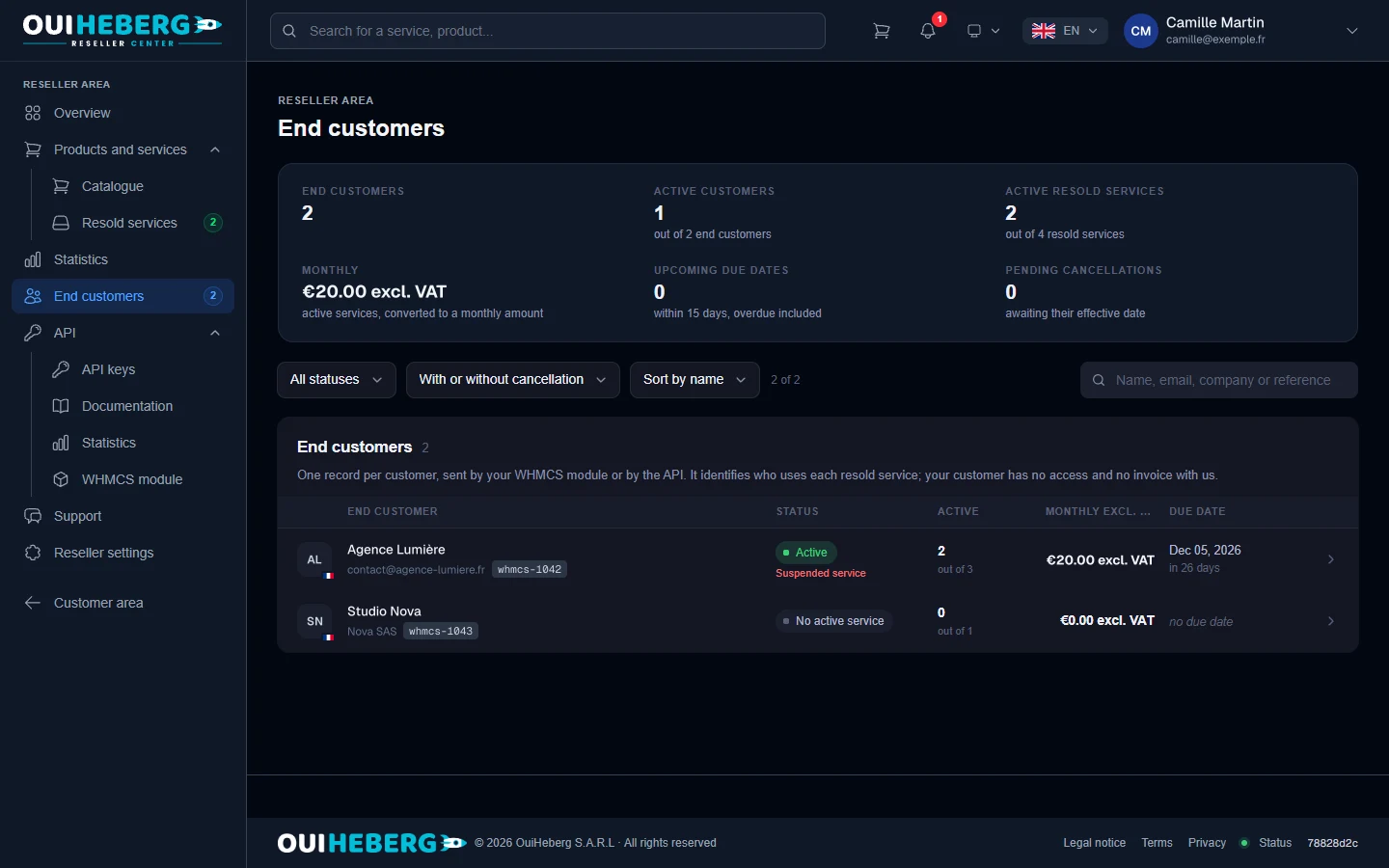
Your end customers and their services
Every resold server is linked to its customer's record. You know who uses what, and until when.
- For each service, the customer, address, status, renewal date and monthly price.
- One record per end customer, created by your WHMCS module or through the API.
- Active customers, monthly total, renewals in the next 15 days and pending cancellations.
- A status filter and a search by name, email, company or reference.
 Enlarge the screenshot
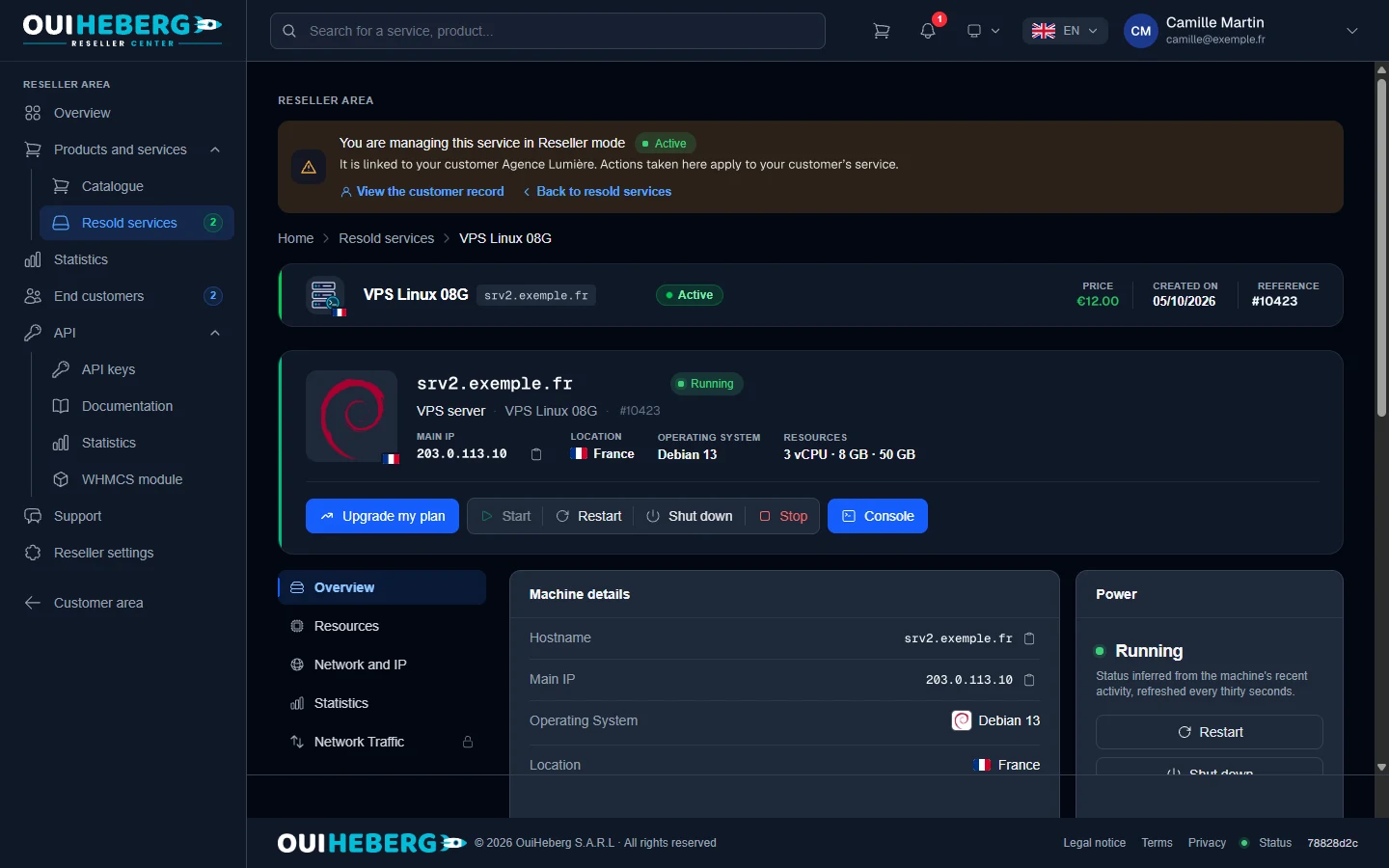
Manage every resold VPS from your area
A banner shows which customer you are acting for. Every action taken here applies to their server.
 Enlarge the screenshot
Start, restart, shut down or stop the server.
Open the console.
Reinstall the operating system.
Follow resources, statistics and network traffic.
White label VPS reseller hosting
Your customers go through your website and never see OuiHeberg.
- They order and manage their server on your website, under your brand.
- They have no access and no invoice at OuiHeberg.
- OuiHeberg invoices and emails are sent to you.
- Delivery emails for orders placed through the API can be turned off.
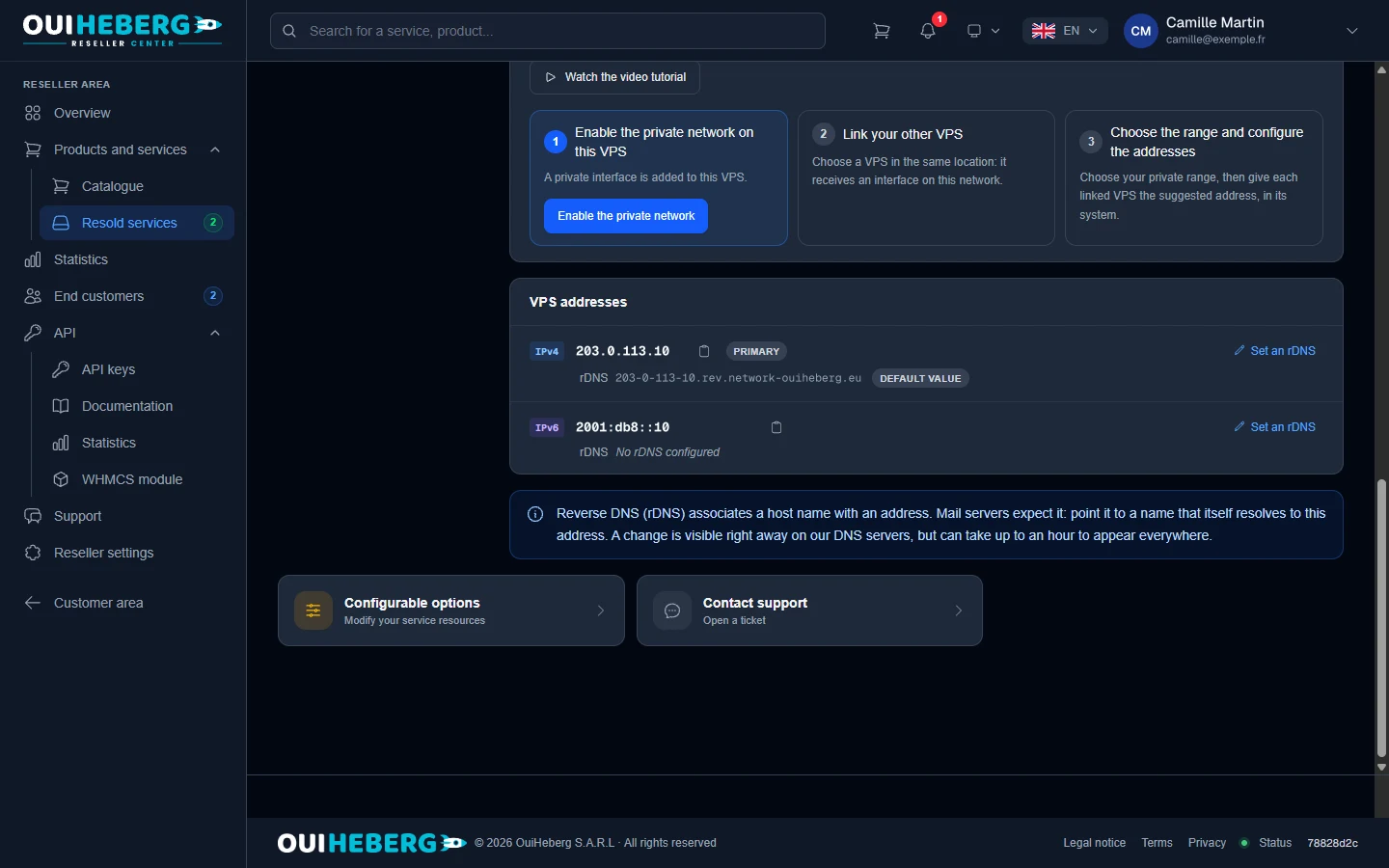
- Reverse DNS can be customised for every IPv4 and IPv6 address. By default it shows a OuiHeberg name, which you replace with your own.
 Enlarge the screenshot
The VPS and dedicated servers you can resell
Three ranges, delivered by OuiHeberg and sold under your brand.
Linux VPS
Virtual servers running Linux, for customers who want control over their system.
France, Germany, Netherlands, New YorkSee Linux VPS →Windows VPS
Virtual servers running Windows Server, for customers who work on Windows.
France, Germany, Netherlands, New YorkSee Windows VPS →Dedicated servers


 Enlarge the screenshot
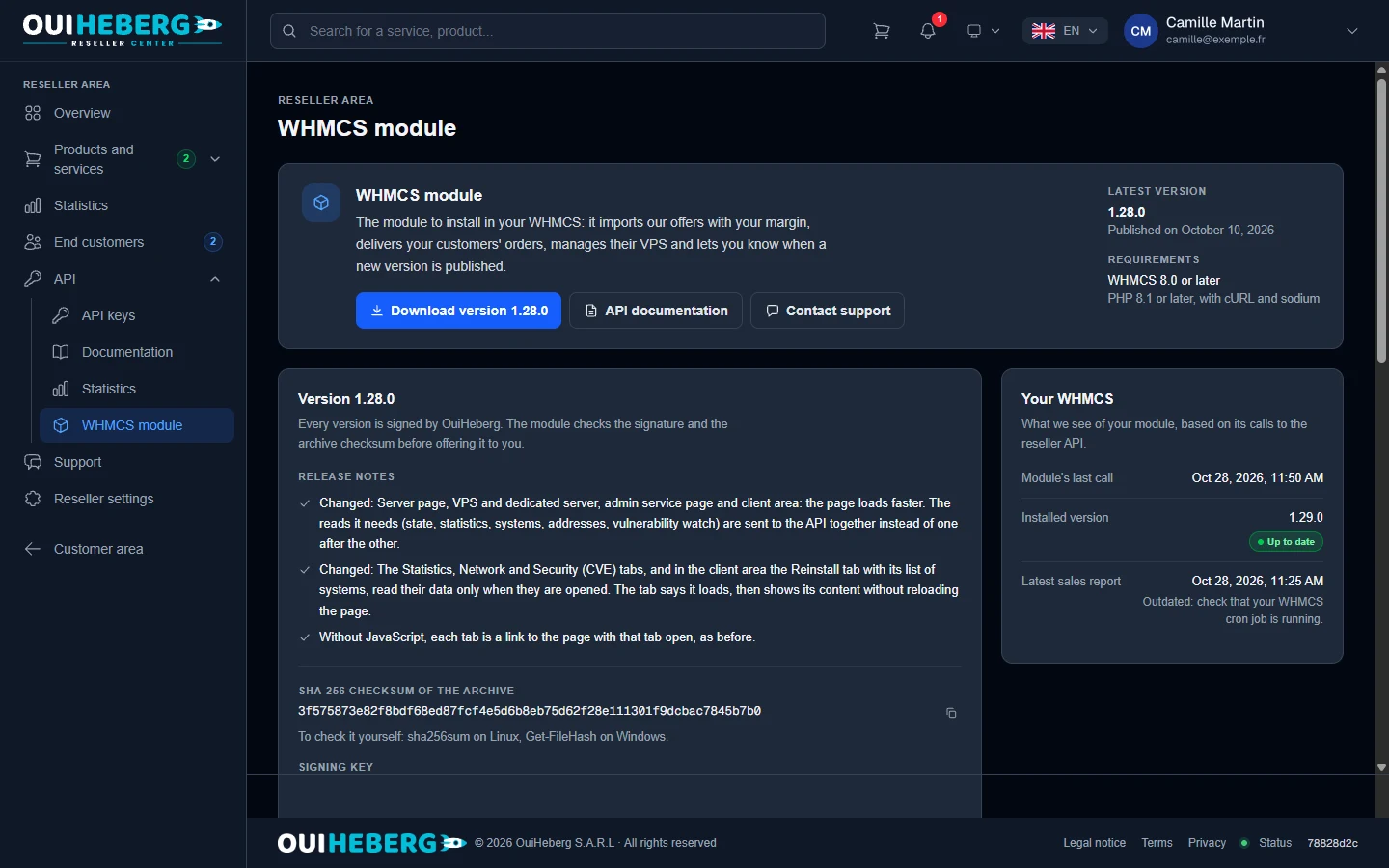
WHMCS reseller module: OuiHeberg Reseller Center
It connects your WHMCS to your reseller account. Your customers order and manage their server on your side.
- It imports our plans into your WHMCS, with your margin.
- It delivers your customers' orders and controls their servers.
- Your customers see their server status, start it, stop it, reinstall it and follow vulnerability monitoring. They also get the console, unless you turn it off.
- Every version is signed by OuiHeberg and downloaded from the reseller area. The module tells you when a new version is out.
- It requires WHMCS 8 or later and PHP 8.1 or later.
A reseller API with 44 actions
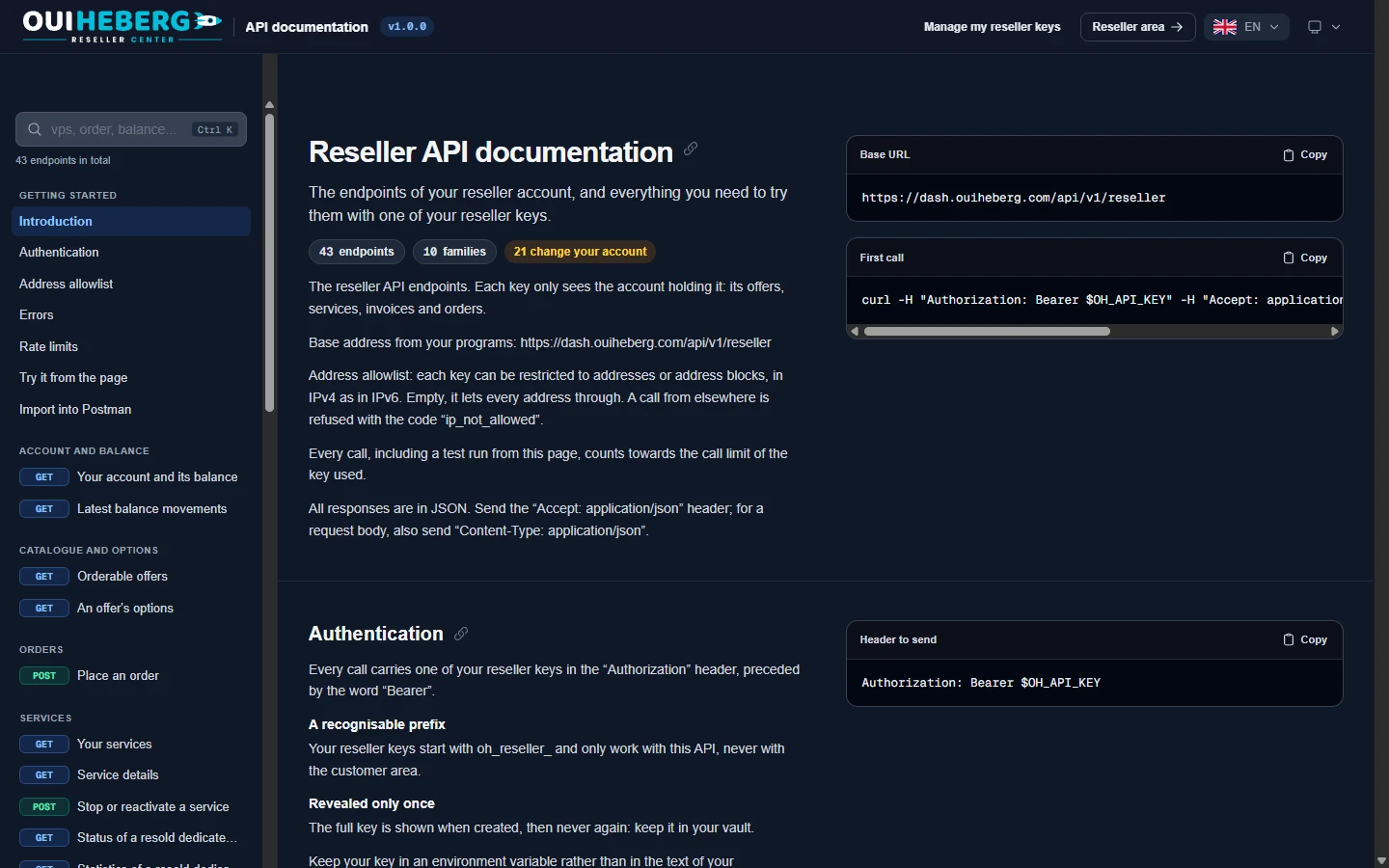
To automate your sales or plug in your own tools. Its documentation is in the reseller area.
- 44actions, in 10 groups
- 60requests per minute, per key
- 10,000requests per day, per key
Action groups
- Account and balance
- Catalogue and options
- Orders
- Services
- Start and stop
- Reinstall
- Password
- Reverse DNS
- Console
- IP addresses
- Statistics
- Vulnerability monitoring
- Cancellation
- Invoices
- End customer records
- Every action can be tried from the documentation, which can also be imported into Postman.
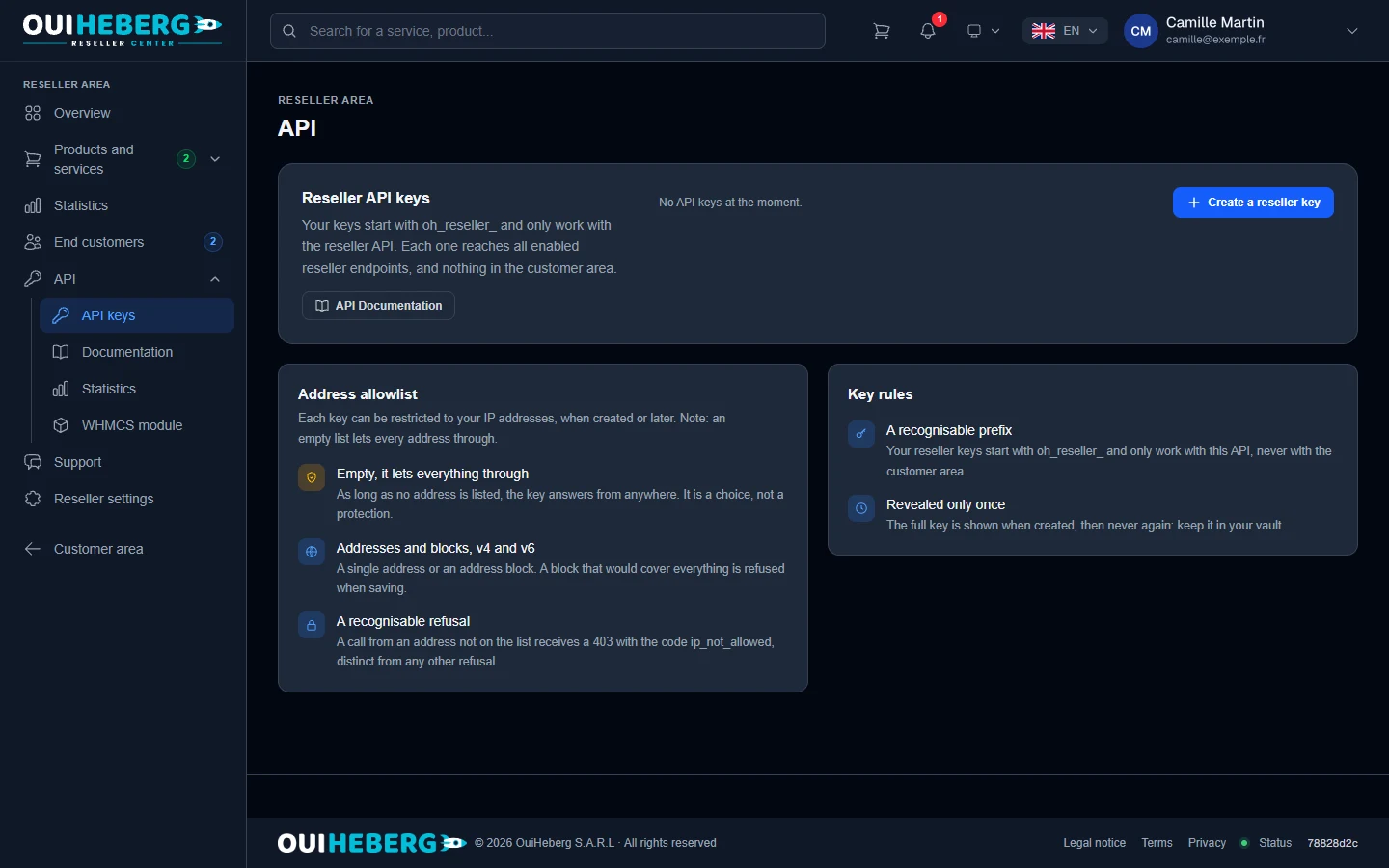
- Your keys start with oh_reseller_ and only work with this API. The full key is shown only once.
- Each key can be restricted to your IP addresses, IPv4 and IPv6 alike.
 Enlarge the screenshot
VPS reseller program questions
The reseller account guide shows every step in your client area.
Read the guide →Open the reseller section of your client area, or create an account. Accept the reseller terms and send your request. The OuiHeberg team approves it and opens your access. Nothing is activated automatically.
Linux VPS, Windows VPS and dedicated servers. VPS are available in France, Germany, the Netherlands and New York. Dedicated servers are hosted in France.
No. They order and manage their server on your website and have no access at OuiHeberg. OuiHeberg invoices and emails are sent to you, and the reverse DNS of their addresses can be customised.
It is prepaid. You top up your balance and each order is charged to it. There is no minimum and no deposit.
The OuiHeberg Reseller Center module requires WHMCS 8 or later and PHP 8.1 or later. There is no module for Blesta or HostBill, but you can connect them yourself with the API.
Its 44 actions cover account and balance, catalogue, orders, service management, start and stop, reinstall, password, reverse DNS, console, IP addresses, statistics, vulnerability monitoring, cancellation, invoices and your customer records. Each key is limited to 60 requests per minute and 10,000 per day.
Yes. It is shown in your account language, and the OuiHeberg client area is available in 10 languages.
Ready to become a VPS reseller?
Send your request from your client area. Once your access is open, you sell your first servers under your own brand.