
 Client area
Disable automatic pause on a Satisfactory server
The issue
When you leave your Satisfactory server, you notice that all your production stops abruptly. This is normal: by default, the game pauses the session as soon as there is no one online. The goal? Save server resources.
Fortunately, this behavior can be easily modified.
Why disable this function?
| Advantage | Description |
|---|---|
| Continuous production | Your machines keep running even without a connected player |
| Full storages upon return | Your containers fill up during your absence |
| Time savings | Big projects progress without you having to stay in the game |
| Smooth co-op experience | Your teammates benefit from an already productive factory when they connect |
Steps to disable automatic pause
1. Access server management
- Launch Satisfactory
- Click on Dedicated Servers from the main menu
- Select your server from the list
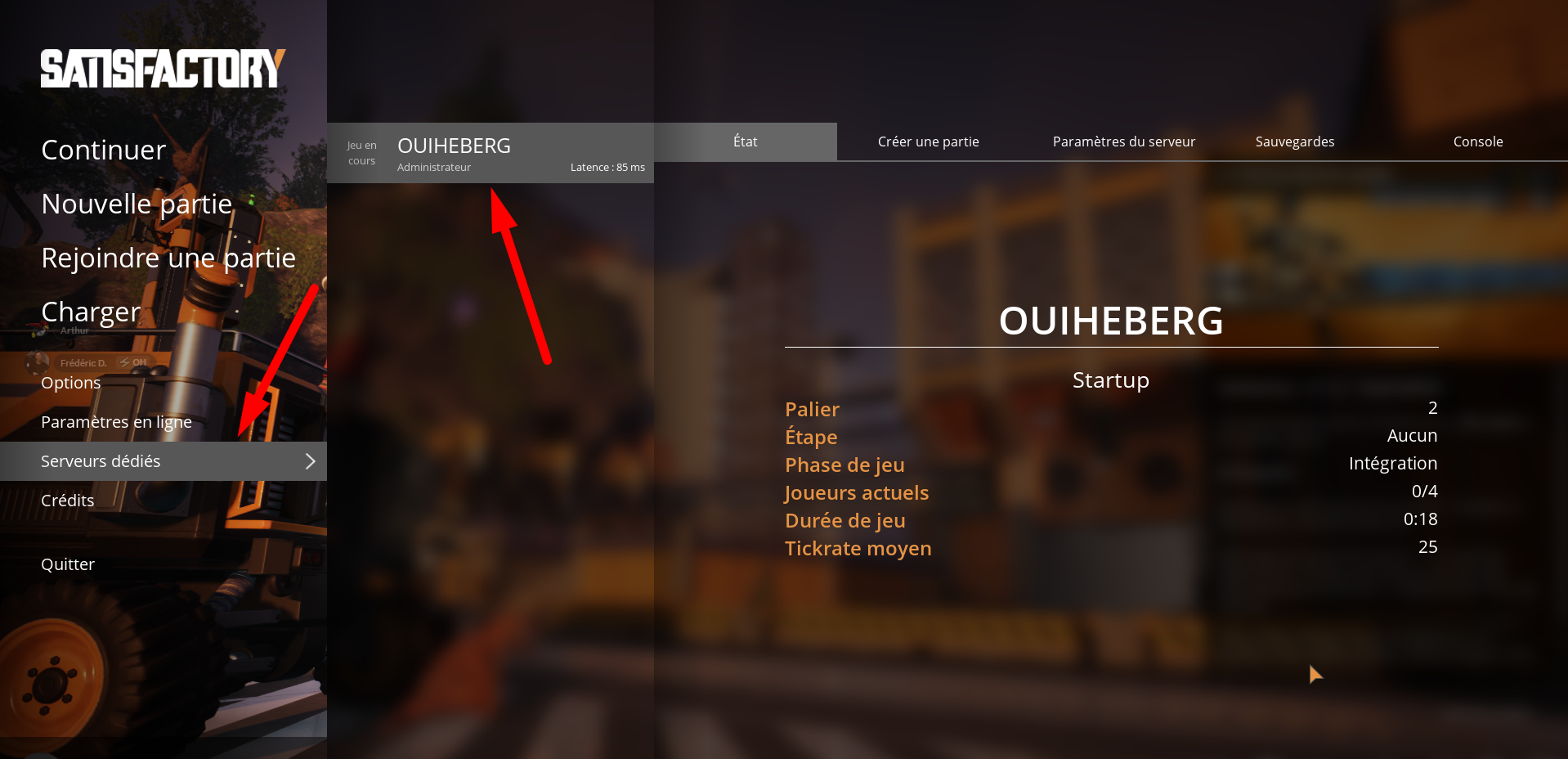
Note: Your server must already be configured and added to your list to appear.
2. Modify the pause setting
- Click on Server Settings
- Go to the Dedicated Server section
- Locate the Auto Pause option and uncheck it
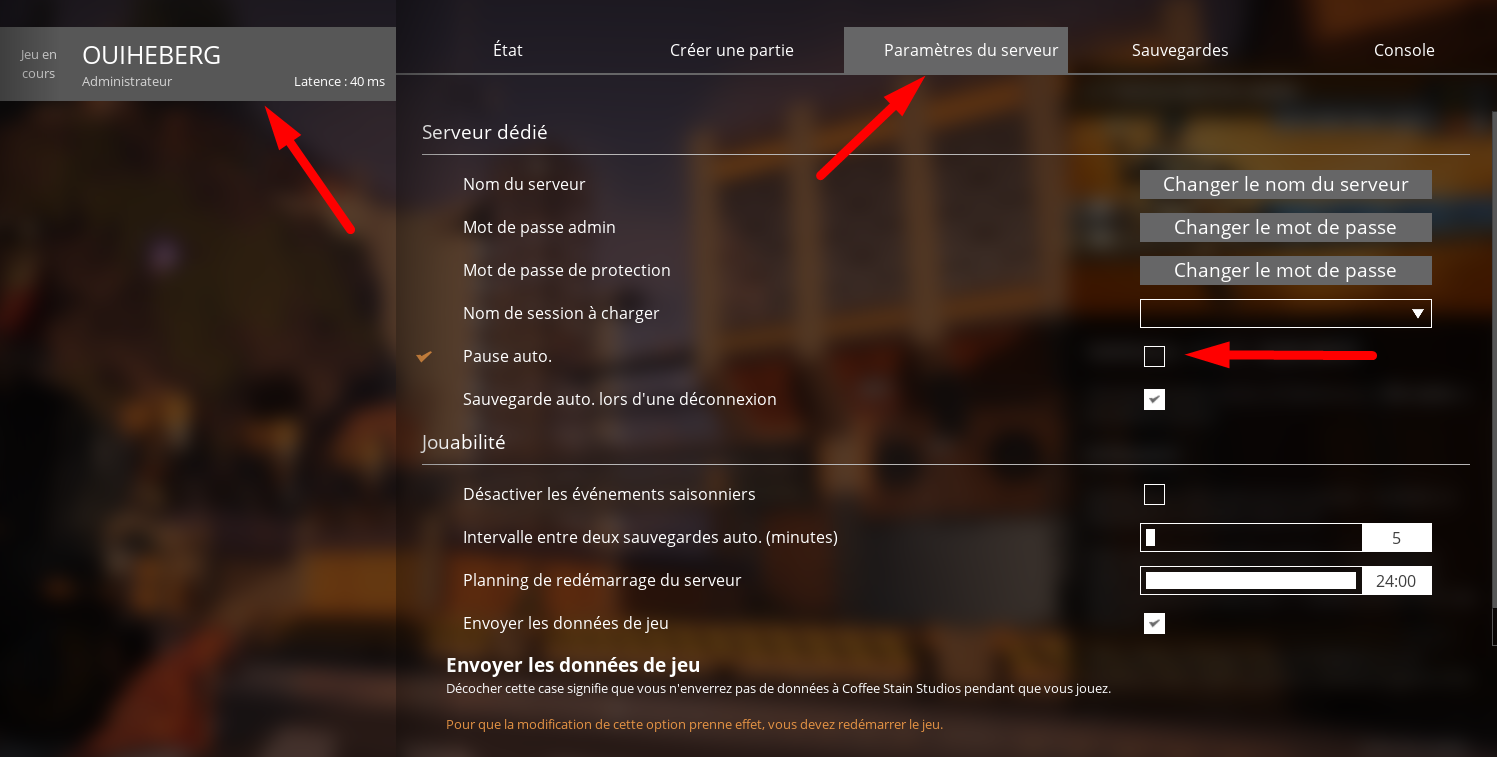
⚠️ Attention: On a server with limited performance, a factory running continuously can generate additional lag.
3. Apply and restart
- Click on Apply to save the modification
- Restart the server for the change to take effect
A restart prevents bugs where the setting appears to be changed but the simulation does not follow.
Verify that everything is working
| Step | Action |
|---|---|
| 1 | Disconnect from the server |
| 2 | Wait a few minutes |
| 3 | Reconnect |
| 4 | Check your storages and buffers |
If the quantities have increased during your absence, you've succeeded: your factory is now running continuously.
FAQ
Why does my server automatically pause?
This is the default behavior of Satisfactory. Without a connected player, the server stops the simulation to avoid consuming resources unnecessarily.
Can disabling it cause performance issues?
Yes, it's possible. A complex factory with many machines, trains, or drones puts more strain on the CPU and RAM. If your server is already loaded, expect a potential increase in lag.
Summary
By disabling automatic pause, your Satisfactory server remains active at all times. Ideal for accumulating resources and advancing your mega-projects without being glued to the screen.
Need a Satisfactory server?
Discover our Satisfactory hosting plans starting from $9.98/month with instant deployment.