
 Client area
Estimated time: 10 minutes
Difficulty: Beginner ⭐
Compatible servers: Rust on OuiPanel
📋 Introduction
Rust doesn't load plugins on its own. To add kits, a shop, teleports or moderation tools, you need a modding framework. There are two:
| Oxide (uMod) | Carbon | |
|---|---|---|
| Plugins | Thousands on umod.org | Works with most Oxide plugins |
| Plugin folder | oxide/plugins | carbon/plugins |
| Configs | oxide/config | carbon/configs |
| Commands | oxide.… | c.… |
On OuiPanel, you pick one from a list. There is nothing to download to install the framework.
💾 Step 1: take a backup
Before switching frameworks, open Backups in OuiPanel and click Create backup. You can roll back in one click.
⚙️ Step 2: choose Oxide or Carbon
- Open your Rust server in OuiPanel.
- Go to Configuration, then Server Settings.
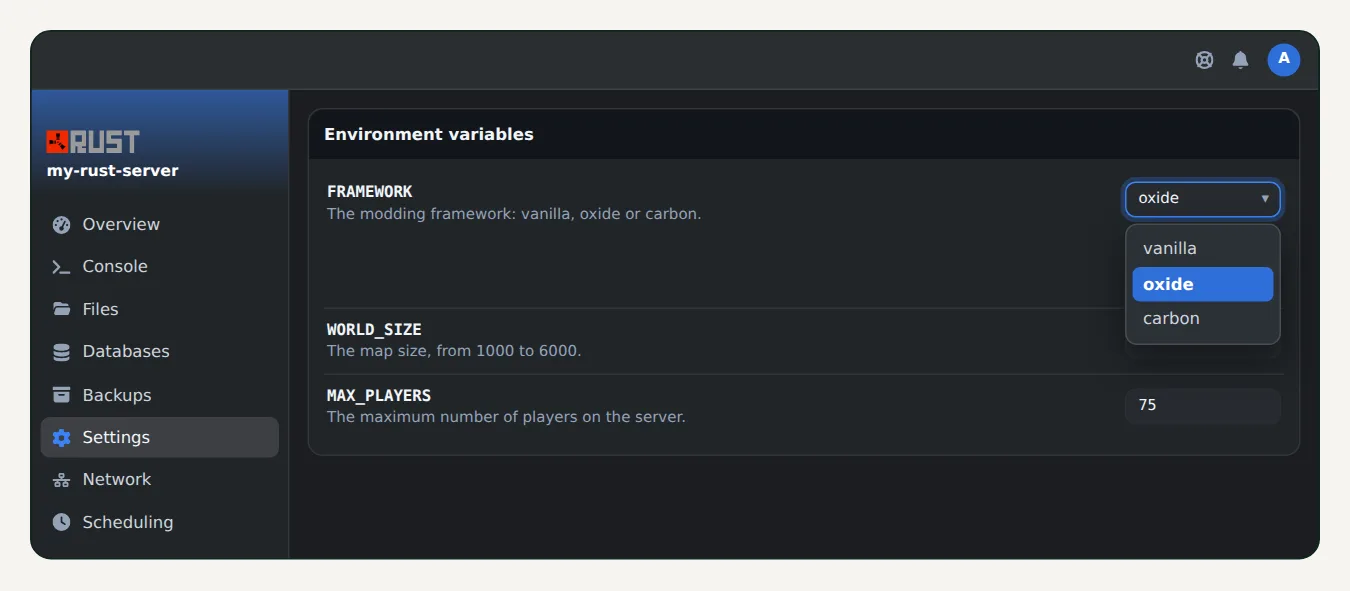
- In the variables block, find FRAMEWORK.
- Pick
oxideorcarbonfrom the list. The choice is saved right away.
🔄 Step 3: restart the server
Restart the server from the Console. The framework installs on startup. To check, type in the console:
oxide.version
or, with Carbon:
c.version
The console replies with the installed version.
🧩 Step 4: add a plugin
- Download the plugin's
.csfile, for example from umod.org. - In OuiPanel, open the File Manager, then the
oxide/pluginsfolder (orcarbon/plugins). - Click Upload and pick the file. You can also use SFTP.
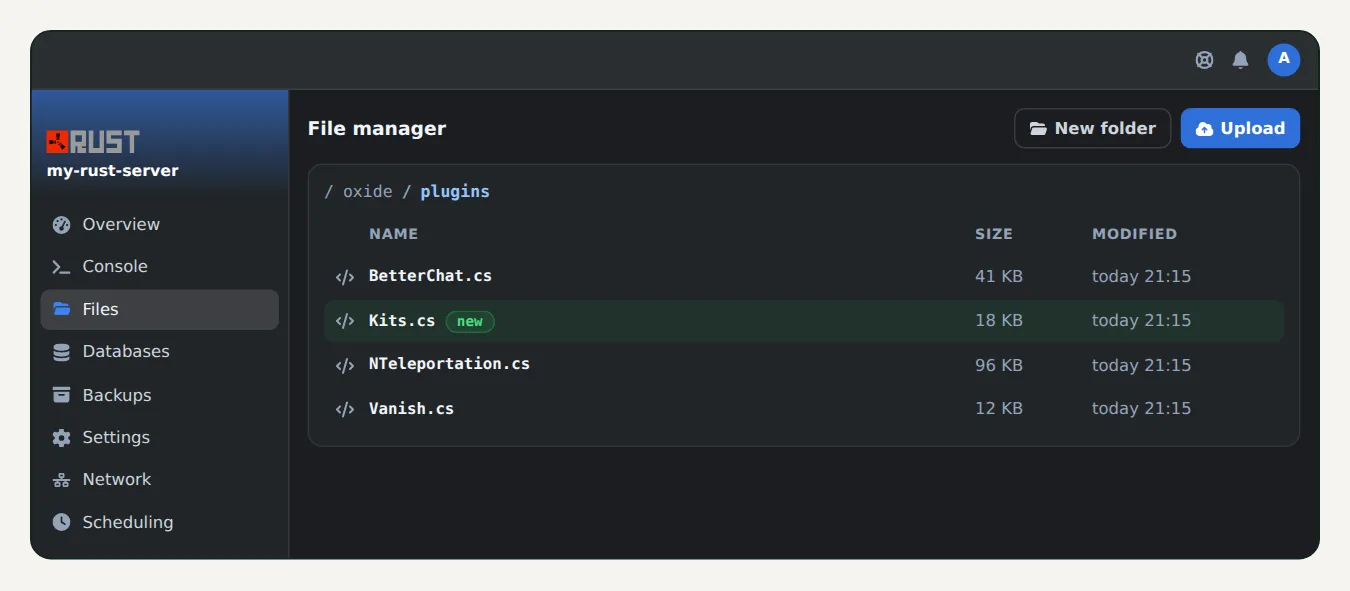
The plugin loads by itself, with no restart. The console shows a line confirming it loaded.
🛠️ Step 5: configure and reload
On first load, the plugin creates its config file in oxide/config (or carbon/configs). Edit it in the file manager, then reload the plugin:
oxide.reload PluginName
or, with Carbon:
c.reload PluginName
To give a plugin permission to one player, or to everyone:
oxide.grant user YourName pluginname.permission
oxide.grant group default pluginname.permission
With Carbon, the command is c.grant, with the same syntax. Each plugin's page gives the exact name of its permissions.
↩️ Going back to vanilla
Pick vanilla in FRAMEWORK, then restart. Restore your backup if needed.
❓ Common issues
A plugin stops loading after the game update
On the first Thursday of the month, Facepunch releases a Rust update. Some plugins then need an update from their author. Check their page and replace the .cs file when a new version is out.
The console shows a compile error
The plugin isn't compatible with the game or framework version. Check its page, or remove it from the plugin folder.
I'm not admin in game
Follow our guide Rust admin commands: how to become admin on your server.
🚀 No server yet?
With our Rust server hosting, Oxide and Carbon install in one click, with Rust+, external RCON and anti-DDoS included.
Need a Rust server?
Discover our Rust server hosting from $6.92/month, with Oxide or Carbon in one click and your server ready in a few minutes.