
 Client area
Estimated time: 5 minutes
Difficulty: Beginner ⭐
Compatible servers: Rust on OuiPanel
📋 Introduction
A Rust server has two admin levels. The owner can use every command. The moderator manages players: kicks, bans and messages. This guide shows how to give yourself these rights from the OuiPanel console, then lists the most useful admin commands.
🔎 Step 1: find your SteamID64
Your SteamID64 is a 17-digit number starting with 7656119. To find it:
- Open your Steam profile in a browser.
- If the address contains
/profiles/, the number after it is your SteamID64. - If the address contains
/id/followed by a name, paste it into a converter such as steamid.io.
If you are already connected to the server, type status in the OuiPanel console. The list of connected players shows each SteamID64.
👑 Step 2: add yourself as owner
- Log in to OuiPanel and open your Rust server.
- Go to Console. The server must be running.
- Type the following command, without a slash, with your SteamID64 and your name.
ownerid 76561198012345678 "YourName" "Owner"
Then save the admin list:
server.writecfg
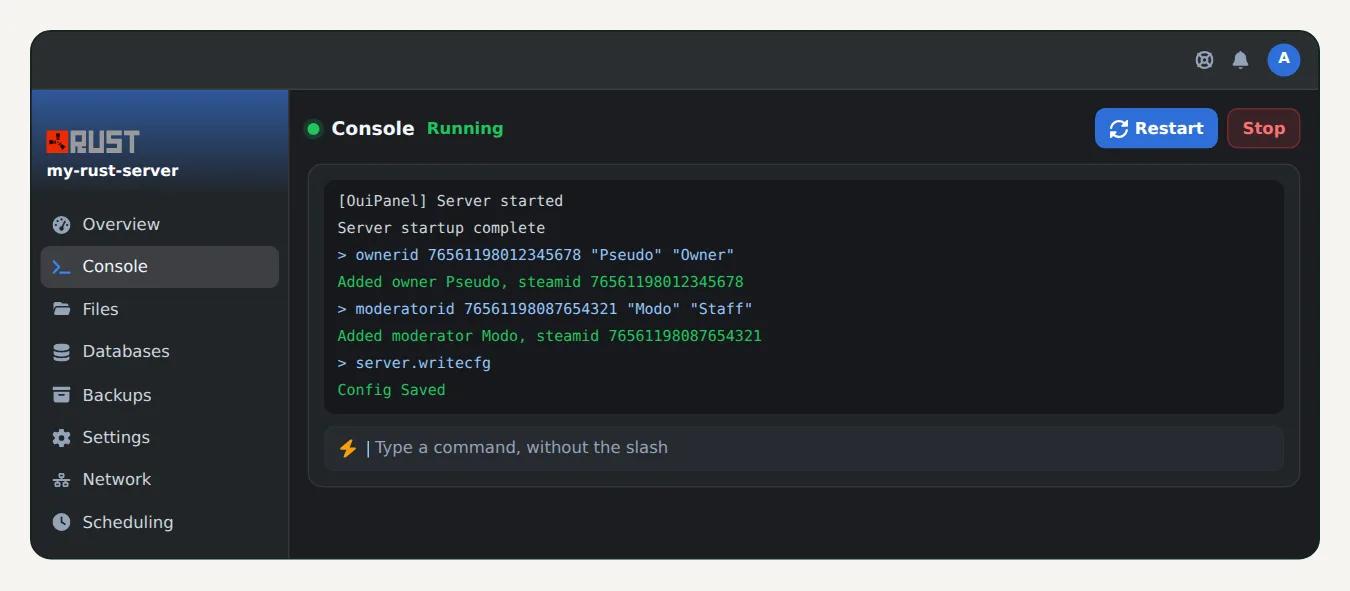
💡 Important: without
server.writecfg, your rights are lost at the next restart. The command writes them toserver/rust/cfg/users.cfg.
If you were connected to the server, disconnect and reconnect. Rights apply when you connect.
🛡️ Step 3: add moderators
Same idea with moderatorid, then save again:
moderatorid 76561198087654321 "ModName" "Staff"
server.writecfg
To remove a right:
removeowner 76561198012345678
removemoderator 76561198087654321
server.writecfg
🎮 Step 4: use the commands in game
In Rust, press F1 to open the console. Once you are admin, you type the same commands there as in OuiPanel. Some commands only work in game, because they act on your character.
📖 The most useful admin commands
| Command | What it does |
|---|---|
status | Lists connected players with their SteamID64 |
say "message" | Sends a message to the whole server |
kick "name" "reason" | Kicks a player |
ban "name" "reason" | Bans a connected player |
banid 7656… "name" "reason" | Bans a player by SteamID64 |
unban 7656… | Lifts a ban |
server.save | Forces a world save |
env.time 12 | Sets the in-game time, here noon |
teleport "name" | Teleports you to a player (in game) |
noclip | Turns free flight on or off (in game) |
💡 To restart the server, use the Restart button in OuiPanel. You can also schedule a nightly restart in Scheduling, with a
sayto warn players.
❓ Common issues
Commands don't work in game
Check the SteamID64, run server.writecfg again, then reconnect to the server.
My rights are gone after a restart
The list wasn't saved. Run ownerid again, then server.writecfg.
I use Oxide or Carbon
Plugins have their own permission system. With Oxide, use oxide.grant. With Carbon, use c.grant. Our guide How to install Oxide or Carbon on your Rust server explains how.
🚀 No server yet?
Our Rust server hosting sets up your server in a few minutes, with Oxide or Carbon in one click, Rust+, external RCON and anti-DDoS.
Need a Rust server?
Discover our Rust server hosting from $6.92/month, with Oxide or Carbon in one click and your server ready in a few minutes.