
 Client area
This guide covers both directions of a domain transfer. You can bring a domain to OuiHeberg, or move it out to another provider. Either way, it all comes down to the EPP code, the transfer lock and the nameservers, all handled from the client area at dash.ouiheberg.com.
Three things to know first
The EPP code, also called auth code or transfer code, is a unique and confidential code tied to the domain. The provider receiving the domain asks for it to authorize the transfer.
The transfer lock protects the domain against unauthorized transfers. Only lift it for the duration of a transfer.
The nameservers decide who answers for the domain, and therefore where its DNS zone is managed. Check them before and after a transfer.
Transfer a domain to OuiHeberg
Before you start
At your current registrar, remove the domain's transfer lock if it has one.
Get the EPP code from their client area. Look for an option called transfer code, auth code or EPP code in the domain settings.
If the DNS zone is hosted there, write down its records. You may need to create them again.
Order the transfer
In the menu, click Order, then pick the domain names category. The direct link is dash.ouiheberg.com/shop?category=noms-de-domaine.
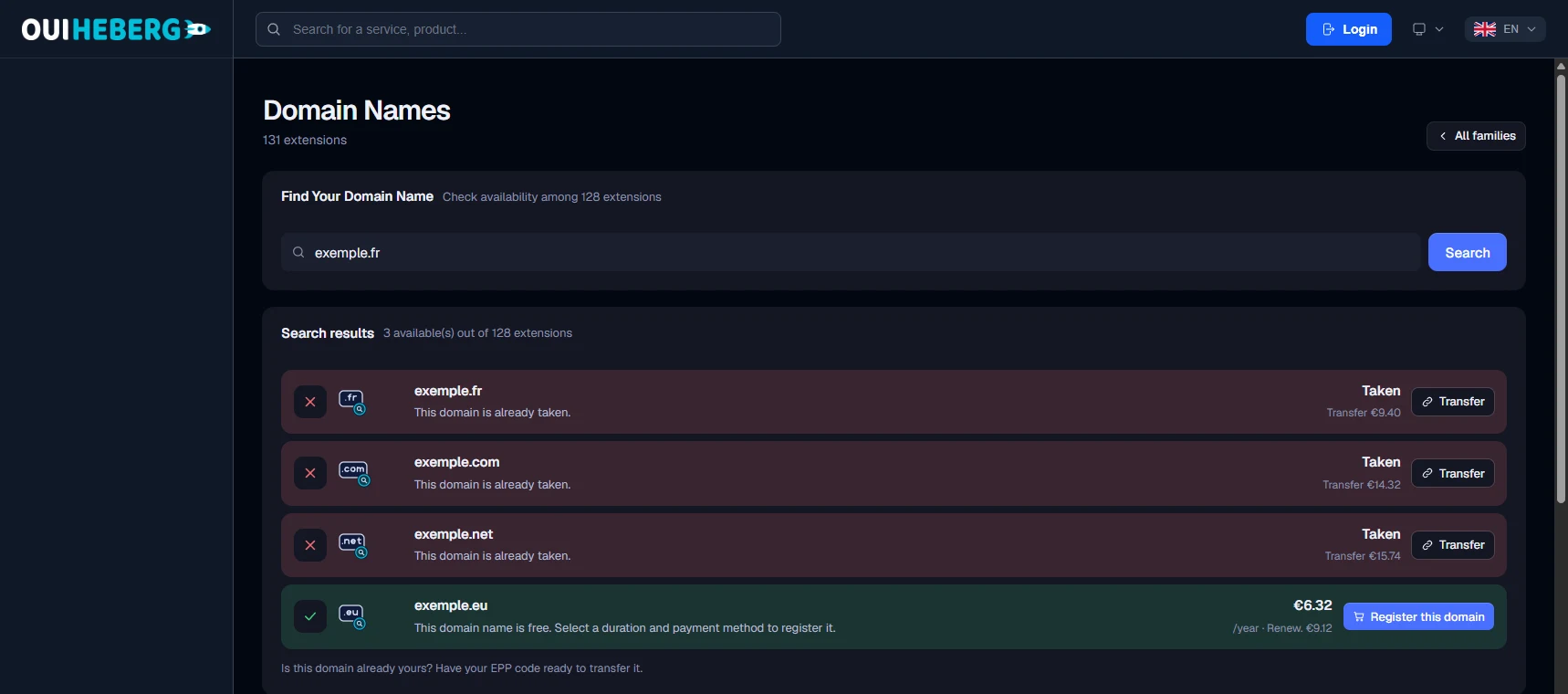
Type the domain in Find Your Domain Name and click Search.
The domain shows as Taken, along with the transfer price. Click its Transfer button.
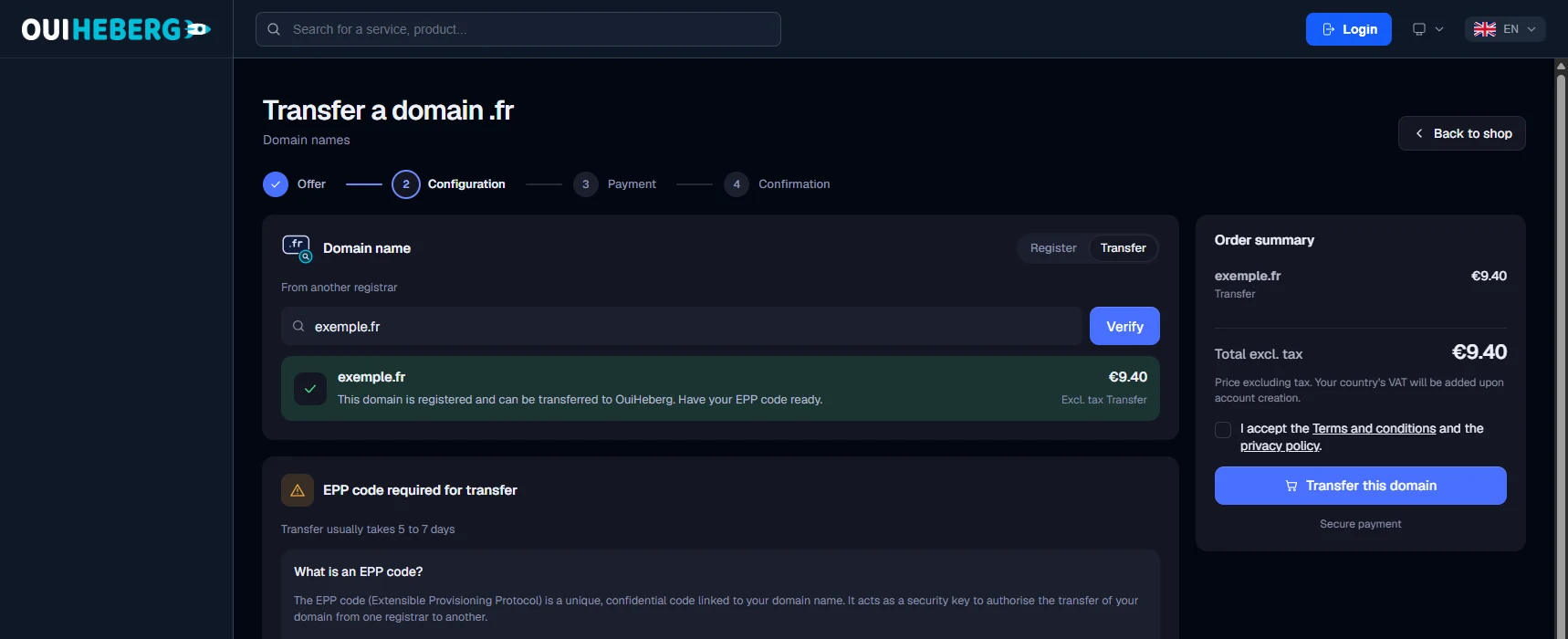
The order page opens. In the Domain name card, click Transfer, next to Register. The title changes to Transfer a domain followed by the extension, and the line From another registrar appears.
Check the domain name and click Check.
In the Order summary, make sure the line shows a transfer. Tick the box for the terms and the privacy policy, then click Transfer this domain.
You are asked for the EPP code before payment. Paste it exactly as your current registrar gave it to you.
💡 For your security, dash never saves the EPP code. If you refresh the page, enter it again.
After ordering
A transfer usually takes a few days. Once it is complete, you manage the domain from My Services, like your other domains. To manage its DNS zone at OuiHeberg, it must use the OuiHeberg nameservers (see below).
Transfer a domain from OuiHeberg to another provider
Open My Services, select the Domains filter and click the domain. The banner on its page shows the Lock Status.
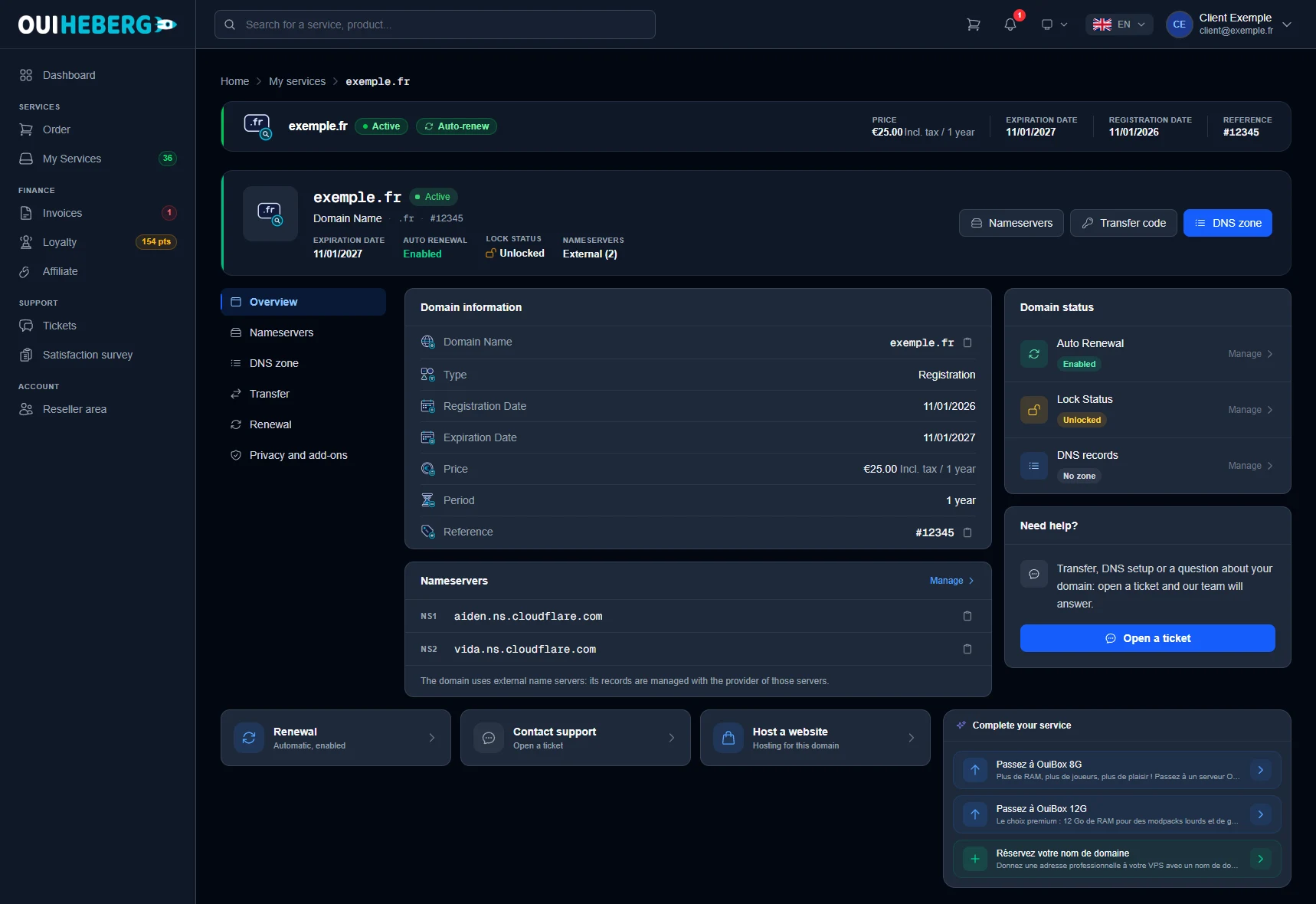
Click the Transfer code button at the top of the page, or open the Transfer tab in the left-hand menu.
Look at the Lock Status line. If the domain is Locked, click Unlock and confirm. If it is already Unlocked, go to the next step.
On the Transfer code line, click Get EPP code. Depending on the domain, the code is shown on screen or emailed to the domain holder.
Give the code to the provider receiving the domain, then start the transfer with them.
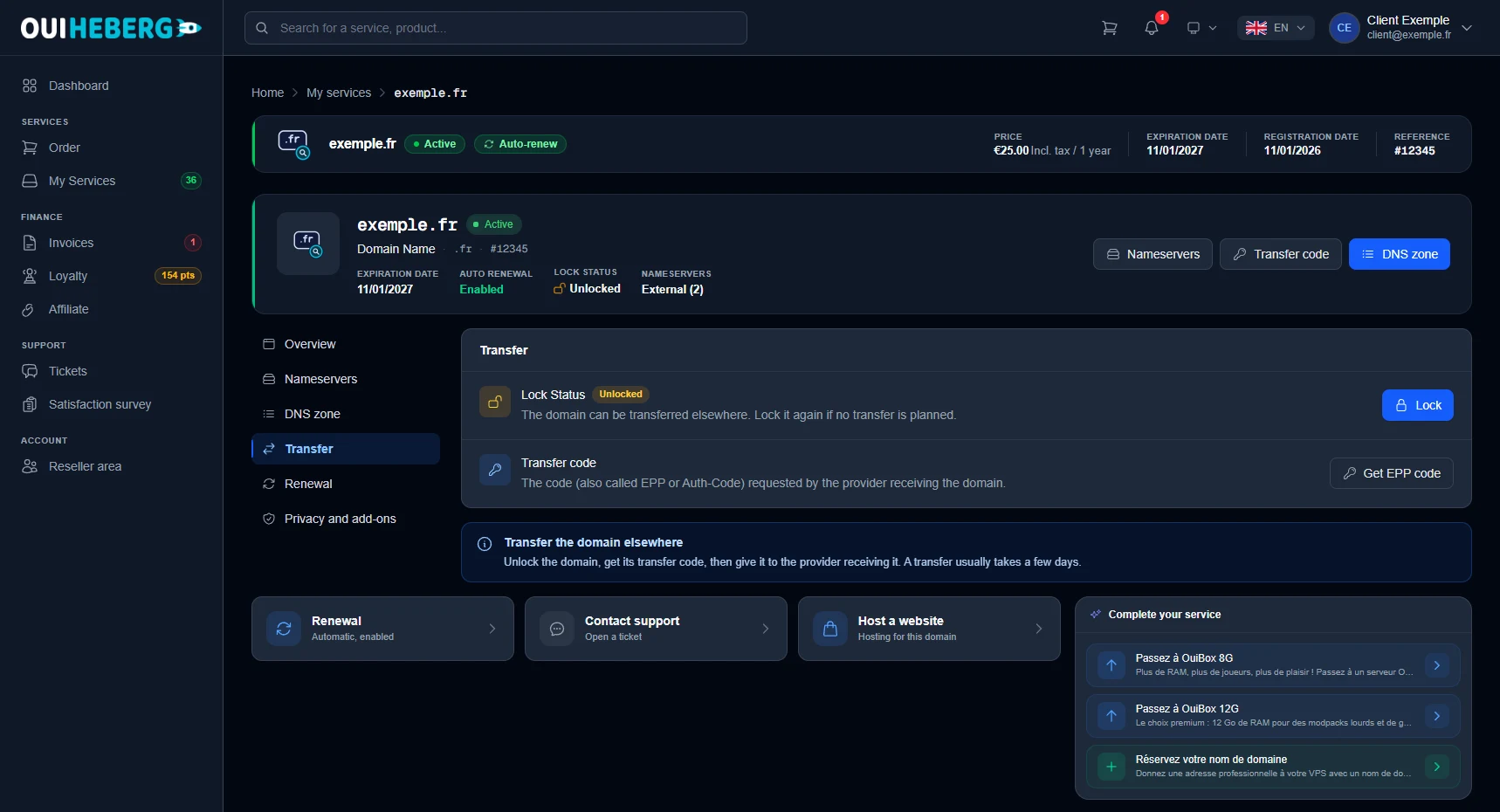
The Transfer the domain elsewhere box sums up the process. The transfer usually takes a few days.
Keep the code to yourself. It is all someone needs to move the domain.
The code can only be obtained from the account holder's account. A collaborator cannot retrieve it.
If dash says no code is available for this domain, open a ticket.
Changed your mind? Click Lock to protect the domain again.
If the domain uses the OuiHeberg nameservers, recreate its DNS zone at the new provider before you switch nameservers. That is the best way to avoid an outage of your website or email.
Nameservers
The OuiHeberg nameservers are ns1.ouiheberg.com, ns2.ouiheberg.com, ns3.ouiheberg.com and ns4.ouiheberg.com. With them, the domain's DNS zone is managed in the DNS zone tab of its page. With another provider's nameservers, the banner shows External and the zone is managed with that provider.
To change them, open the Nameservers tab of the domain page, or click Manage in the Nameservers card. Enter at least two servers, ideally four. A change propagates within a few hours, sometimes up to 48 hours.
Need help?
Open a ticket from Tickets › Open a Ticket, or from the Contact support tile at the bottom of the domain page. The help card on the domain page also has an Open a ticket button. You can also ask your question on the OuiHeberg Discord.