
 Client area
Estimated time: 5 minutes
Difficulty: Beginner ⭐
Compatible servers: RuneScape: Dragonwilds on OuiPanel
📋 Introduction
Since version 1.0 on September 15, 2026, RuneScape: Dragonwilds is available on PlayStation 5, Xbox Series X and S and Nintendo Switch 2, as well as on PC. Jagex added crossplay at that time, and dedicated servers have the crossplay option too. Your friends on PC and on console can therefore play on the same server.
🎮 The game's platforms
| Platform | Versions |
|---|---|
| PC | Steam, Epic Games Store, Jagex Launcher |
| Sony | PlayStation 5 |
| Microsoft | Xbox Series X and S |
| Nintendo | Nintendo Switch 2 |
⚙️ Prepare the server
Our Dragonwilds servers accept PC and console players, with nothing to install. Set up the server as usual, with the Owner ID, the world name and the passwords in OuiPanel's Environment Variables. Our guide Dragonwilds dedicated server setup: Owner ID and passwords covers each setting.
Then share the exact world name, and its password if it has one, with all your players, whatever their platform.
🌍 Join the server from a console
On console as on PC, a dedicated server is joined from the Worlds screen.
- Open the Public tab.
- In the search box, type the exact world name, respecting capitals.
- The server shows up after a few seconds. Join it, with the world password if it has one.
The server owner can also manage their world from a console, since patch 1.0.0.5.
🔄 Keep the same version everywhere
The official Jagex guide is clear. The server and the players must run the same game version, otherwise they can't see each other. Your server updates itself on every startup. After a game update, click Restart in OuiPanel's Console.
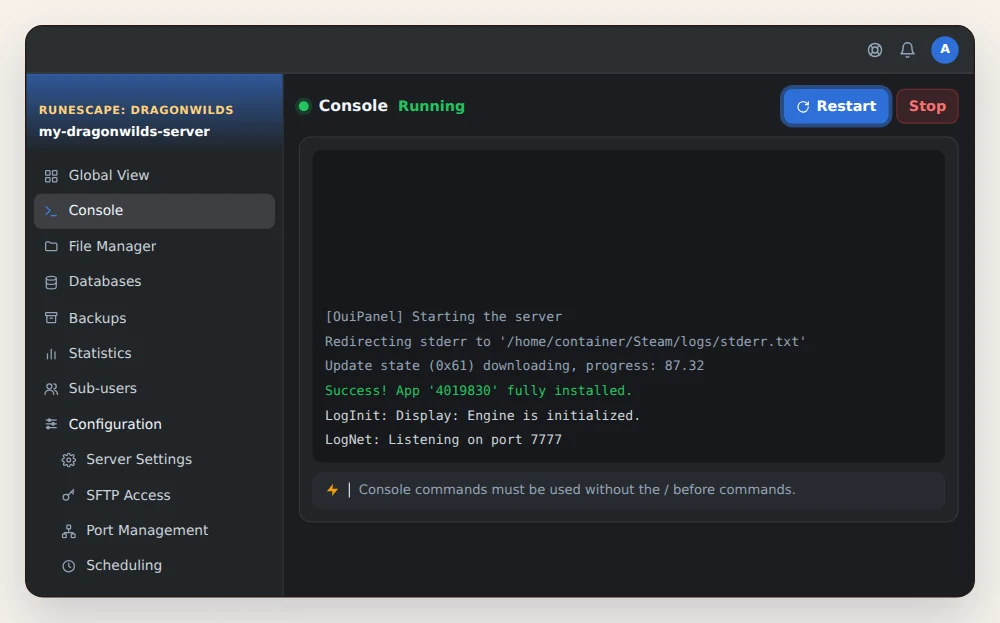
On console, an update goes through Sony, Microsoft or Nintendo certification. Jagex warns that it can take several days. During that time, a console that doesn't have the new version yet may no longer find the server. Wait until the update reaches all platforms.
❓ Common issues
A console player can't find the world
Check the name typed, capitals included, then the game version on their console. If it is behind the server's, wait until the update reaches their platform.
An Xbox player can't connect
Since patch 1.0.0.5, the game warns Xbox players when a privacy setting stops them from playing online. Check the privacy and multiplayer settings of their Xbox account.
The Steam invitation doesn't lead to the server
This is a known issue reported by Jagex. Players join the server through the Public tab, with the exact world name.
➡️ What's next
Bring your solo world to the server with our guide Dragonwilds save location: import your world to a server.
🚀 No server yet?
Our RuneScape: Dragonwilds server hosting sets up your dedicated server in a few minutes, with anti-DDoS, SFTP access and on-demand or scheduled backups.
Need a RuneScape: Dragonwilds server?
RuneScape: Dragonwilds dedicated server hosting from $3.46/month, with crossplay on PC and consoles, Owner ID and passwords set from the panel, world import over SFTP and DDoS protection included.