
 Client area
How to set up an Icarus dedicated server
To set up an Icarus server, start it once in OuiPanel, then set its name, its password and its number of player slots. The name and the admin password live in the variables, everything else in the ServerSettings.ini file. This guide walks through each step in OuiPanel, the OuiHeberg game panel, up to your first game. It assumes you already ordered a server from our Icarus server hosting plans.
Start your Icarus server for the first time
The Icarus server is an official tool from RocketWerkz, published on Steam. It only exists for Windows. On our servers, it runs on Linux through Wine, a compatibility layer. You have nothing to install.
It downloads without a Steam account and without a game license. It takes about 11.6 GB of disk space.
Log in to OuiPanel at dash.ouipanel.com and open your Icarus server.
Open the Console, then click Start.
Wait until the console shows the Running state. The first start takes a few minutes, the time to prepare Wine.
OuiPanel creates the ServerSettings.ini settings file during installation, in the Icarus/Saved/Config/WindowsServer folder.
According to RocketWerkz, the server's games are saved in Icarus/Saved/PlayerData/DedicatedServer/Prospects.
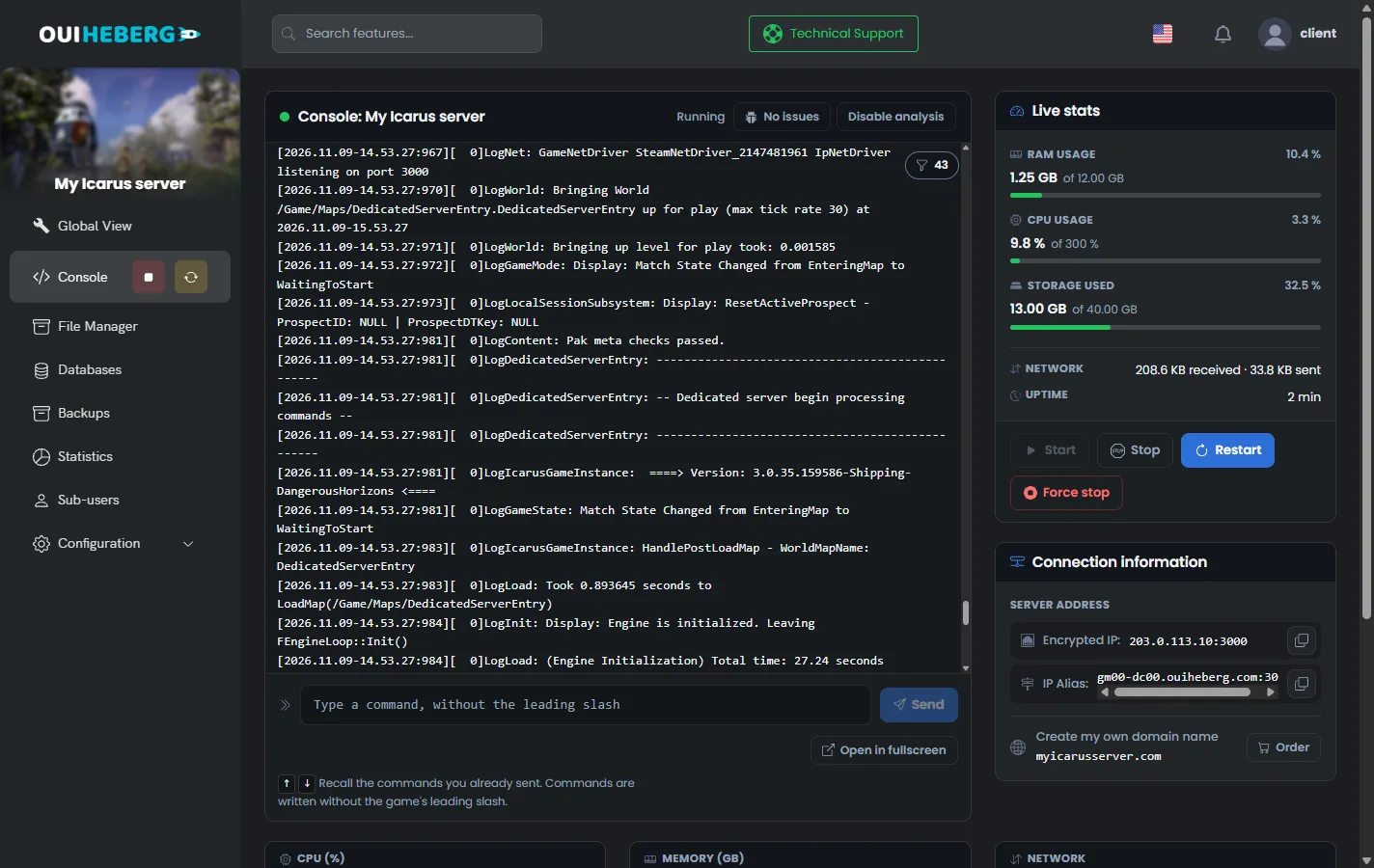
The Stop button lets Icarus shut down cleanly, after saving its files. Still, warn your players before you stop or restart the server.
Set the variables in OuiPanel
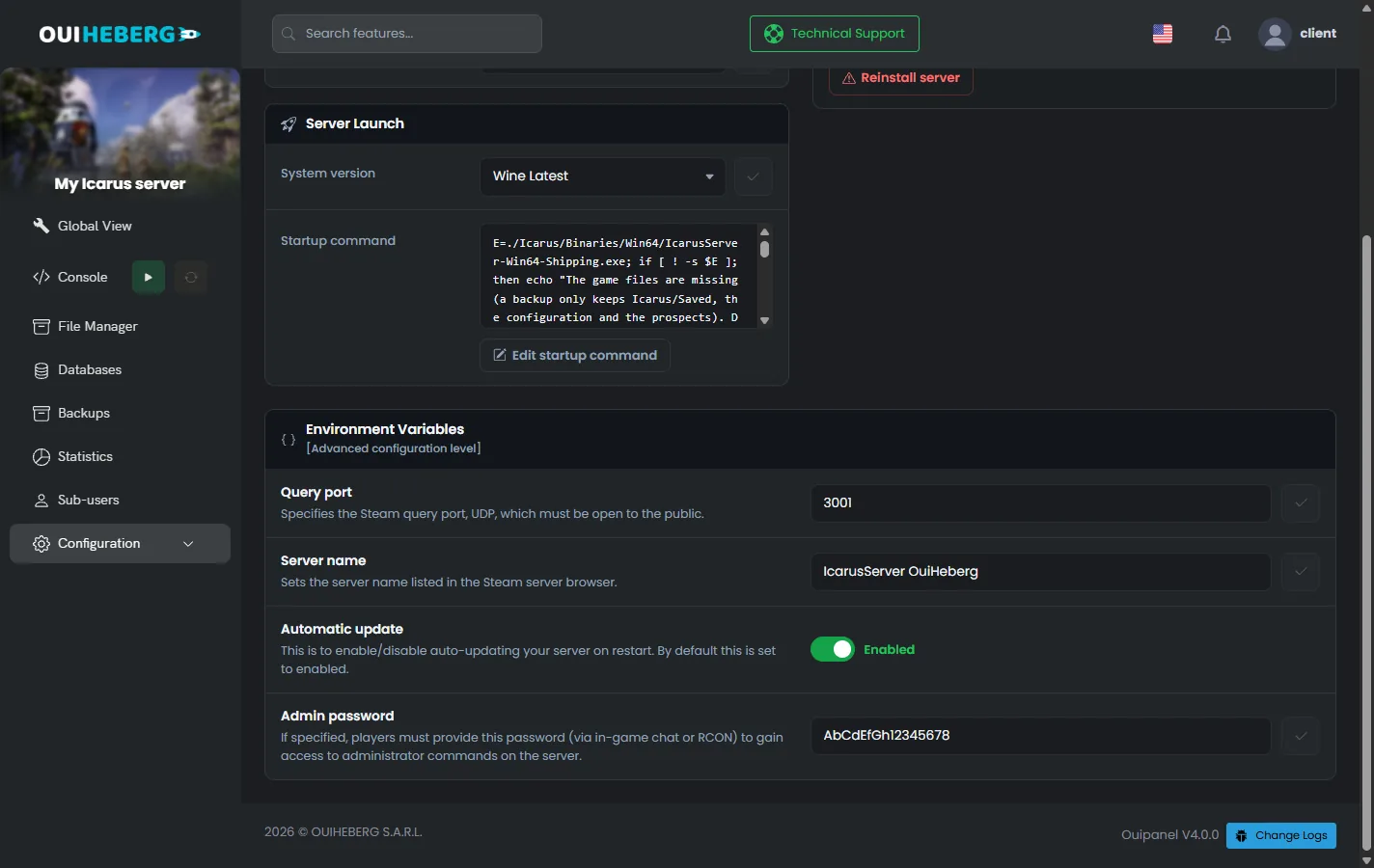
The settings read at startup are in Configuration › Server Settings, in the Environment Variables block. Confirm a field with the check mark on its right, then restart the server.
| Variable | Purpose |
|---|---|
Server name (SERVER_NAME) | Name shown in the in-game server list, 64 characters at most |
Admin password (ADMIN_PASSWORD) | Password for the /AdminLogin command, generated by OuiPanel when the server is created. From 8 to 32 characters, letters, digits and the signs - _ . @ + |
Automatic update (AUTO_UPDATE) | Switch turned on by default. It updates the server at each start |
Query port (QUERY_PORT) | Port for the Steam server list, assigned when the server is created. Do not change it |
At each start, OuiPanel writes the name and the admin password into ServerSettings.ini. Change these two settings in the variables, because an edit in the file would be overwritten.
Edit the ServerSettings.ini file
The join password, the number of slots and the return to the lobby are set in ServerSettings.ini. The server reads this file at startup.
In the Console, stop the server with Stop.
In the side menu, click File Manager, then open the
Icarus/Saved/Config/WindowsServerfolder.Click
ServerSettings.ini. The "Editing ServerSettings.ini" window opens.Change the values, then click Save.
Start the server from the Console.
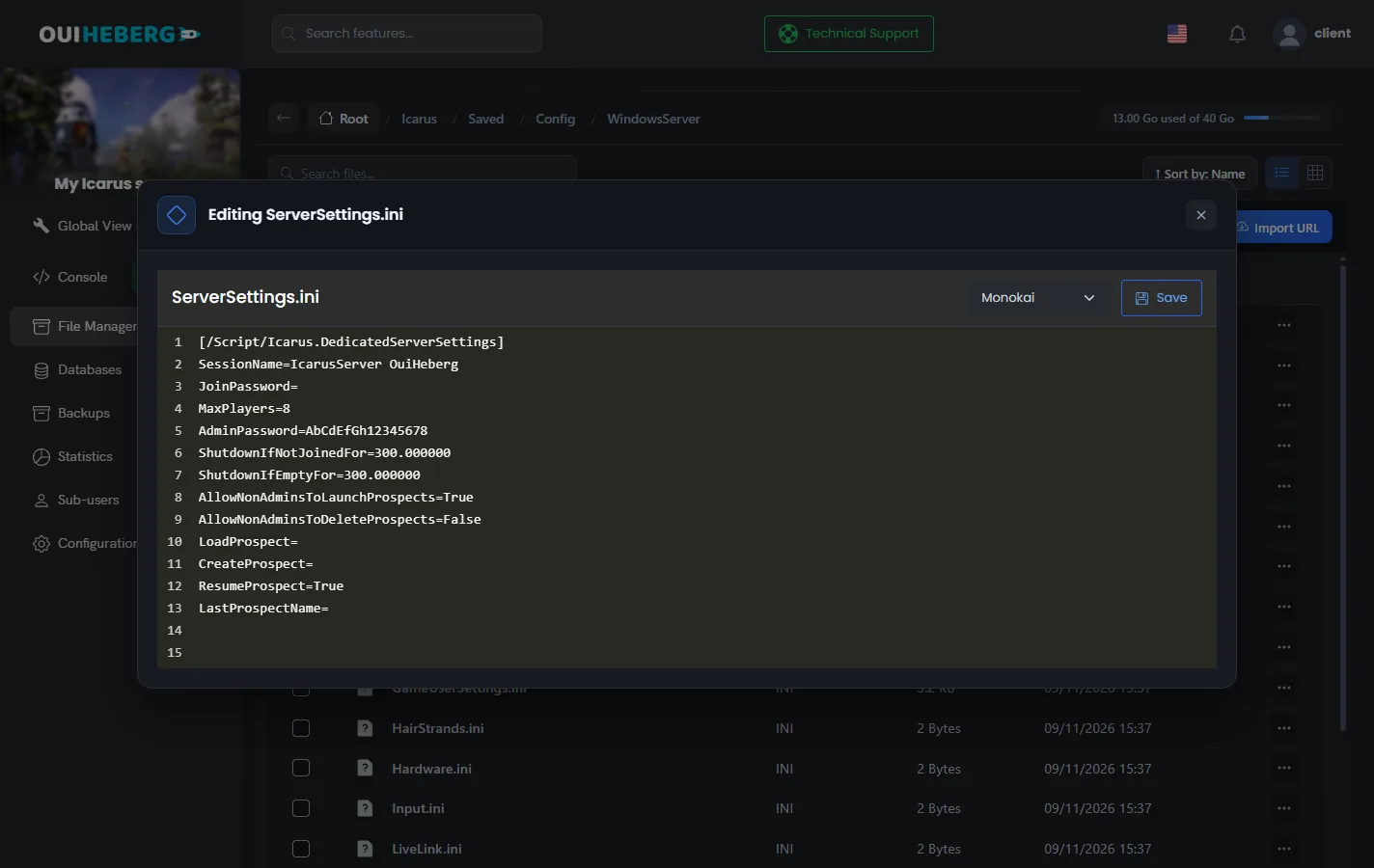
The file as delivered
[/Script/Icarus.DedicatedServerSettings]
SessionName=
JoinPassword=
MaxPlayers=8
AdminPassword=
ShutdownIfNotJoinedFor=300.000000
ShutdownIfEmptyFor=300.000000
AllowNonAdminsToLaunchProspects=True
AllowNonAdminsToDeleteProspects=False
LoadProspect=
CreateProspect=
ResumeProspect=True
LastProspectName=
This is the official template from RocketWerkz, where OuiPanel sets 8 slots. At each start, OuiPanel also writes the name and the admin password into it. The spaces around the = sign may vary, and the game accepts both forms.
The settings in the file
| Setting | Effect, with its default value |
|---|---|
JoinPassword | Password asked from players. Leave the value empty for an open server |
MaxPlayers | Number of player slots, from 1 to 8 (8) |
SessionName | Rewritten by OuiPanel at each start, from the Server name variable |
AdminPassword | Rewritten by OuiPanel at each start, from the Admin password variable |
ShutdownIfNotJoinedFor | How long the server waits for the first player after starting, before returning to the lobby (300, that is 5 minutes) |
ShutdownIfEmptyFor | Delay before returning to the lobby once the last player leaves (300, that is 5 minutes) |
AllowNonAdminsToLaunchProspects | Lets every player in the lobby start or load a game (True) |
AllowNonAdminsToDeleteProspects | Lets every player in the lobby delete a game (False) |
ResumeProspect | Resumes the last game at startup, as recorded in LastProspectName (True) |
LoadProspect, CreateProspect | Load or create a game at startup. See the guide Icarus admin commands |
While the server waits, the game is paused. For a 10-minute delay, enter 600. A negative value, such as -1, keeps the game loaded at all times.
Avoid the
#and;signs in the file's values, for example inJoinPassword. They start a comment, and the rest of the value is cut off at the next start.
Join the Icarus server
Each player needs Icarus on PC, in its Steam version. Players find the server by its name, in the in-game list.
Launch Icarus and pick your character.
In the HAB menu, the orbital station menu, select "Join Session".
Use the toggle in the top right corner of the screen to list servers of the dedicated type.
Look for your server under the name set in the Server name variable, then join it.
These steps come from the official RocketWerkz wiki. If no game is running, the player lands in the server lobby.
If you set a password, give it to your players along with the server name.
Start a game from the lobby
The lobby is the server's waiting screen. This is where you pick the game to run, called a prospect in Icarus. It can be a mission, an outpost or an Open World game, the persistent world. RocketWerkz actually recommends a server for Open World games.
By default, any player in the lobby can start or load a game. To keep this right for admins, set AllowNonAdminsToLaunchProspects to False.
With ResumeProspect=True, the server resumes the last game at each start. According to the RocketWerkz wiki, when the server stays empty for the ShutdownIfEmptyFor delay, it returns to the lobby. The next player then picks the game to resume there.
Lobby commands, such as CreateProspect or LoadProspect, are explained in the guide Icarus admin commands.
Keep the server up to date
RocketWerkz releases an Icarus update every week, usually on Thursday. The server must run the same version as your players' game.
The Automatic update variable is turned on by default. At each start, the server then checks the game version and installs the latest one. After a game patch, restart the server.
Before a big update, click Create backup on the Backups page of OuiPanel. The backup keeps the Icarus/Saved folder, with your settings and your games, without the game files. After a restore, the game downloads again at startup.
You can also copy the Icarus/Saved folder to your computer over SFTP, with the guide How to connect via SFTP with FileZilla.
To add mods, read the guide Can you install mods on an Icarus server?
If the server does not start
The OuiPanel console shows the server log. Read its last lines first.
| Symptom | Solution |
|---|---|
| The server does not appear in the in-game list | Wait until startup is complete. Then check that the server runs the same version as the players' game, and restart it after a game patch |
| The name or the admin password goes back to the old value | These values come from the OuiPanel variables. Change them in Environment Variables |
| The join password or the number of slots does not change | Stop the server before editing ServerSettings.ini, and check that the file sits in the WindowsServer folder |
| Players land in the lobby instead of the game | The server stayed empty longer than ShutdownIfEmptyFor. Resume the game from the lobby |
| The server stops by itself during a game | It may have gone over the memory of your plan. 12 GB suits a group of 8 players. Otherwise, lower the number of players or move to a higher plan |
Need help?
Open a ticket from Tickets › Open a Ticket, or from the Contact support tile at the bottom of your server's page in the client area. You can also ask your question on the OuiHeberg Discord.
Icarus server hosting from $9.26/mo, for up to 8 co-op players, with SFTP access, backups and DDoS protection included.
View plans →