
 Client area
How to set up a V Rising dedicated server
To set up your V Rising dedicated server, start it in OuiPanel, the OuiHeberg game panel, then configure it. Your server runs Stunlock's official server tool, downloaded without a Steam account. This guide assumes you ordered the server from OuiHeberg. It covers each step, from the panel variables to the backups, with the password, the rules of the world and the admins.
Start the server for the first time
Stunlock only releases its server for Windows. On our servers, it runs under Wine, and the game is already installed when the server is delivered.
Log in to OuiPanel at dash.ouipanel.com and open your V Rising server.
Open the Console, then click Start.
Wait until the console shows the Running state.
The server is ready when the console shows the [Server] Startup Completed line. The first start takes a little longer than the next ones. After that, each start loads the latest save of the world.
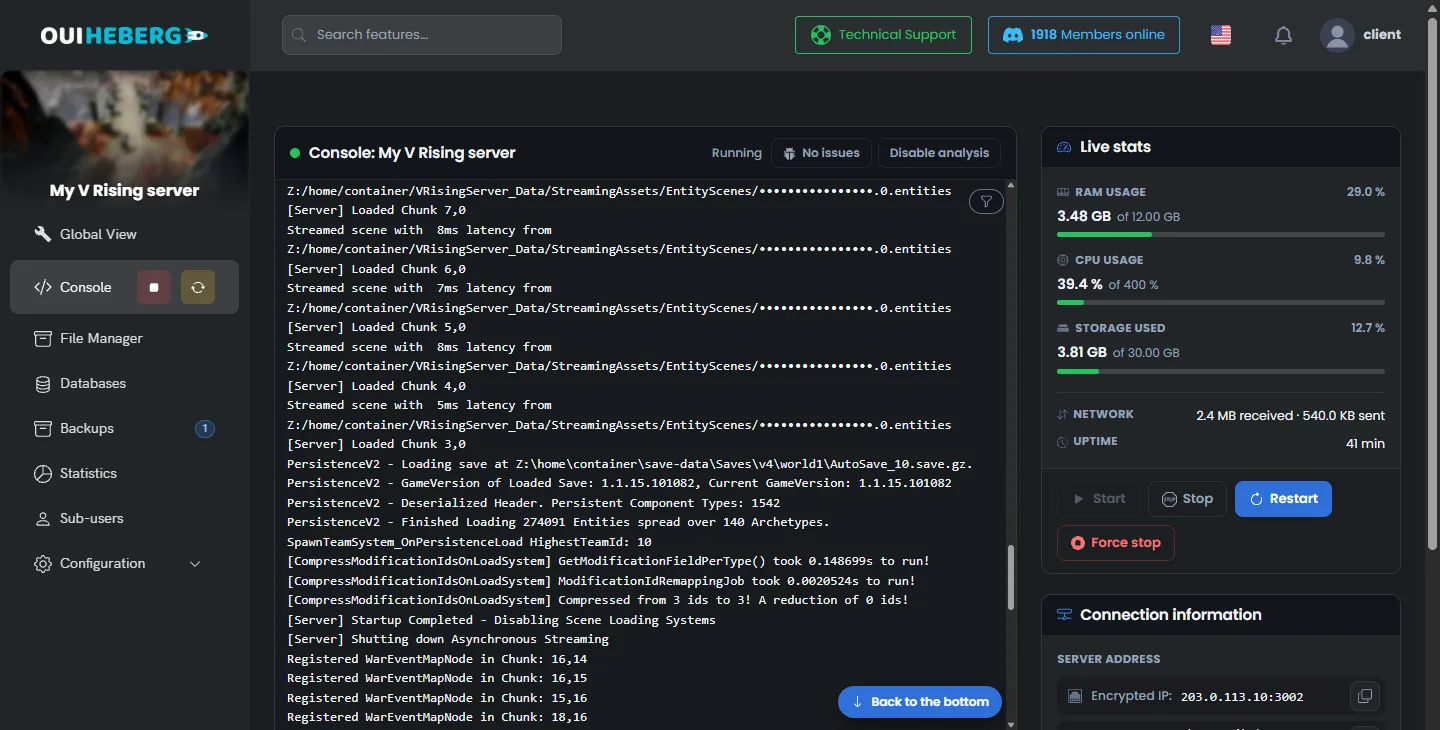
On each start, Steam also updates the game when the Automatic update switch shows Enabled. Keep this setting. According to Stunlock, a player whose game is up to date cannot join a server left behind.
Your server runs the PC version of V Rising. A PS5 player cannot join it, because the game has no crossplay between PC and PS5.
Configure the server in the variables
The everyday settings are in Configuration › Server Settings, in the Environment Variables block. For a field, type the value, then click the check mark on its right. For a list, your choice is saved at once.
| Variable | Purpose |
|---|---|
| Server name | Name of the server in the game's list. The server is delivered as "Serveur V Rising OuiHeberg" |
| Server description | Short description of the server. Empty on delivery |
| Maximum players | Number of players connected at the same time, from 1 to 128. The delivered value is 40 |
| Maximum connected admins | Number of admins who can still get in when the server is full. The delivered value is 4 |
| Server password | Password asked of the players. Empty, the server is open to everyone |
| Save name | Name of the world's folder, world1 on delivery |
| Number of autosaves | Number of autosaves kept. The delivered value is 50 |
| Autosave interval | Gap between two autosaves. The delivered value, 600, means 10 minutes |
| List on Steam and List on Epic | Add the server to the Steam list and to the Epic list. Both are true on delivery |
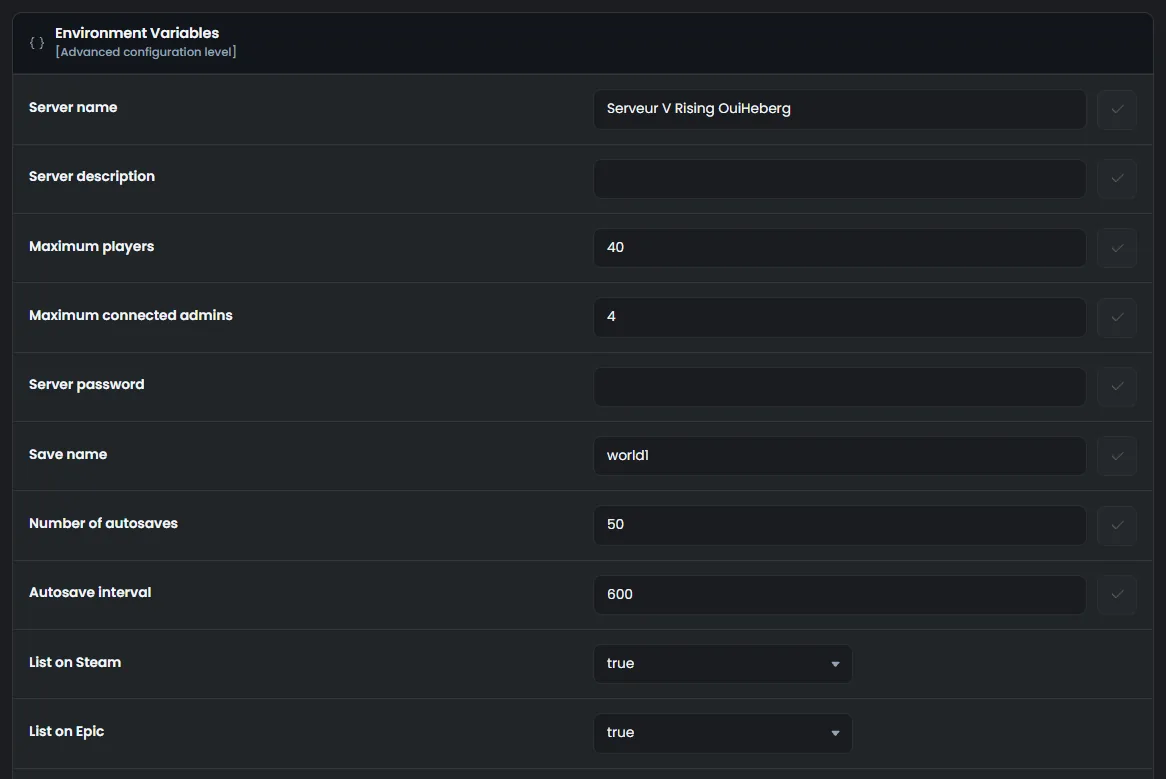
These values apply at the next start. OuiPanel then copies them into save-data/Settings/ServerHostSettings.json. So change them here, never in that file.
Be careful, a restart does not save the world. The backups section, further down, explains how to lose nothing.
Choose the rules of the world
The rules of the world, such as PvP or PvE, clan size and raids, can be set in two ways.
Game settings preset offers the 31 presets shipped with the game, such as
StandardPvPorStandardPvE.The
ServerGameSettings.jsonfile lets you set each rule by hand.
On delivery, no preset is chosen, and the server plays PvP. A preset takes priority over the file. In our test, it also applied to a world already under way, at the next start. Difficulty preset also sets the combat difficulty.
We have not seen the effect of a preset with a player connected yet.
The guide V Rising server settings details the presets, the difficulty and the file.
Set a password
In Environment Variables, type the password in Server password, then click the check mark.
Restart the server right after an autosave.
In our test, the server read the password correctly, and it announced itself as protected.
We have not tried a player joining with this password yet.
Join the server from the game
Your server's address is shown in the OuiPanel Global View, as an IP address and a port. This is the address you give to your players.
According to Stunlock, the game looks for servers in the Epic list first. A server that has just started can take a few minutes to show up there. Search for it by its name.
Also according to Stunlock, a player can type the address themselves. In the game, the path is "Online Play", "Find Servers", "Display all Servers & Settings", then "Direct Connect". We have not checked these two methods with a player yet.
Become admin of the server
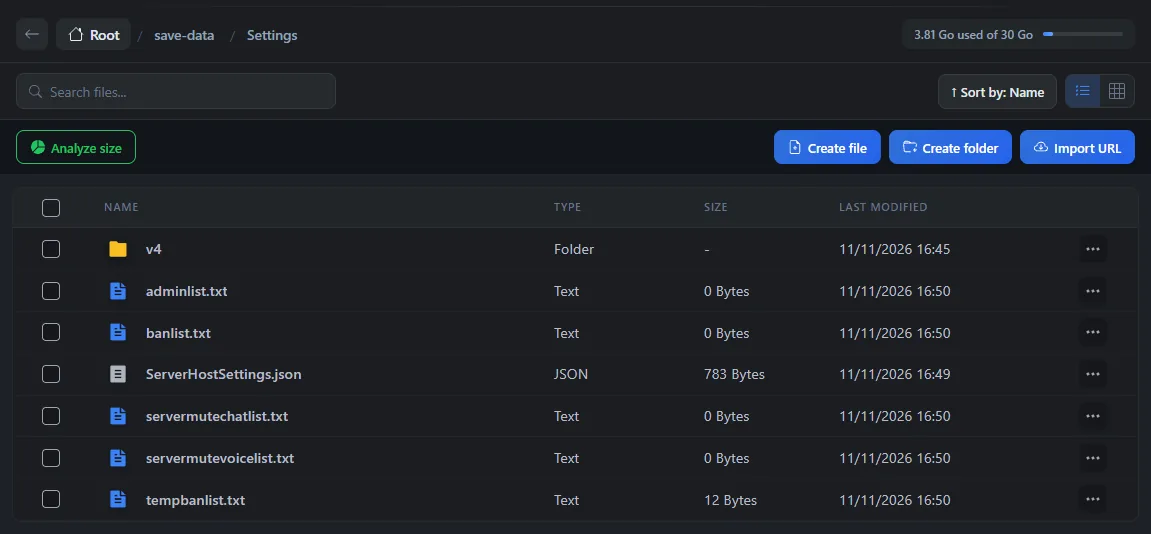
According to Stunlock, an admin is declared by their 17-digit Steam ID, the SteamID64, in the adminlist.txt file. The server creates this empty file on the first start, in save-data/Settings.
In Steam, click your name at the top right, then the account details. Note your Steam ID.
Click File Manager, then open the
save-dataandSettingsfolders.Click
adminlist.txt. The "Editing adminlist.txt" window opens.Type one SteamID64 per line, then click Save.
In the game, the admin then enables the console in the options, opens it with the ~ key and types adminauth. This is the method described by Stunlock. We have not tried it with a player yet.
The guide V Rising console commands lists the commands an admin can use.
Manage autosaves and stopping the server
The game saves the world every 10 minutes with the delivered setting. Each save is an AutoSave file in save-data/Saves/v4/world1. Over time, the game deletes some of them and keeps older saves spread out in time.
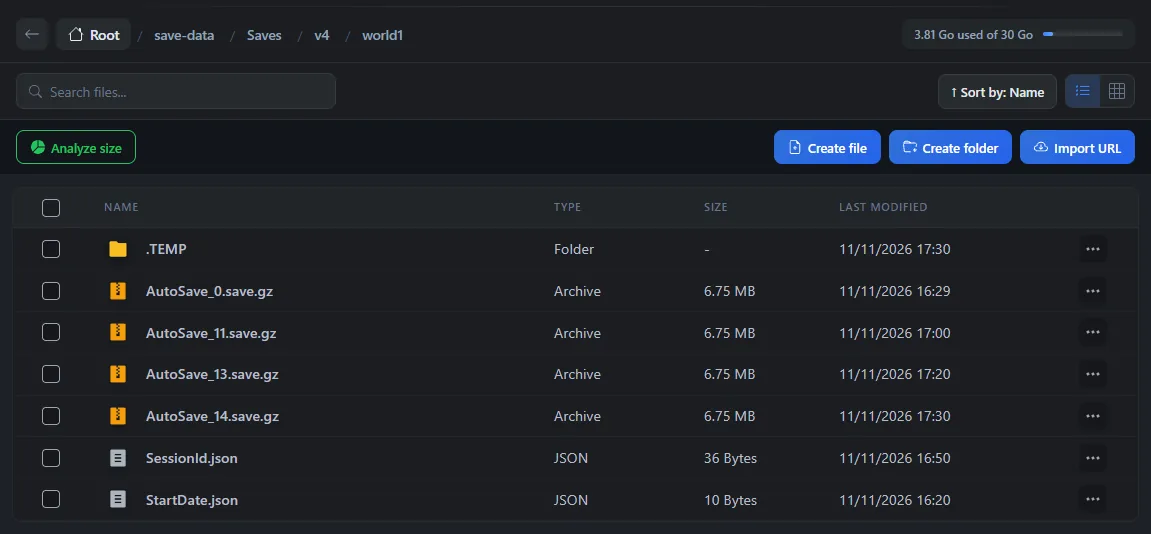
A stop or a restart from OuiPanel does not save the world. Everything since the last autosave is lost, which means up to 10 minutes of play with the delivered setting. We checked this on a test server.
To lose as little as possible, take one of these two precautions, or both.
Before stopping the server, wait for a
Finished Savingline in the console. It confirms that an autosave has just finished.For more frequent saves, type
120in Autosave interval, which means one save every 2 minutes. Then restart the server.
OuiPanel backups, in the Backups menu, keep the save-data folder, with your settings and your worlds. They do not contain the game files. If the game is missing after a restore, the server downloads it again at start, as long as Automatic update stays enabled. We checked this on a test server.
Import a single-player world
According to Stunlock, a world played on your computer can continue on the server. Stunlock's help center, at guides.playvrising.com, explains where to find its folder on your PC. The steps would be as follows.
Stop the server.
Upload the world's folder to
save-data/Saves/v4, with the guide How to connect via SFTP with FileZilla.Type the name of this folder in Save name.
In Game settings preset, choose None. Otherwise, according to Stunlock, the preset would replace the rules of your world.
Start the server.
Stunlock also advises leaving no ServerGameSettings.json file in save-data/Settings. We have not tried importing a single-player world on our servers yet.
Need help?
Open a ticket from Tickets › Open a Ticket, or from the Contact support tile at the bottom of your server's page in the client area. You can also ask your question on the OuiHeberg Discord.
V Rising server hosting from $6.92/mo, on the official dedicated server from Stunlock, with SFTP access, backups and DDoS protection included.
View plans →