
 Client area
The Isle server not showing up in the server list
Your The Isle server is not showing up in the server list, or your friends cannot join it? Check these causes in order, from OuiPanel, the OuiHeberg game panel. This guide assumes you ordered your server from our The Isle server hosting.
Check that the server has finished starting
Open the Console. The server is ready when it shows the Running state and the line LoadMap Load map complete /Game/TheIsle/Maps/Game/Gateway/Gateway. Before this line, the server is still loading the map.
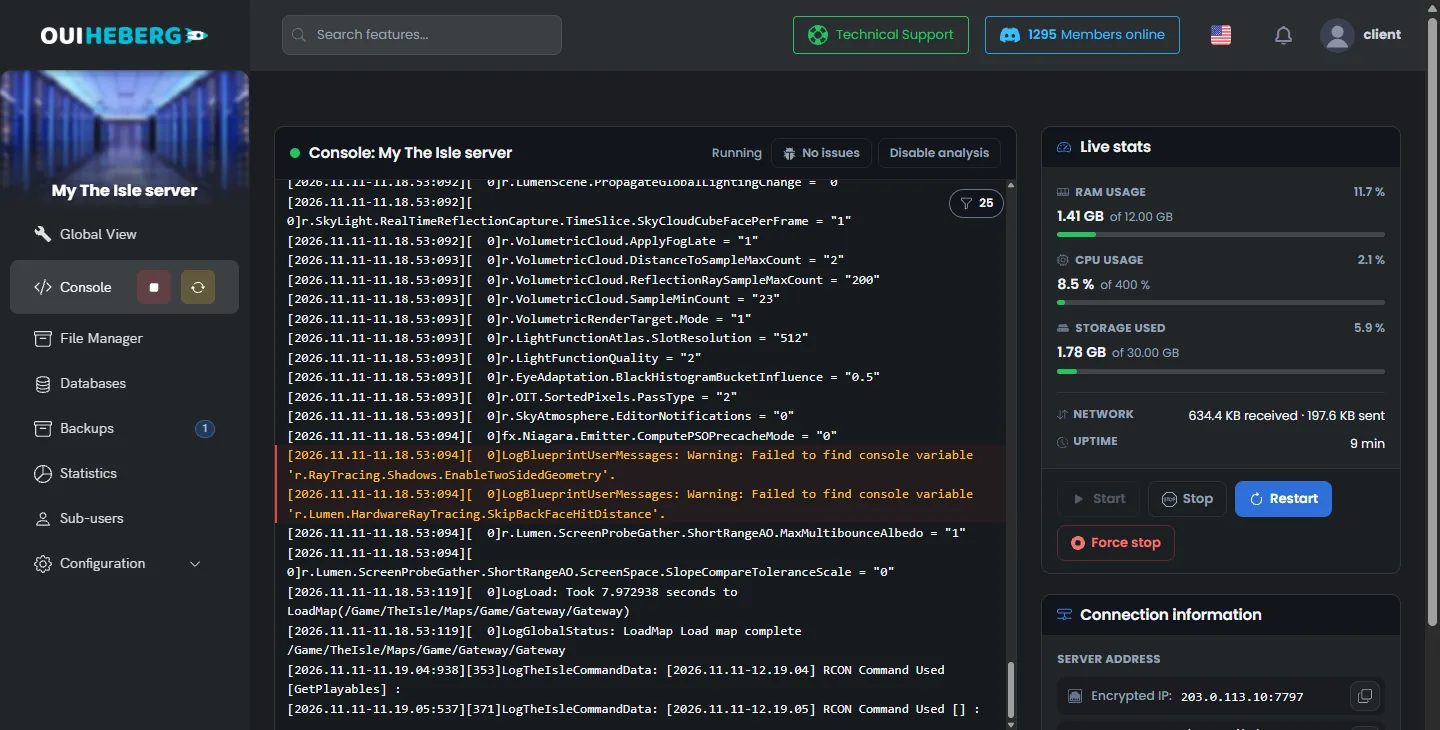
On the first start, the server first downloads the game, about 1.5 GB. This start therefore takes longer than the next ones.
Check the player's branch
Your server runs Evrima. On Steam, though, the game's default branch is Legacy, the old version frozen since 2022. A player who has not picked Evrima therefore plays another version of the game. According to other hosts, the two branches have separate server lists.
In your Steam library, right-click The Isle, then click Properties.
In the Betas tab, choose the "EVRIMA Public Branch" branch.
Let Steam download this version, then launch the game again.
Update the server
After a game update, players move to the new version. The server must follow them. According to other hosts, a server one version behind refuses up-to-date players.
In Configuration › Server Settings, check that Automatic update is enabled.
Restart the server from the Console.
On every start, Steam then checks the game version. When the server is up to date, the console shows Success! App '412680' already up to date. We saw this check in our test. No game update came out during this test.
A running server does not update. After each game update, restart it.
Check the password
If Server password enabled is true, the game asks for the password entered in Server password. Give this password to your players. To open the server to everyone, set Server password enabled back to false. Restart after each change.
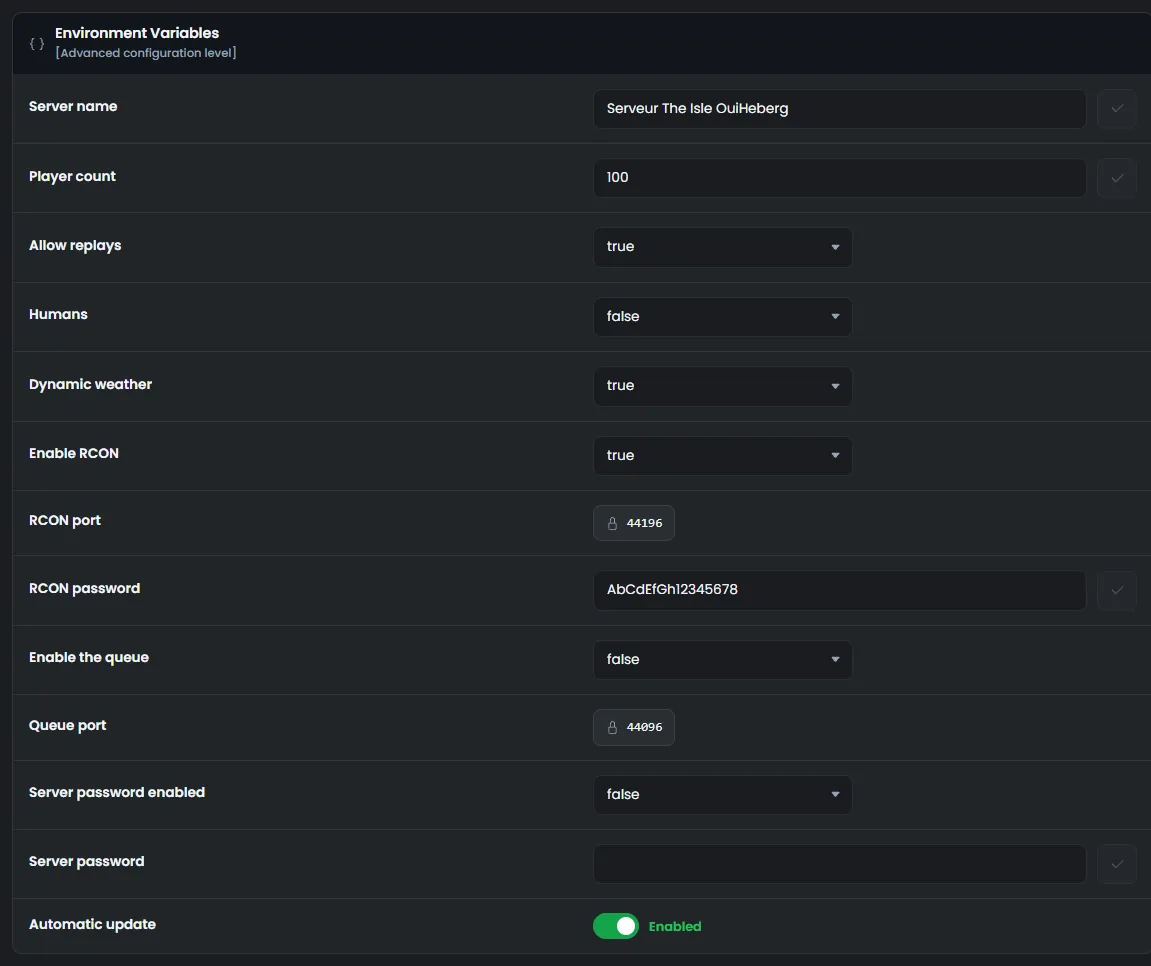
In our test, the game did read both settings. We have not checked a player joining with a password yet.
Check the whitelist
According to Afterthought, when bServerWhitelist is true in Game.ini, only the IDs of the WhitelistIDs= lines can get in. A player missing from the list is refused.
Stop the server, then open
TheIsle/Saved/Config/LinuxServer/Game.inifrom the File Manager.Add a
WhitelistIDs=line with the player's SteamID64, or setbServerWhitelistback tofalse.Click Save, then start the server.
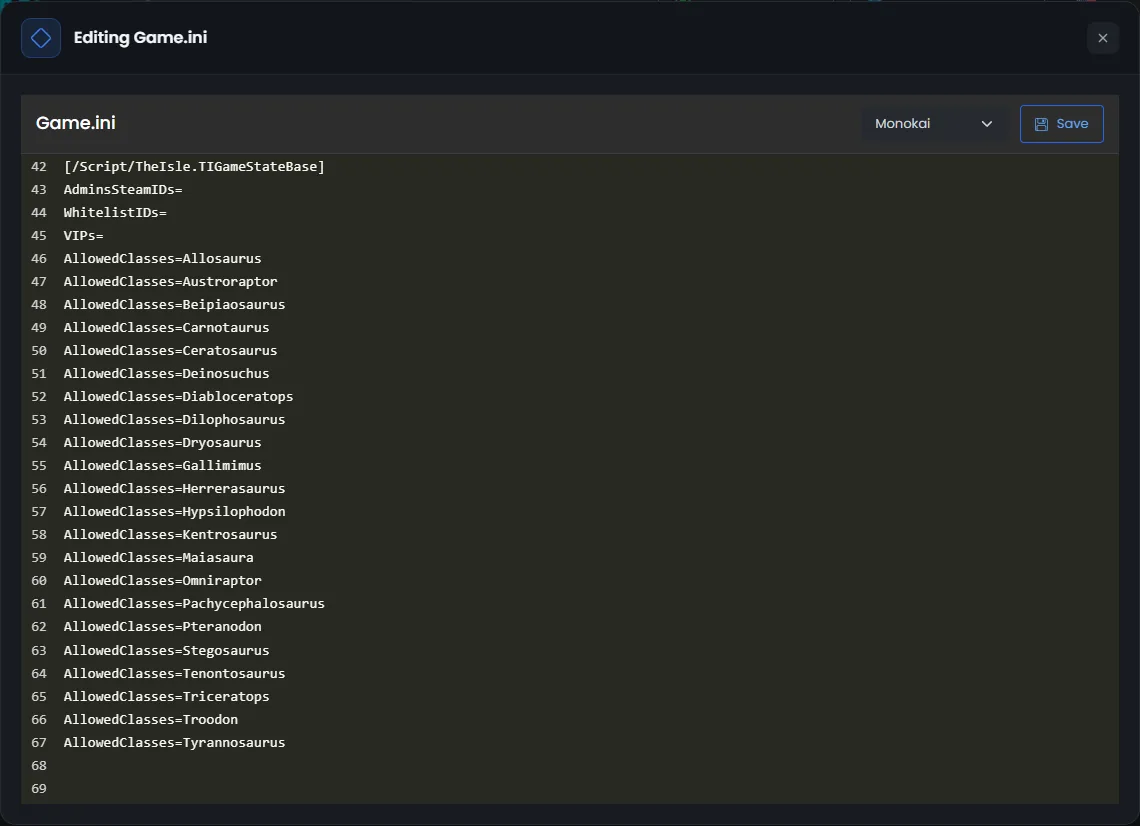
Always edit Game.ini while the server is stopped. The game rewrites the file on every stop, and a change made while the server runs is lost.
Check the slots and the queue
When the server is full, one more player cannot get in. The number of slots is set in Player count, 100 on delivery. According to Afterthought, Enable the queue makes extra players wait. It is turned off on delivery.
Once enabled, the queue uses the Queue port, over TCP. On our servers, this port is assigned with the server. We checked that it answered from outside. According to other hosts, a queue enabled on a closed port gives the DATA ACQUISITION FAILED error when joining.
Look for the server in the game's list
According to Afterthought, a server whose name contains the word "Official" does not show up in the list, except official servers. If so, change the name in Server name, then restart.
According to other hosts, the server only shows up in the list a few minutes after it starts. They advise the "Unofficial" filter, then a search by name. Still according to them, Evrima does not let you join a server by its IP address. We have not checked these three points with a player yet.
Summary of the checks
| Symptom | What to check |
|---|---|
| The server is in no list | The Load map complete line, the server name and the player's Evrima branch |
| The server is visible but refuses the player | The server version, the password and the whitelist |
| The server is full | Player count and Enable the queue |
To set up the server, read the guide How to make a server in The Isle Evrima. To manage players, read the guide The Isle Evrima admin commands.
Need help?
Open a ticket from Tickets › Open a Ticket, or from the Contact support tile at the bottom of your server's page in the client area. You can also ask your question on the OuiHeberg Discord.
The Isle Evrima server hosting from $6.92/mo, on the official dedicated server, with SFTP access, backups and DDoS protection included.
View plans →