
 Client area
V Rising server settings
V Rising server settings are changed with three tools in OuiPanel, the OuiHeberg game panel. The variables set up the server itself. The presets and the ServerGameSettings.json file set the rules of the world. This guide assumes you ordered your V Rising dedicated server from OuiHeberg.
Know where each setting is changed
| Setting | Where to change it |
|---|---|
| Name, password, number of players, saves | The OuiPanel variables |
| PvP or PvE, clans, raids, gathering | Game settings preset, or the ServerGameSettings.json file |
| Combat difficulty | Difficulty preset |
On each start, OuiPanel rewrites save-data/Settings/ServerHostSettings.json with the variables. A value changed in that file is therefore reset at the next start. The keys OuiPanel does not write stay as they are. We checked this on a test server.
Change the server variables
The variables are in Configuration › Server Settings, in the Environment Variables block. For a field, type the value, then click the check mark on its right. For a list, your choice is saved at once.
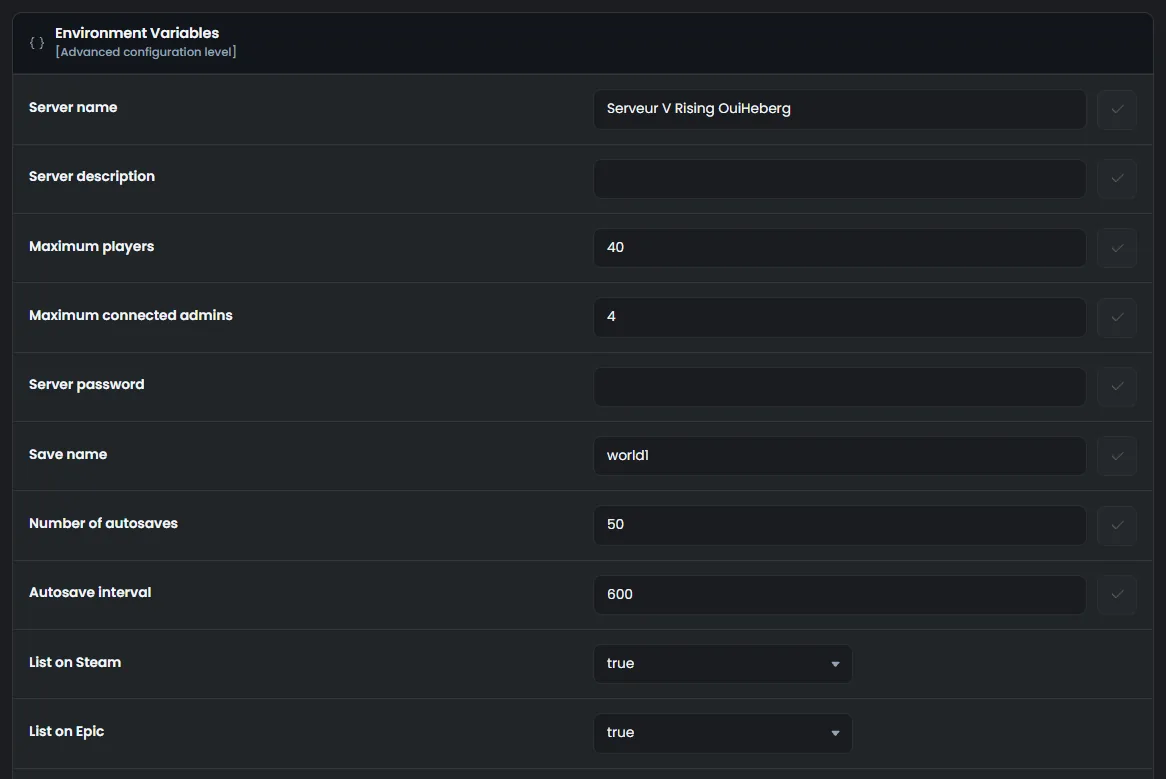
The variables apply at the next start. The guide How to set up a V Rising dedicated server describes each of them.
A stop or a restart from OuiPanel does not save the world. Before restarting, wait for a
Finished Savingline in the console, the one of an autosave.
Choose a PvP or PvE preset
Game settings preset offers the 31 presets shipped with the game. Their files are in VRisingServer_Data/StreamingAssets/GameSettingPresets.
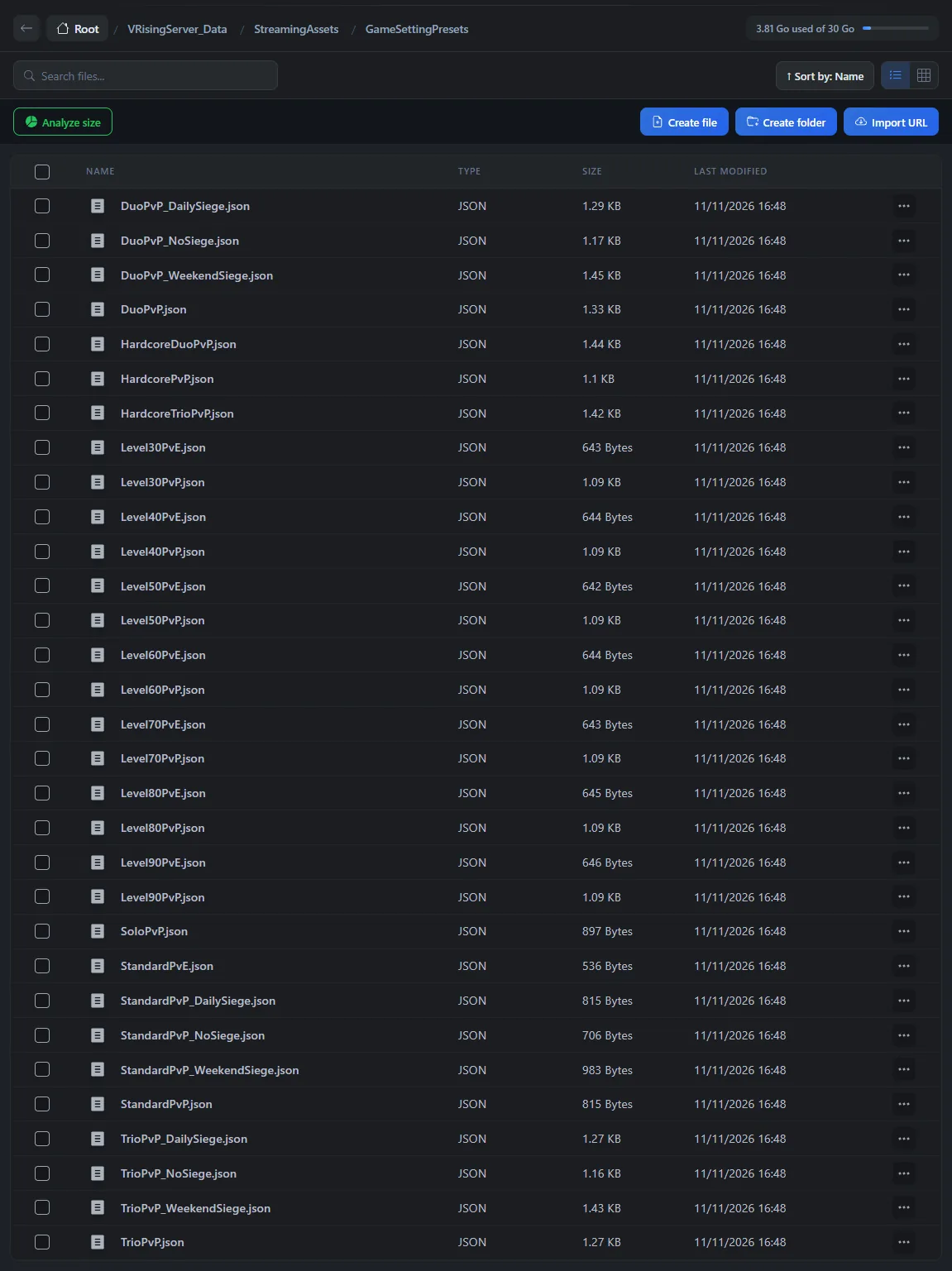
According to these files, the presets fall into six families.
StandardPvEplays PvE. Castles can never be attacked, and each clan can own 2 of them.StandardPvPplays PvP. Castles can be attacked during raid hours, and each clan can own 2 of them.The
_DailySiege,_WeekendSiegeand_NoSiegevariants set raids every day, on weekends only, or never.SoloPvP,DuoPvPandTrioPvPlimit clans to 1, 2 or 3 players, with a single castle per clan.With
HardcorePvP,HardcoreDuoPvPandHardcoreTrioPvP, a castle heart can be taken by other players.From
Level30PvEtoLevel90PvP, players start at the level shown, in PvE or in PvP.
In Environment Variables, choose the preset in Game settings preset. Your choice is saved at once.
Restart the server right after an autosave.
On start, the console shows a Loaded ServerGameSettings from Preset line, followed by the path of the preset. A preset takes priority over the ServerGameSettings.json file. In our test, StandardPvE switched a world started in PvP to PvE, at the next start.
To go back to your own rules, choose None at the top of the list. In our test, the world went back to PvP at the next start.
We have not seen the effect of a preset with a player connected yet.
Set the difficulty
Difficulty preset offers three values, Difficulty_Easy, Difficulty_Normal and Difficulty_Brutal. The difficulty is added on top of the game preset. In our test, Difficulty_Brutal applied on top of StandardPvE, and the world stayed PvE.
With None, the game keeps the difficulty of ServerGameSettings.json. It is normal in the delivered file.
According to the game files, Difficulty_Brutal would make enemies and V Blood bosses stronger, and Difficulty_Easy weaker. We have not seen this difference in the game yet.
Edit the ServerGameSettings.json file
The file shipped with the game is in VRisingServer_Data/StreamingAssets/Settings. Do not edit it. According to Stunlock, a game update replaces it. Put your copy in save-data/Settings, the folder where the server reads your own settings.
Stop the server right after an autosave.
In Game settings preset, choose None. A preset would take priority over your file.
Download the shipped file over SFTP, with the guide How to connect via SFTP with FileZilla.
Edit it on your computer, then upload it to
save-data/Settings.Start the server.
To read the shipped file without changing it, open it in the File Manager.
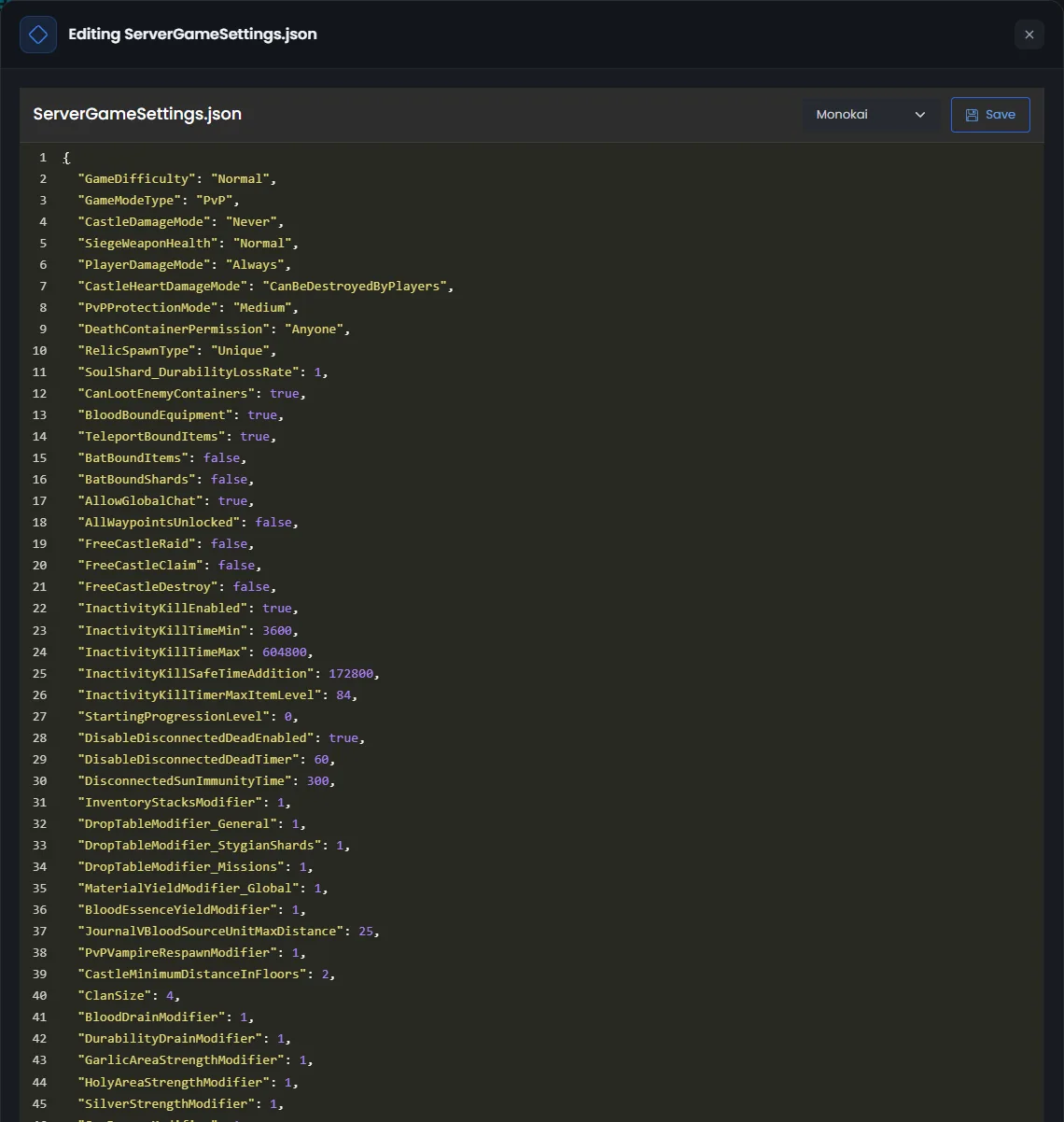
According to Stunlock, a missing comma or brace stops the game from reading the file. Keep a copy of your file before each change.
We have not checked on our servers yet that a change to this file applies to a world already under way.
Useful keys of the file
Here are a few lines of the shipped file, with their value.
"GameModeType": "PvP",
"CastleDamageMode": "Never",
"ClanSize": 4,
"MaterialYieldModifier_Global": 1.0,
GameModeTypepicks the game mode,PvPorPvE.CastleDamageModemakes castles open to attack. The values areNever,AlwaysandTimeRestrictedfor raid hours only.ClanSizesets the number of players per clan.MaterialYieldModifier_Global,DropTableModifier_GeneralandBloodEssenceYieldModifiermultiply gathering, loot and blood essence.1.0is the normal game.CraftRateModifierandRefinementRateModifierset the crafting and refining speed.StartingProgressionLevelsets the players' starting level, 0 in the shipped file.
Raid hours are set in the PlayerInteractionSettings section.
"PlayerInteractionSettings": {
  "TimeZone": "Local",
  "VSCastleWeekdayTime": {
    "StartHour": 20,
    "StartMinute": 0,
    "EndHour": 22,
    "EndMinute": 0
  },
VSCastleWeekdayTime and VSCastleWeekendTime set the castle raids, on weekdays and on weekends. The shipped file sets them from 20:00 to 22:00. VSPlayerWeekdayTime and VSPlayerWeekendTime do the same for combat between players, when PlayerDamageMode is TimeRestricted. According to Stunlock's table, TimeZone accepts Local, UTC and CET, among others.
These values come from the file shipped with version 1.1 of the game. We have not tried other values on our servers yet.
If a setting does not apply
| Symptom | Solution |
|---|---|
Your ServerGameSettings.json file is ignored | A preset is chosen in Game settings preset. It takes priority over your file |
| The game no longer reads your rules after a change | A comma or a brace is missing. Go back to your copy, or remove the file from save-data/Settings |
| The name or the password goes back to the old value | OuiPanel rewrites them on each start. Change them in Environment Variables |
| A change made while the server runs has no effect | The server reads its settings on start. Stop it, edit the file, then start it |
To declare yourself admin and use the game commands, follow the guide V Rising console commands.
Need help?
Open a ticket from Tickets › Open a Ticket, or from the Contact support tile at the bottom of your server's page in the client area. You can also ask your question on the OuiHeberg Discord.
V Rising server hosting from $6.92/mo, on the official dedicated server from Stunlock, with SFTP access, backups and DDoS protection included.
View plans →