
 Client area
VEIN console commands for server admins
VEIN admin commands are typed in the game, in the console (~ key) or through the admin menu (\ key), with an admin account. VEIN has no RCON and no admin password. You become an admin through your SteamID64, written in the server's Game.ini file. On a OuiHeberg server, the OuiPanel console shows the log, but it sends no command to the game.
This guide starts from a server ordered from OuiHeberg and already started once. The guide How to set up a VEIN dedicated server explains that first start. The plans are on our VEIN server hosting page.
Where do you type VEIN commands?
There are two places in the game, and a third one that is not for commands.
| Place | What it lets you do |
|---|---|
In-game console, ~ key | The game's commands and variables, for an admin |
Admin menu, \ key | Manage players and change part of the settings, according to Ramjet |
| OuiPanel Console | Read the server log, start it and stop it. It sends no command to the game |
VEIN has no RCON. Ramjet removed the RCON port from the game in June 2025, and its current documentation no longer mentions it.
Why the OuiPanel console does not respond
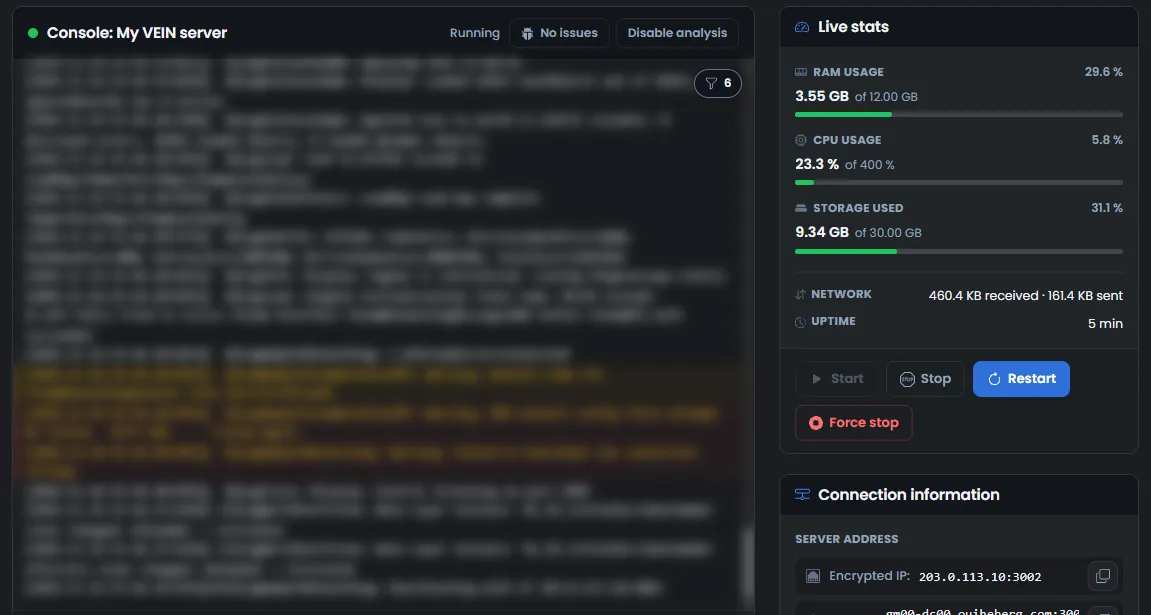
VEIN does not read commands typed in the OuiPanel Console. We checked this on a test server with the help command. The game did not answer, and the only line shown was the echo of the command.
The command field is still shown, as for every game. For VEIN, what you type there does not reach the game. The console is for following the log, starting and stopping the server.
Become an admin with SuperAdminSteamIDs
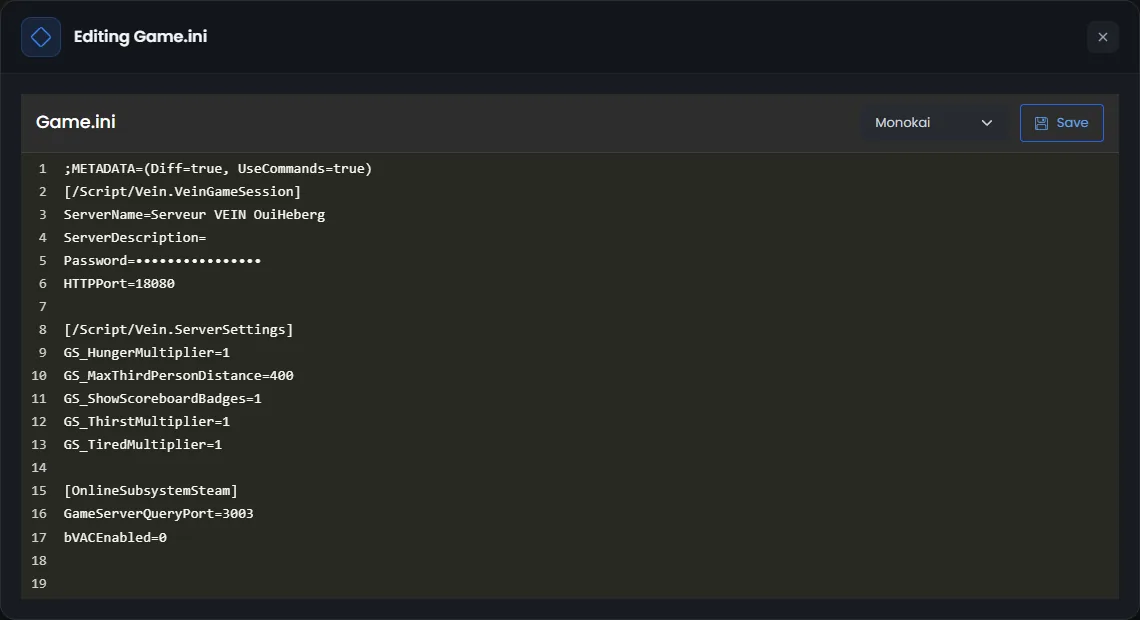
VEIN has no admin password. According to Ramjet's documentation, admins are named by their SteamID64 in the server's Game.ini file. It is the 17-digit number of your Steam account.
Ramjet advises adding your number to SuperAdminSteamIDs, without repeating it in AdminSteamIDs. A super admin can then name or remove admins from inside the game.
In the Console, click Stop, then wait for the Offline status.
Click File Manager, then open the
Vein,Saved,ConfigandLinuxServerfolders.Click
Game.ini. The "Editing Game.ini" window opens.Under the
[/Script/Vein.VeinGameSession]line, addSuperAdminSteamIDs=followed by your number, then click Save.In the Console, click Start.
[/Script/Vein.VeinGameSession]
SuperAdminSteamIDs=76561190000000001
+SuperAdminSteamIDs=76561190000000002
According to Ramjet, each extra admin takes a line that starts with +, as in this example. We have not yet tried these lines with a player on our servers.
Add these lines while the server is stopped. The game rewrites
Game.iniwhen it stops, and a line added while it runs could be lost.
Open the admin menu
According to Ramjet, an admin opens the admin menu with the \ key. This menu is for managing players, kicking them and spawning items. Its Config section changes part of the game settings. We have not yet opened this menu on our servers.
According to Ramjet, the game saves bans to a configuration file on the server. Its patch notes also say that every admin action is written to the server log.
Use the in-game console
The in-game console opens with the ~ key. According to Ramjet, the variables in the table below can also be changed from this console. Type the variable name, a space, then the value. For example, vein.Stats.XPMultiplier 2 doubles the XP you earn.
According to the May 2026 patch notes, the game refuses these commands from a connected player who is not an admin. We have not yet tried the in-game console on our servers.
For a full, up-to-date list, Ramjet advises typing PrintAllVeinSettings in a single-player game. The list is then written to the game log.
Which console commands can you use?
This table lists variables from Ramjet's official list, with their default value. Ramjet says its list is incomplete and dates from October 2025. We have not tried any of these variables on our servers.
| Variable | Effect | Default |
|---|---|---|
vein.PvP | Players can hurt each other | 1 |
vein.BuildObjectPvP | Players can damage other players' bases | 1 |
vein.Permadeath | Permanent death, no respawn | 0 |
vein.Stats.XPMultiplier | Multiplies the XP earned | 1 |
vein.Time.TimeMultiplier | Speed of time in the world | 16 |
vein.Time.ContinueWithNoPlayers | Time keeps running with no player connected | 0 |
vein.Scarcity.Difficulty | Loot scarcity, from 0 to 4. 1 gives more loot, 3 gives less | 2 |
vein.Zombies.DamageMultiplier | Zombie damage | 1 |
vein.Zombies.SpeedMultiplier | Zombie speed | 1 |
vein.Zombies.HeadshotOnly | Zombies only take damage from headshots | 0 |
vein.AISpawner.SpawnCapMultiplierZombie | Multiplies the maximum number of zombies | 1 |
vein.Characters.Max | Characters per player | 100 |
For a yes or no setting, 1 means yes and 0 means no. These variables can also be set in the Engine.ini file, as the guide How to change your VEIN server settings explains.
If a command does not work
| Symptom | Solution |
|---|---|
| The OuiPanel console shows the command, with no answer | That is normal. Commands are typed in the in-game console |
| The game refuses a command | According to Ramjet, only admins can run them. Check your SteamID64 in Game.ini, then restart the server |
Your admin line has vanished from Game.ini | It was added while the server was running. Stop the server, wait for the Offline status, then add it again |
| A variable does not have the expected effect | Ramjet's list is incomplete. Type PrintAllVeinSettings in a single-player game to see the current names |
Need help?
Open a ticket from Tickets › Open a Ticket, or from the Contact support tile at the bottom of your server's page in the client area. You can also ask your question on the OuiHeberg Discord.
VEIN server hosting from $9.26/mo, on Ramjet Studios' native Linux dedicated server with 12 GB of RAM or more, SFTP access, backups and DDoS protection included.
View plans →