
 Client area
How to set up a Core Keeper dedicated server
To set up a Core Keeper server with OuiHeberg, order a plan, then start it in OuiPanel, the OuiHeberg game panel. Pugstorm's server software installs on its own, with no Steam account. Every start takes about 5 minutes, while the game prepares the world. Only players on PC can join it.
According to Pugstorm, your friends on Steam join it with its Game ID. We have not yet tried this connection with a player on our servers.
This guide starts from a server you have already ordered and follows each step, from the first start to stopping it. If you are looking for Core Keeper server hosting, our four plans range from 2 to 12 GB of memory.
Host it yourself or rent a Core Keeper server?
Pugstorm publishes the Core Keeper server software for free, for Windows and for Linux. It downloads from Steam without owning the game. So you can run it on your own machine.
In that case, the world is only open while the machine stays on. According to the server's readme, you also need to open a port on your router for players who do not use Steam.
At OuiHeberg, the server runs on a machine that stays online day and night, with anti-DDoS and backups. Our plans start at 2 GB of memory. Pugstorm publishes no requirements for the server. The 8 GB often quoted are what the game asks of a player's PC.
Order and start the server
You pick the country when you order. After payment, the server is created and installs on its own, with no Steam account. Allow a few minutes.
Log in to OuiPanel at dash.ouipanel.com and open your Core Keeper server.
Open the Console. If the status shows Offline, click Start.
The status shows Starting for about 5 minutes, then Running.
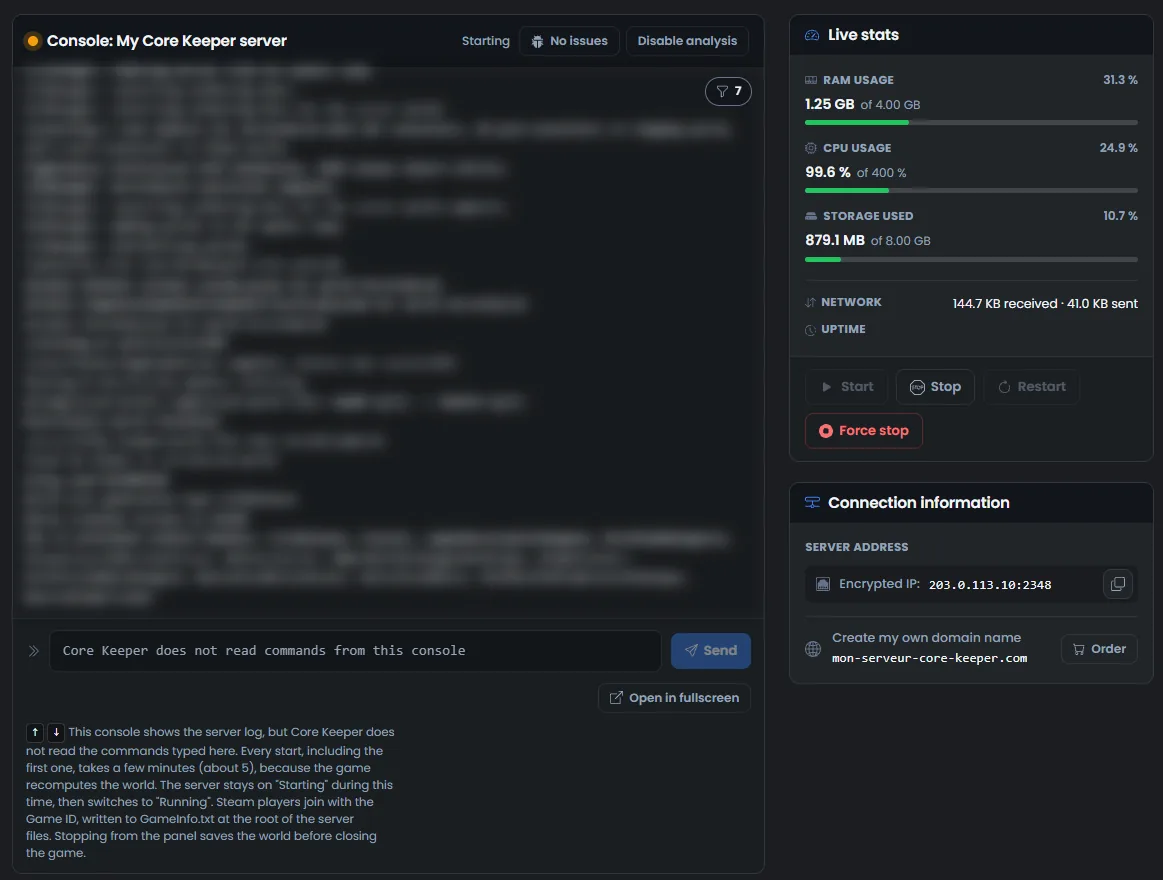
This wait comes back at every start, not only the first one. The game recomputes the world before it accepts players. We measured it on a test server, at every start.
The OuiPanel console shows the server log. Core Keeper does not read the commands typed there.
Do you have a OuiBox? A Core Keeper server needs at least 2 GB of memory in it.
Set up the world in the variables
The settings are in Configuration › Server Settings, in the Environment Variables block. For a field, type the value, then click the check mark on its right. For a switch or a list, your choice is saved right away.
| Variable | Role |
|---|---|
| World slot | Number of the game, from 0 to 29. The delivered value is 0. Another number opens another game, and the previous one stays in its slot |
| World name | World name that players see. It is delivered as "Serveur Core Keeper OuiHeberg" |
| World seed | Empty on delivery. The game then picks a random seed and keeps it. It is only used to create a new world |
| Game ID | Empty on delivery. The game then creates the Game ID at the first start and keeps it |
| Maximum players | Number of players connected at the same time. The delivered value is 8, the one set by the game |
| World mode | List Normal, Hard, Creative or Casual. Normal on delivery |
| Automatic update | Updates the game through Steam at startup. Enabled on delivery |
| Server password | Password for direct connections by IP, generated at creation. It is not used for the Game ID |
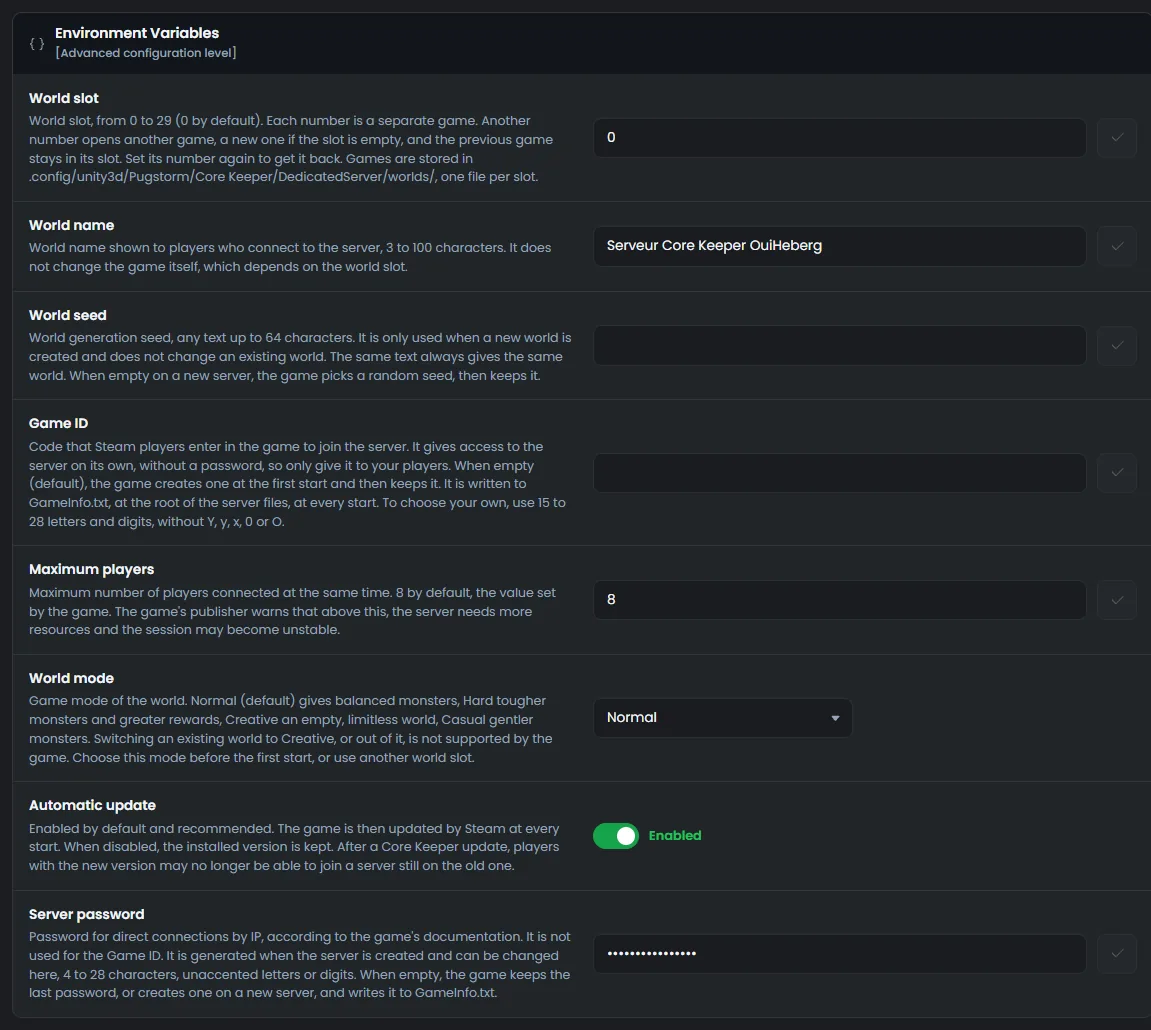
OuiPanel passes these values to the game at every start. So restart the server after a change. On a test server, we checked that the name, the mode, the seed, the number of players and the password are applied.
The same seed always gives the same world, "0" included. According to Pugstorm, above 8 players, the server needs more resources and the session may become unstable.
Choose the mode before the first start. According to Pugstorm, a world cannot switch to Creative after it is created, or leave it.
Mods are not set here. The guide How to install mods on a Core Keeper server explains where to copy them.
Where to find your server's Game ID?
The Game ID is the code Pugstorm designed for Steam players to join the server. The game creates it at the first start and keeps it afterwards. We checked this on a test server.
Wait for the server status to show Running.
Open the File Manager. The
GameID.txtfile is at the root.Click
GameID.txtto open it, then copy the Game ID.
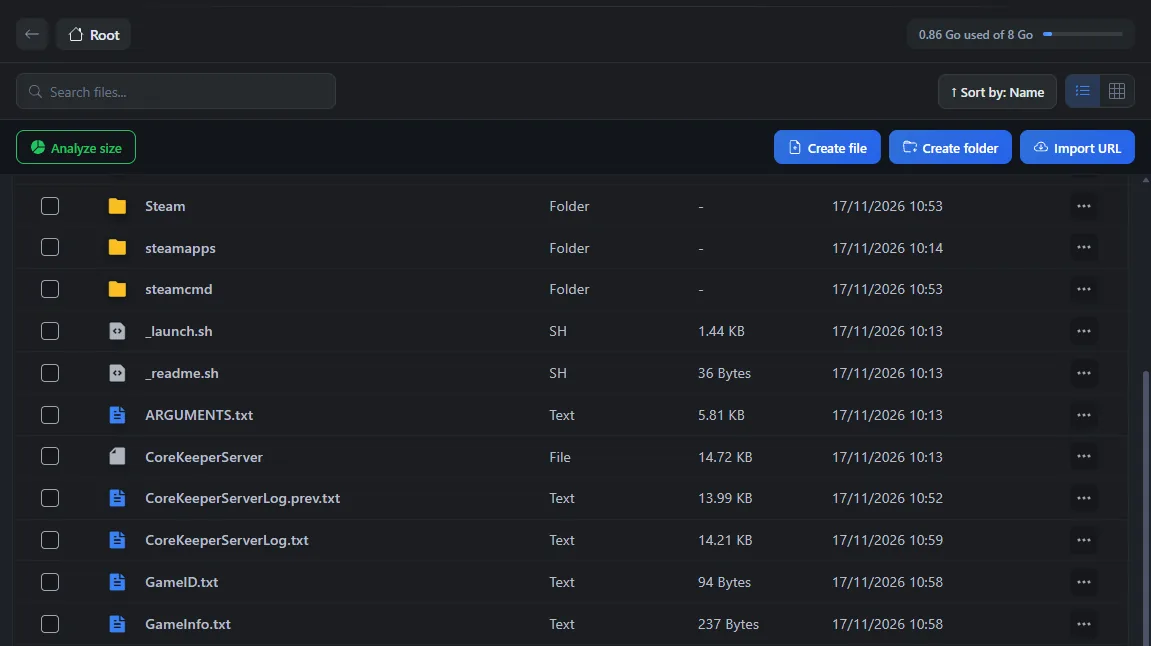
The game also writes the Game ID to GameInfo.txt, in the same place, with the server's IP address, port and password. Both files are rewritten at every start.
You can also choose your own Game ID in the Game ID variable. According to Pugstorm, it has 15 to 28 letters and digits, without Y, y, x, 0 or O.
According to Pugstorm, the Game ID alone gives access to the server, without a password. Only give it to your friends.
How to join a Core Keeper server?
According to Pugstorm, Steam players join the server from the game menu used to join a game. They enter the Game ID there. This code goes through the Steam relay, with no port to set. We have not yet tried this connection with a player on our servers.
Epic Games, GOG and PC Game Pass players cannot use the Game ID. According to the server's readme, they should join through a direct connection, with the IP address, the port and the password. The address and port are in the Global View, under Main address. The password is in the Server password variable and in GameInfo.txt. We have not yet tried this connection.

Only the PC version of Core Keeper can join this server. According to Pugstorm, the game has no crossplay between PC and consoles.
Become an admin of your server
Core Keeper has no server console, no RCON and no admin password. According to Pugstorm, administration happens in game, from the pause menu.
An admin should be able to name other admins there, kick or ban a player, regenerate the Game ID and turn on PvP. On a new server, the first player who connects should become an admin. So join it first, before you invite your friends. We have not yet checked these points with a player.
Stop the server without losing the world
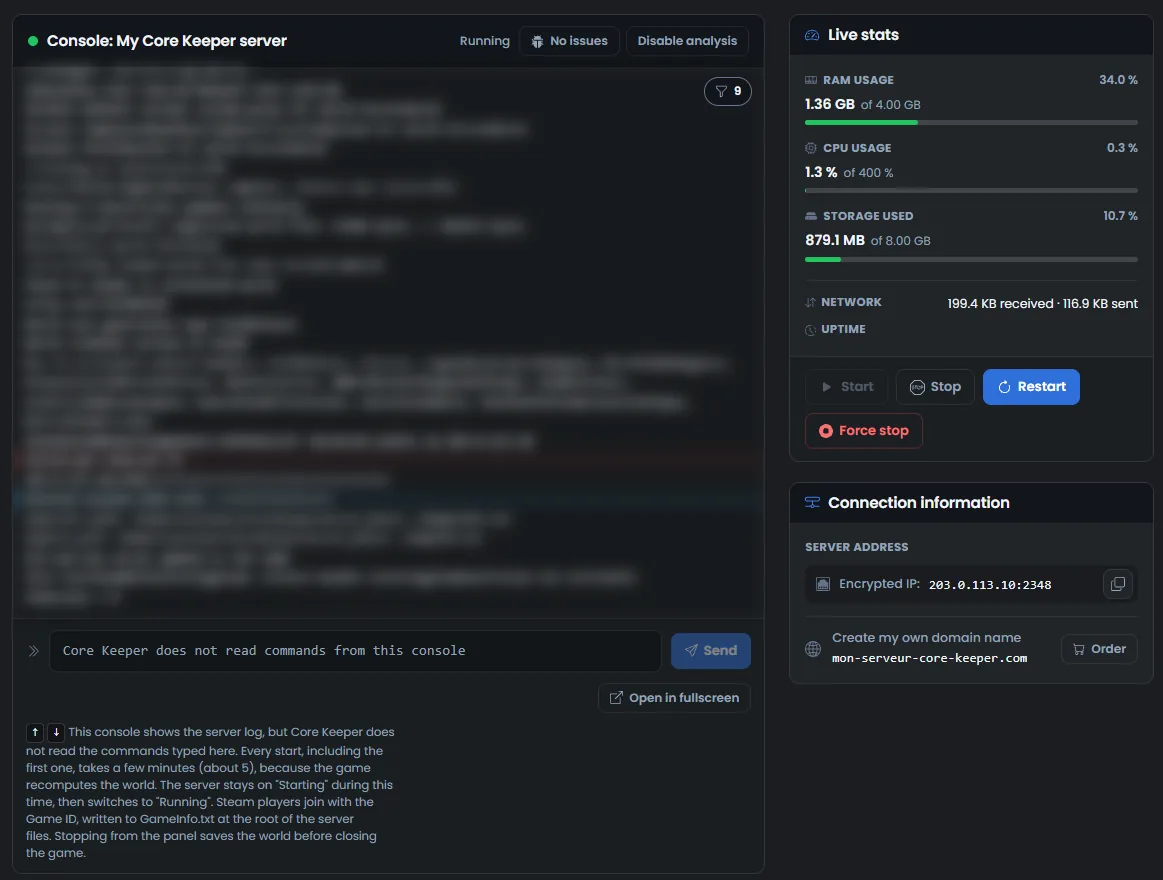
In the Console, click Stop.
The status changes to Stopping while the game saves the world. Stopping only takes a moment.
Wait for the Offline status before you edit a file.
The world is saved in the 0.world.gzip file, stored in .config/unity3d/Pugstorm/Core Keeper/DedicatedServer/worlds. At the next start, the game loads this same world again. We checked this on a test server, at every stop.
The game also keeps a copy of the previous version, 0.world.gzip.pugbackup. To bring a single-player world to this server, follow the guide How to transfer a Core Keeper world to a dedicated server.
During a game, the game should also save the world on its own. On our test server, with no player, it only wrote it when stopping. We have not yet checked saving with players.
Do not use the Force stop button. It would cut the server off at once, without saving the world.
If the server does not behave as expected
| Symptom | Solution |
|---|---|
| The server stays on Starting | This is normal for about 5 minutes, at every start. Wait for the Running status |
The GameID.txt file is missing | The server is still starting. Wait for the Running status, then open the File Manager again |
| After emptying Server password, the old password still works | Emptied, this field changes nothing. The game keeps the last password. Type a new one to replace it |
| A command typed in the console does nothing | Core Keeper does not read the OuiPanel console. Administration happens in game |
| The server stopped on its own | The game probably crashed. OuiPanel detects the crash. During our test, it restarted the server by itself |
| A player can no longer join after a game update | According to Pugstorm, the server and the players must have the same version. Check that Automatic update is enabled, then restart the server |
Need help?
Open a ticket from Tickets › Open a Ticket, or from the Contact support tile at the bottom of your server's page in the client area. You can also ask your question on the OuiHeberg Discord.
Core Keeper server hosting from $2.30/mo, on Pugstorm's native Linux dedicated server with 2 GB of RAM or more, SFTP access, backups and DDoS protection included.
View plans →