
 Client area
How to transfer a Core Keeper world to a dedicated server
A Core Keeper world fits in a single file, such as 0.world.gzip. To transfer your single-player world to your OuiHeberg server, copy this file to the server's worlds folder while the server is stopped. Then set the world slot in OuiPanel, the OuiHeberg game panel.
We have not yet tried this import with a player's world. The steps follow the game's documentation and feedback from its community.
This guide starts from a server that has already been started once. The guide How to set up a Core Keeper dedicated server covers ordering, starting and stopping. If you are looking for Core Keeper server hosting, our four plans range from 2 to 12 GB of memory.
Where is the world on the server?
On your server, worlds are stored in the .config/unity3d/Pugstorm/Core Keeper/DedicatedServer/worlds folder. Each file carries the number of its slot. 0.world.gzip is the world in slot 0, the server's world on delivery.
Open the File Manager.
Open the
.config,unity3d,Pugstorm,Core KeeperandDedicatedServerfolders, thenworlds.
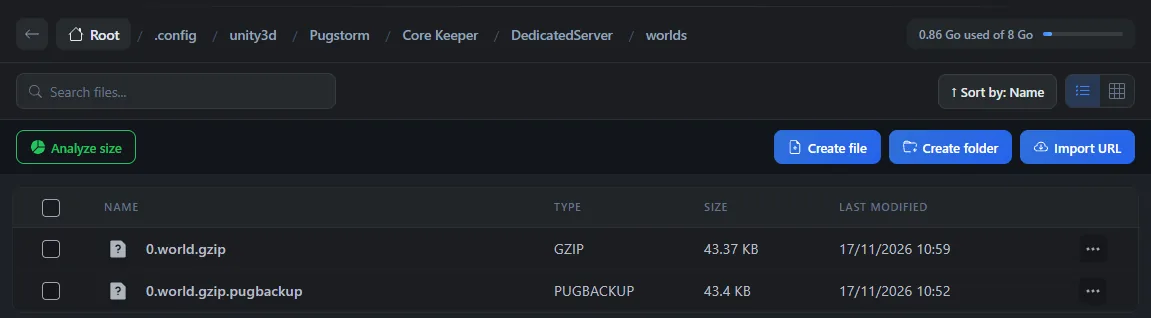
The 0.world.gzip.pugbackup file is a copy of the previous version, kept by the game. On a test server, we checked that the world is written at every stop and loaded again at the next start.
The
worldsfolder only appears after the server is first stopped with the Stop button. That is when the game writes the world for the first time.
Find your single-player world on your PC
With the Steam version of the game on Windows, single-player worlds are stored in %USERPROFILE%\AppData\LocalLow\Pugstorm\Core Keeper\Steam. Open the folder named after your account number, then worlds. Paste this path into the address bar of File Explorer.
Each world there carries a number, such as 1.world.gzip. To spot the right one, check its modification date after a game. We have not yet checked this path for every PC store.
Quit your single-player game first, so that you copy an up-to-date file.
Make a backup before the transfer
A file copied with the same number as a world on the server replaces it. Make a backup in OuiPanel first.
Open the Backups tab.
Click Create backup.
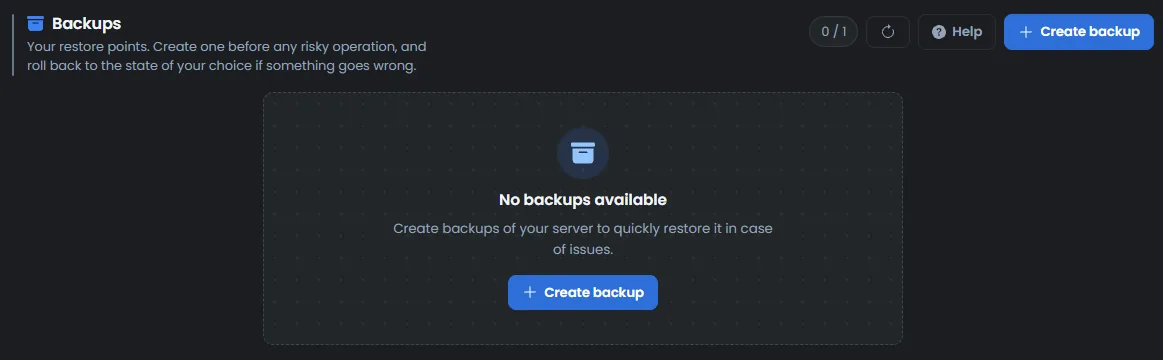
The backup keeps a copy of the server's files, world included. The number of backups depends on your plan.
Copy the world to the server
In the Console, click Stop, then wait for the Offline status.
In the File Manager, open the server's
worldsfolder.Drag your world file into the list to upload it. You can also use SFTP.
In Configuration › Server Settings, set World slot to the number of the file. For
1.world.gzip, enter1.Start the server from the Console, then wait about 5 minutes.
The server should then load your world. We have not yet tried this import with a player's world.
The guide How to connect via SFTP with FileZilla explains how to connect over SFTP. The File Manager accepts up to 100 MB per file. Beyond that, use SFTP.
Always copy the world while the server is stopped. The game writes the world when it stops and would replace your file with the old world.
What does the transfer keep?
The transferred world should be identical to your single-player game, with your bases and builds. Pugstorm supports this kind of transfer. Its patch notes from March and April 2026 fix characters that rolled back after a world was copied. We have not yet checked this with a player.
According to Pugstorm, the World seed variable does not change an existing world. Still set World mode to the mode of your single-player game, to be safe.
Did your single-player game use mods? Install the same ones on the server, as the guide How to install mods on a Core Keeper server explains.
If the transfer does not work
| Symptom | Solution |
|---|---|
The worlds folder does not exist | Start the server once, then stop it with Stop. The game then creates the folder and the first world |
| Your world was replaced by the old one after a stop | The file was copied while the server was running. Stop the server, wait for the Offline status, then copy it again |
| The server created a new world instead of yours | Check that World slot carries the number of the file. The name must keep the 1.world.gzip form, with no extra text such as (1) |
| The server stays on Starting | This is normal for about 5 minutes, at every start. Wait for the Running status |
Need help?
Open a ticket from Tickets › Open a Ticket, or from the Contact support tile at the bottom of your server's page in the client area. You can also ask your question on the OuiHeberg Discord.
Core Keeper server hosting from $2.30/mo, on Pugstorm's native Linux dedicated server with 2 GB of RAM or more, SFTP access, backups and DDoS protection included.
View plans →