
 Client area
How to create a GSLT for a TF2 server
To create a GSLT for a TF2 server, open Steam's page for game server accounts, enter App ID 440, then paste the token into OuiPanel, the OuiHeberg game panel. The token is free and is created with your own Steam account. It is optional, and your server also starts without it.
This guide follows each step, from the Steam account requirements to restarting the server. Your server is not installed yet? Follow the guide How to make a TF2 dedicated server first. If you are looking for TF2 server hosting, our plans are listed on our sales page.
Do you need a GSLT for a TF2 server?
No, it is optional. The GSLT, short for Game Server Login Token, is the token a game server uses to log in to Steam. It links the server to a Steam account, yours.
Without a token, here is what we saw on our test server.
The server starts, and OuiPanel shows Running.
The server connects to Steam with an anonymous account.
VAC, Valve's anti-cheat, is active.
According to the game's wiki, the Team Fortress Wiki, a valid token is required to appear in the Steam server browser. The game also states that the token is used to log in to a persistent account, instead of an anonymous one. We have not yet run a test with a real token.
Check the Steam account requirements
Valve sets these requirements on its game server account page.
The account is not community banned or locked.
The account is not limited. According to Steam Support, it must have spent at least $5 in the Steam store. Free games do not count, Team Fortress 2 included.
The account has a registered phone number that meets Steam's conditions.
The account owns the game. Team Fortress 2 is free on Steam.
A single Steam account can create up to 1,000 tokens.
Create the token on Steam
Open steamcommunity.com/dev/managegameservers and sign in with your Steam account.
In the App ID of the base game field, enter
440, the App ID of Team Fortress 2. Do not use232250, the number of the dedicated server.In Memo, write anything that helps you recognize the server, such as its name.
Confirm, then copy the token shown. It has 32 letters and digits.
According to Valve's developer wiki, a token only works for one server. For two servers, create two tokens, each with its own memo.
Paste the token into OuiPanel
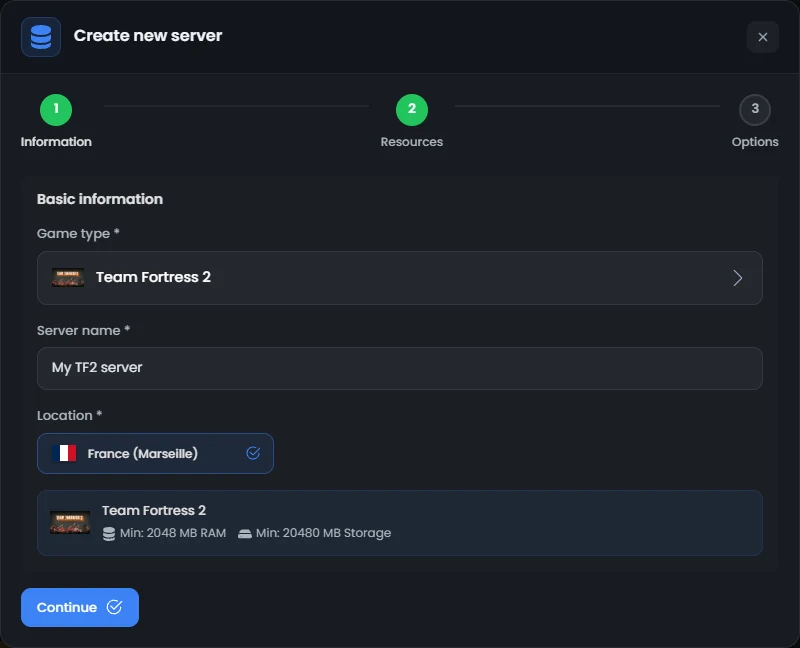
In a OuiBox, the form to create a TF2 server does not ask for a token. You paste it once the server is created, just like with a standalone plan.
Log in to OuiPanel at dash.ouipanel.com and open your TF2 server.
Open Configuration › Server Settings, then scroll down to the Environment Variables block.
Paste your token into Steam game server login token (GSLT). This field is empty on delivery.
Click the check mark to the right of the field to store it. Its tooltip says Save.
In the Console, click Restart, or Start if the server is stopped. The token is read at startup.

The field only accepts 32 letters and digits. Check that no space was copied along with the token.
Never give your token to anyone. The Steam account that created it is responsible for it. Hide it before you share a screenshot of your variables or of the console.
Check that the token is used
Without a token, the console shows this line at every start.
No account token specified; logging into anonymous game server account.With your token, this line should no longer appear. OuiPanel shows Running as soon as the game has connected to Steam. We have not yet run this test with a real token.
If the token does not work
| Symptom | Solution |
|---|---|
| The field refuses the token | It only accepts 32 letters and digits. Remove the extra space or character |
| The server stays on Starting after you add the token | The token may be badly copied or refused by Steam. Copy it again from the Steam page, or empty the field to go back to the anonymous login. Then stop the server and start it again |
| All your tokens stopped working | If your Steam password was reset through the Steam help site or by Steam Support, Valve regenerates all your tokens. Copy the new token from the Steam page |
| A token unused for a long time no longer works | According to Valve, a token that goes unused for a long time expires. Regenerate it on the Steam page, then paste it again |
| Two servers use the same token | A token only works for one server. Create one for each server |
Need help?
Open a ticket from Tickets › Open a Ticket, or from the Contact support tile at the bottom of your server's page in the client area. You can also ask your question on the OuiHeberg Discord.
TF2 server hosting from $2.30/mo, on Valve's dedicated server with 2 GB of RAM and 30 GB of NVMe storage or more, SFTP access, backups and DDoS protection included.
View plans →